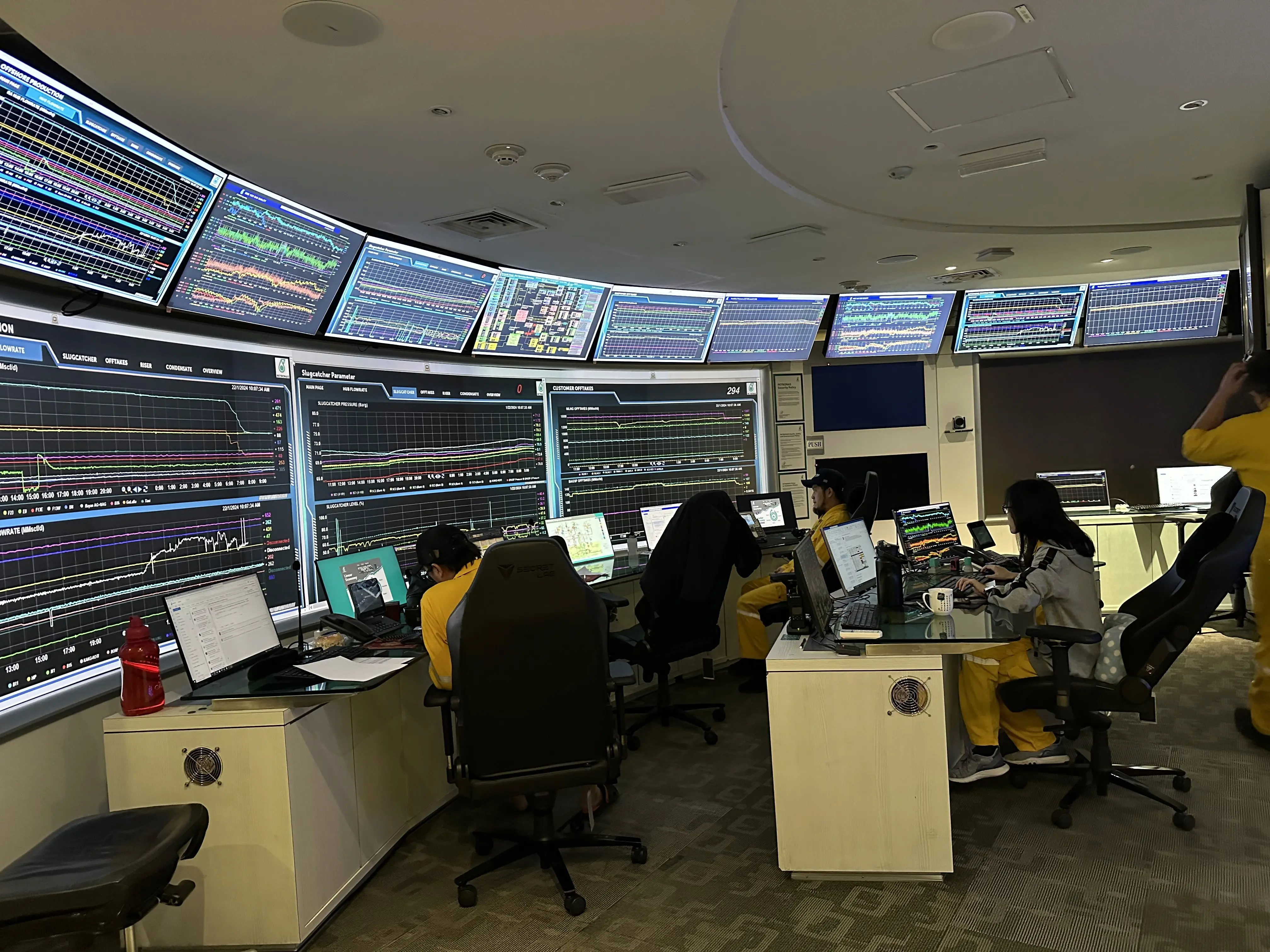
Introduction
background
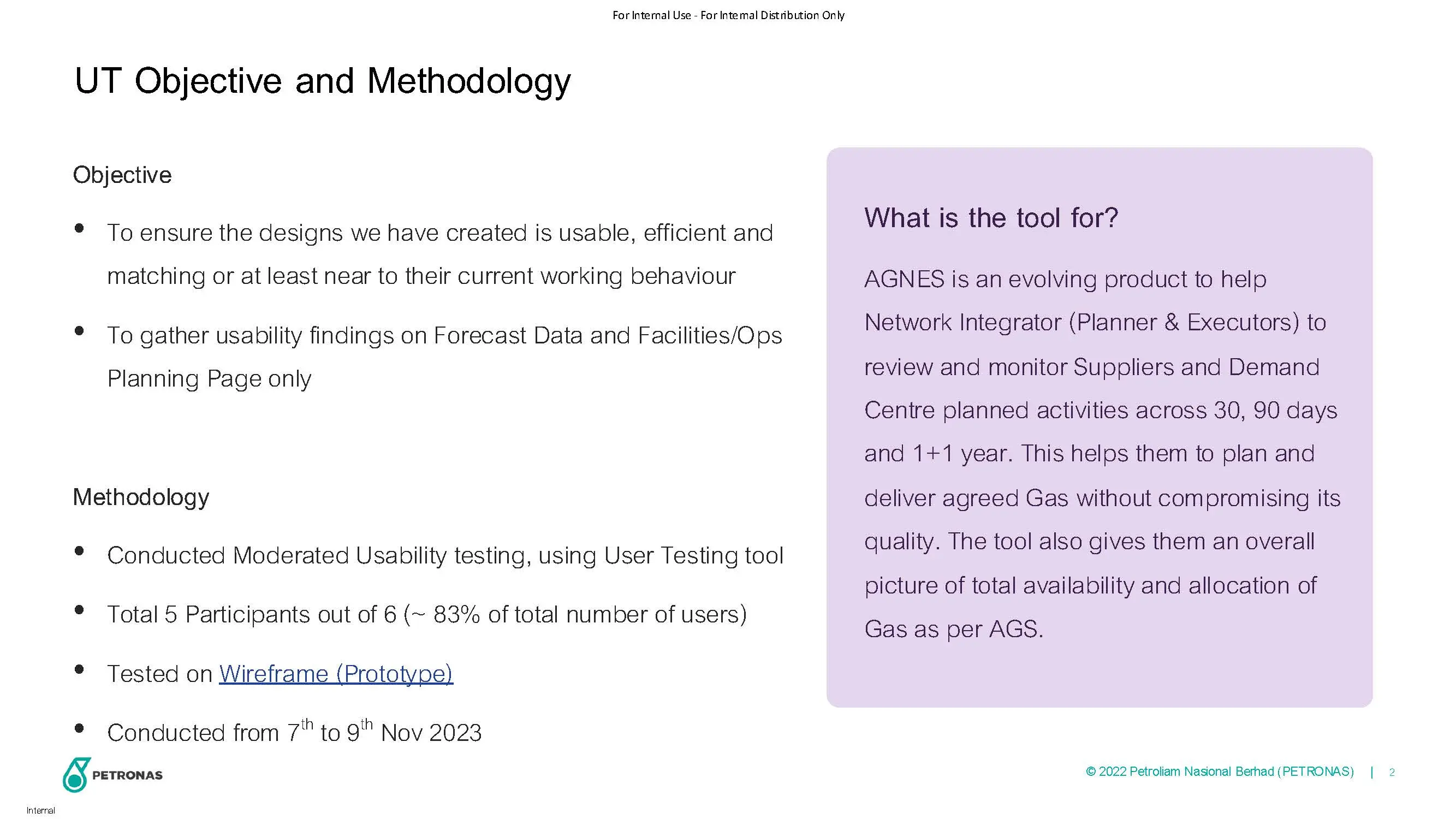
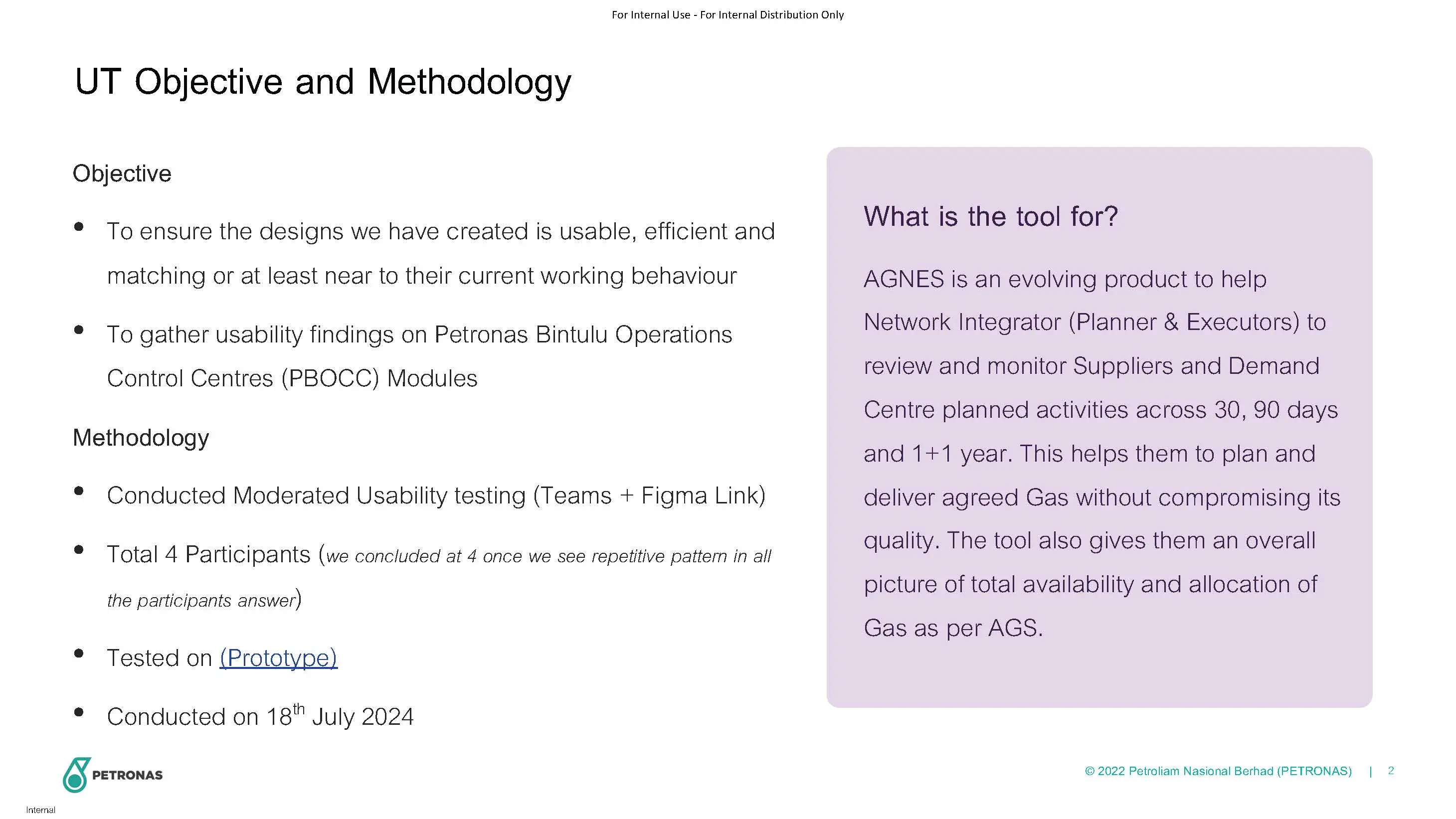
AGNES, a project driven by PD&T and Nervcentrefor Malaysia Assets, MPM, is designed to revolutionize the gas nomination process in Sarawak. It integrates simulation model development, UIUX enhancements, and AlphaLNG integration to streamline operations.
Business impact
AGNES targets swift cash generation, aiming for 2-3 cargoes at USD$9 million each during disruptions. The project optimizes gas planning, minimizing revenue loss and improving overall efficiency. Integration with AlphaLNGenhances coordination, customer satisfaction, and compliance with contractual obligations.
ask
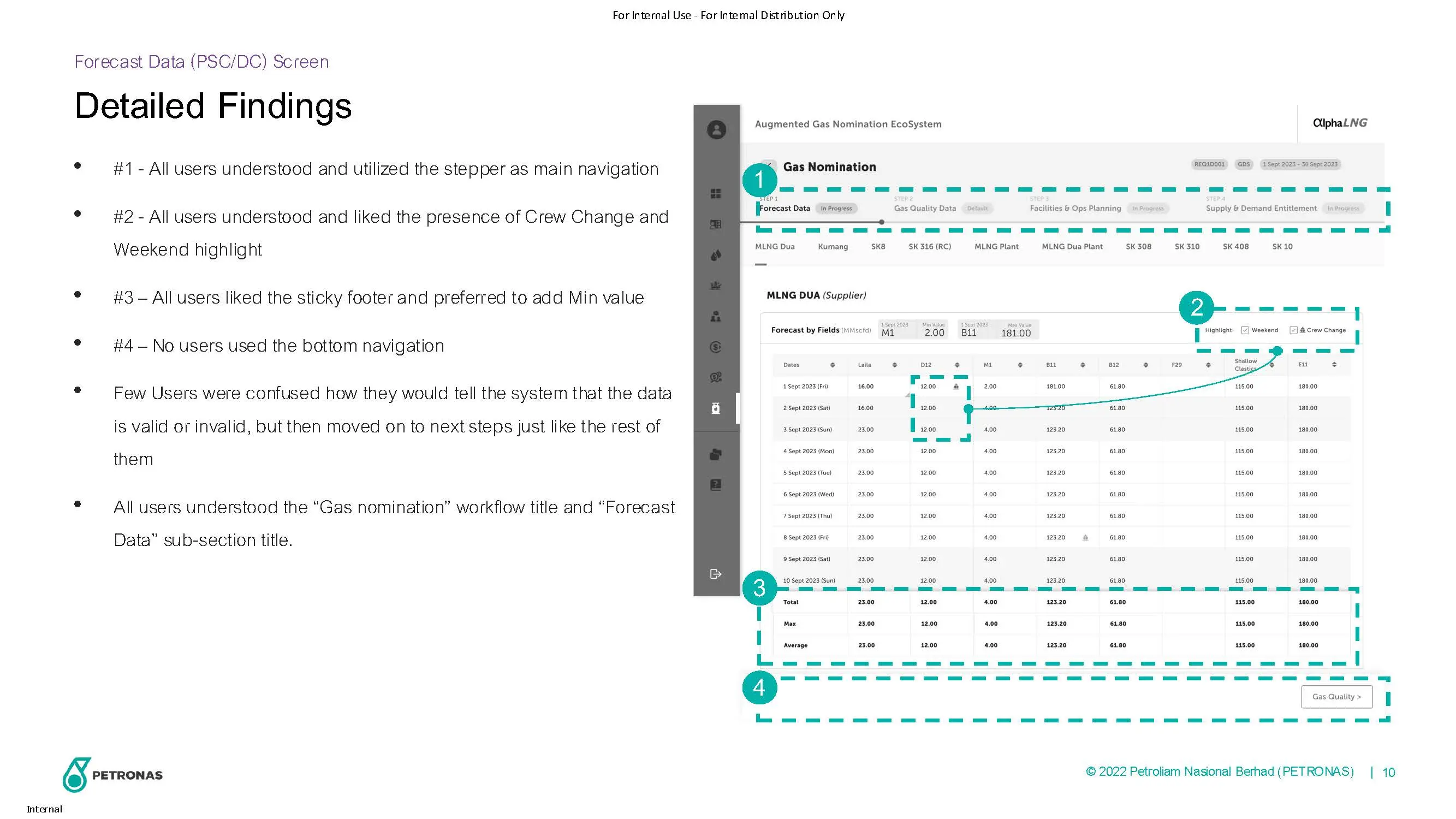
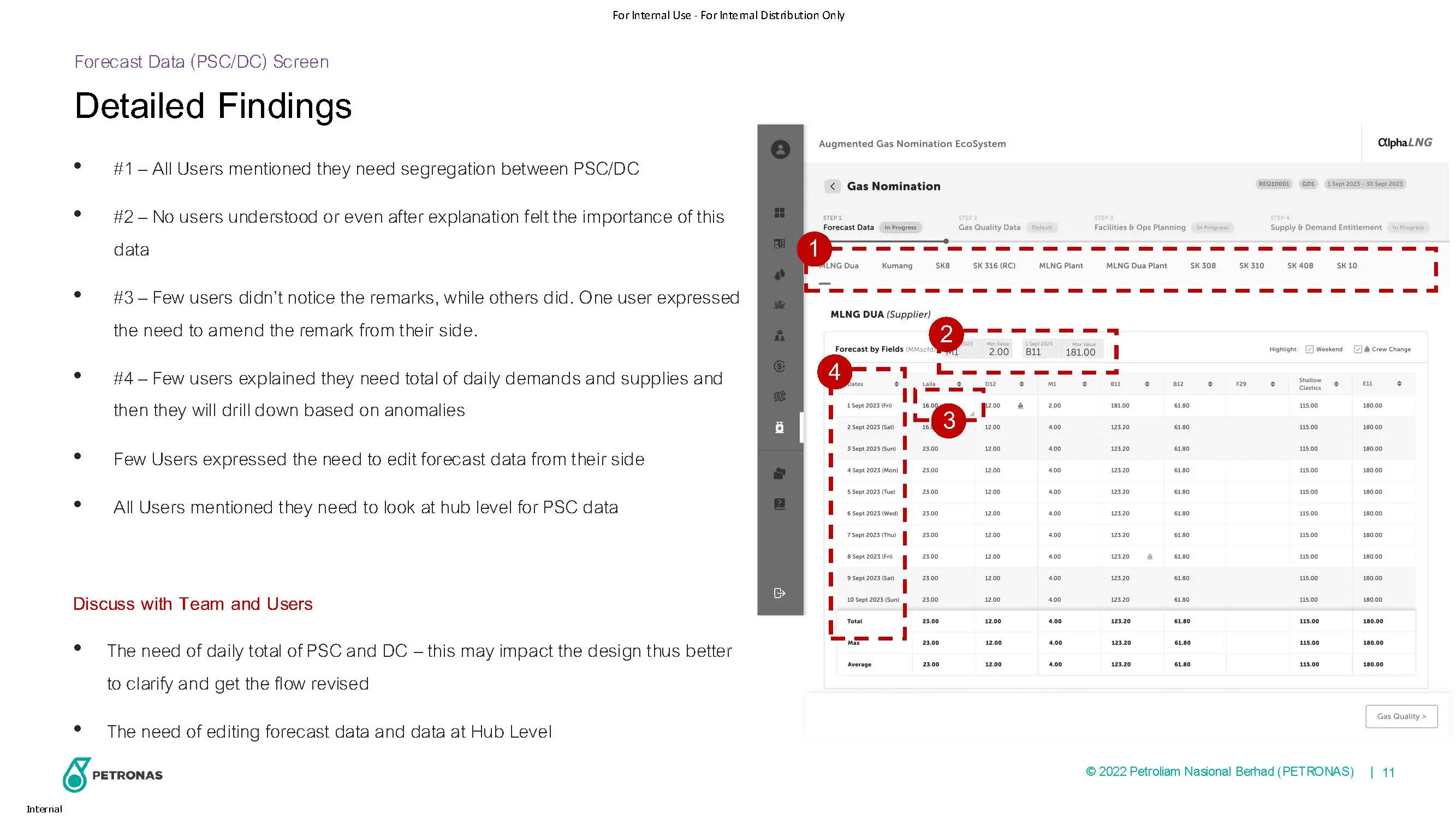
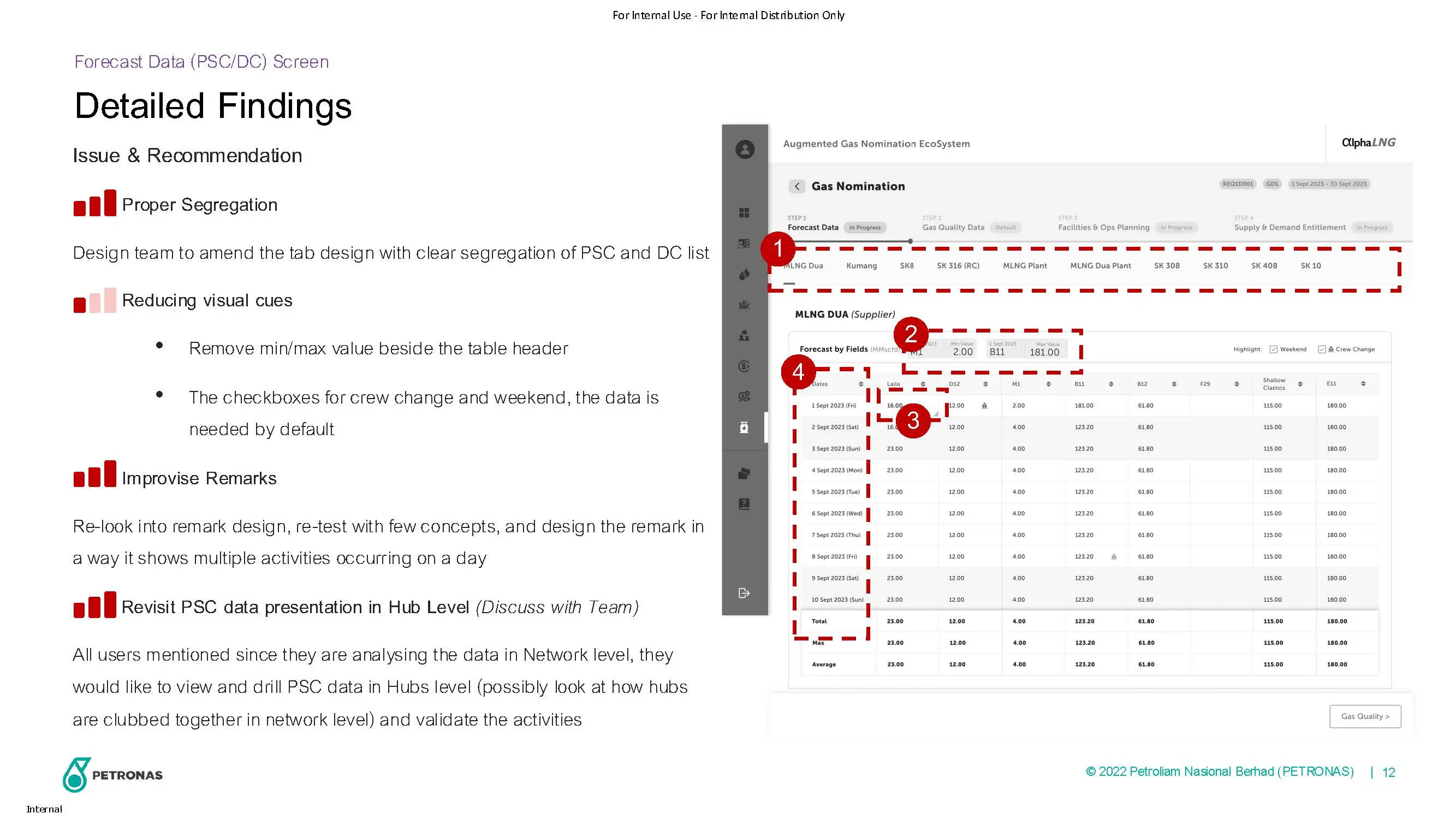
To design a user interface that aids users in efficiently monitoring gas nomination data, with the goal of reducing gas re-nomination time during disruptions. This involves transforming existing Excel sheets into a more user-friendly digital view for an improved user experience (UX)
Scope
User interview | Information Architecture | User journey | Wireframe | User validation | Visual design & prototyping | UX Writing | Webpage QA review | Feedback management
Design metrics
Nomination Time Reduction: Target a reduction from 12-24 hours to less than 5 hours for gas re-nomination during disruptions.
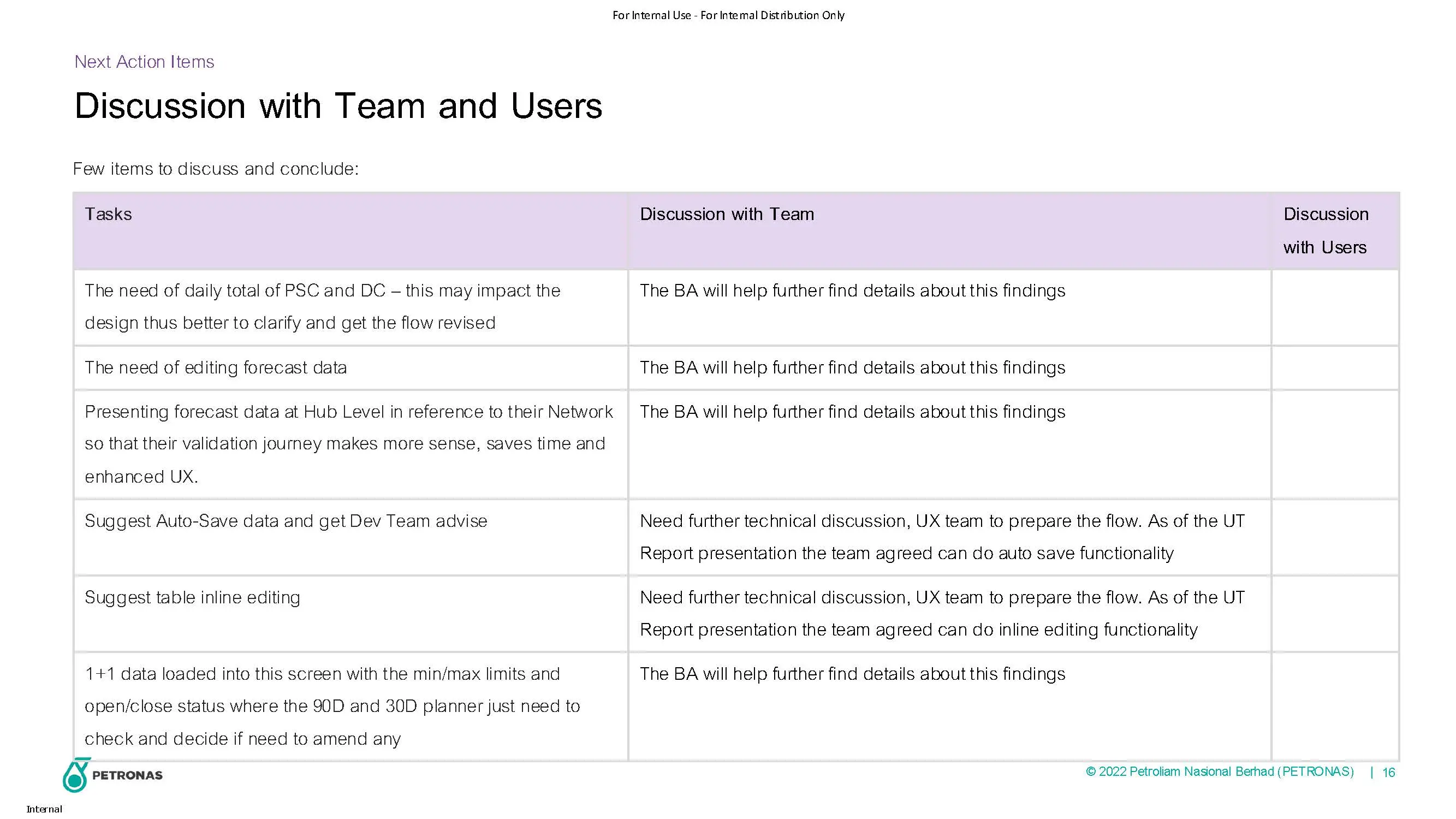
Auto Validate the data: System should able to auto validate the data and expect the disruption early
Cash Generation Efficiency: Evaluate success by comparing actualcashgeneration to the goal of 2-3 cargoes at USD$9 million each
CLIENT
Petronas
LOCATION
Malaysia
TOOLS
Figma, FigJam, UserTesting
ROLE
Design Lead - Collaborate with UX/UI Designers across the full design process
Understanding the Project
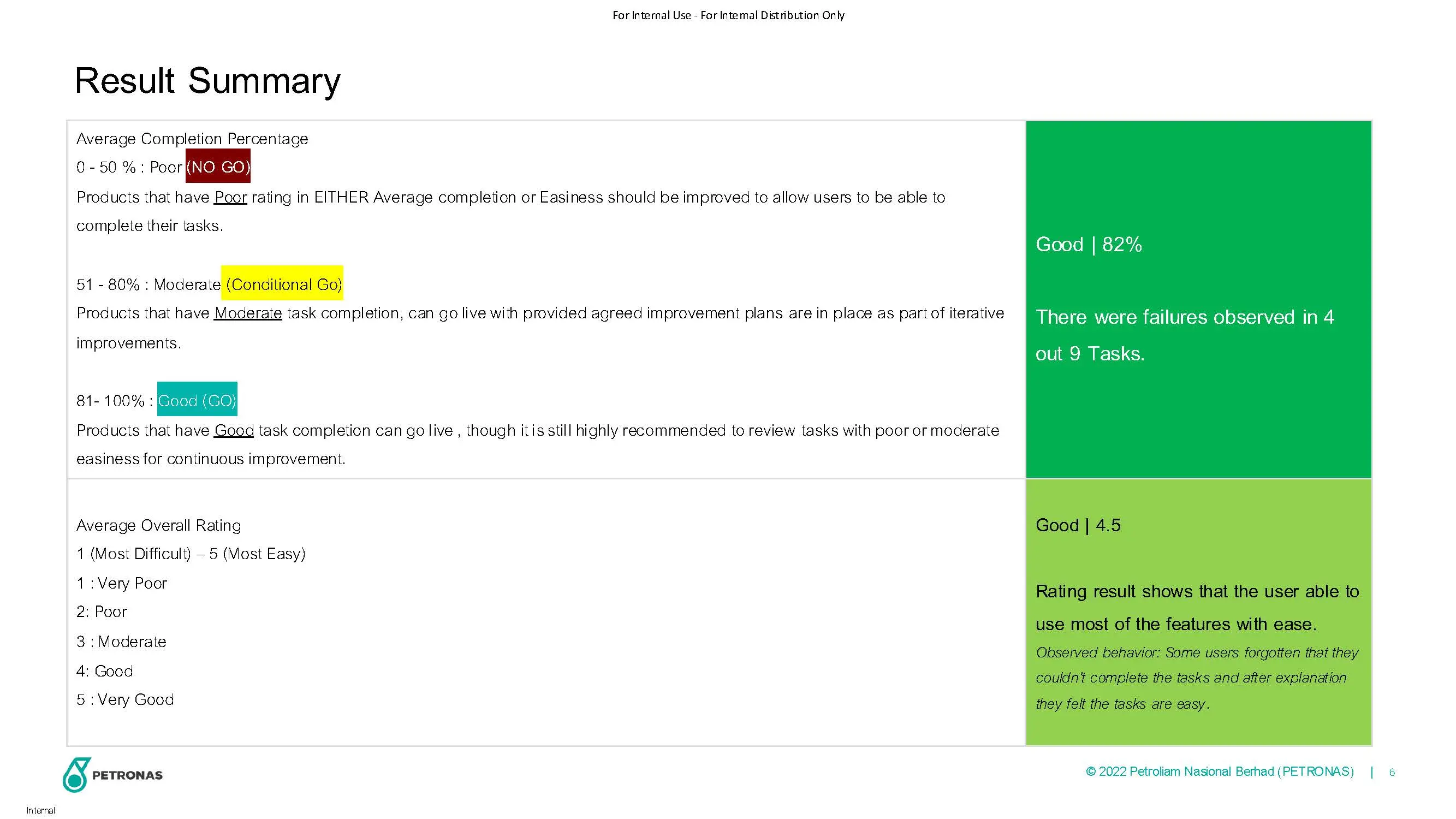
The design team joined the project two months later than planned, which limited our ability to conduct thorough research, as the business team was already expecting visible outcomes.
Watch Meetings and Workshop records
9 Videos (07:40:00)
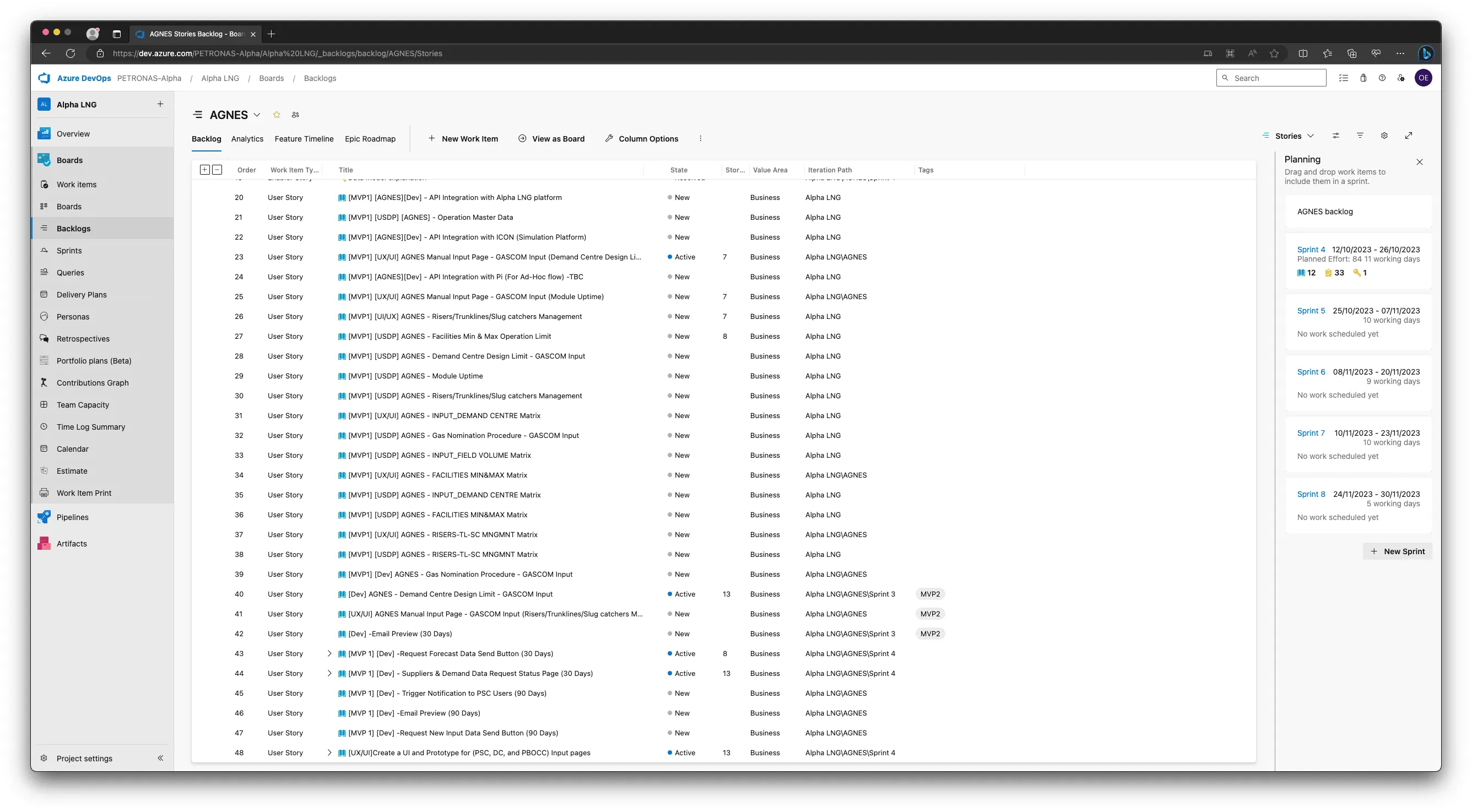
Study User Stories
48 User Stories in Backlog.
The Result
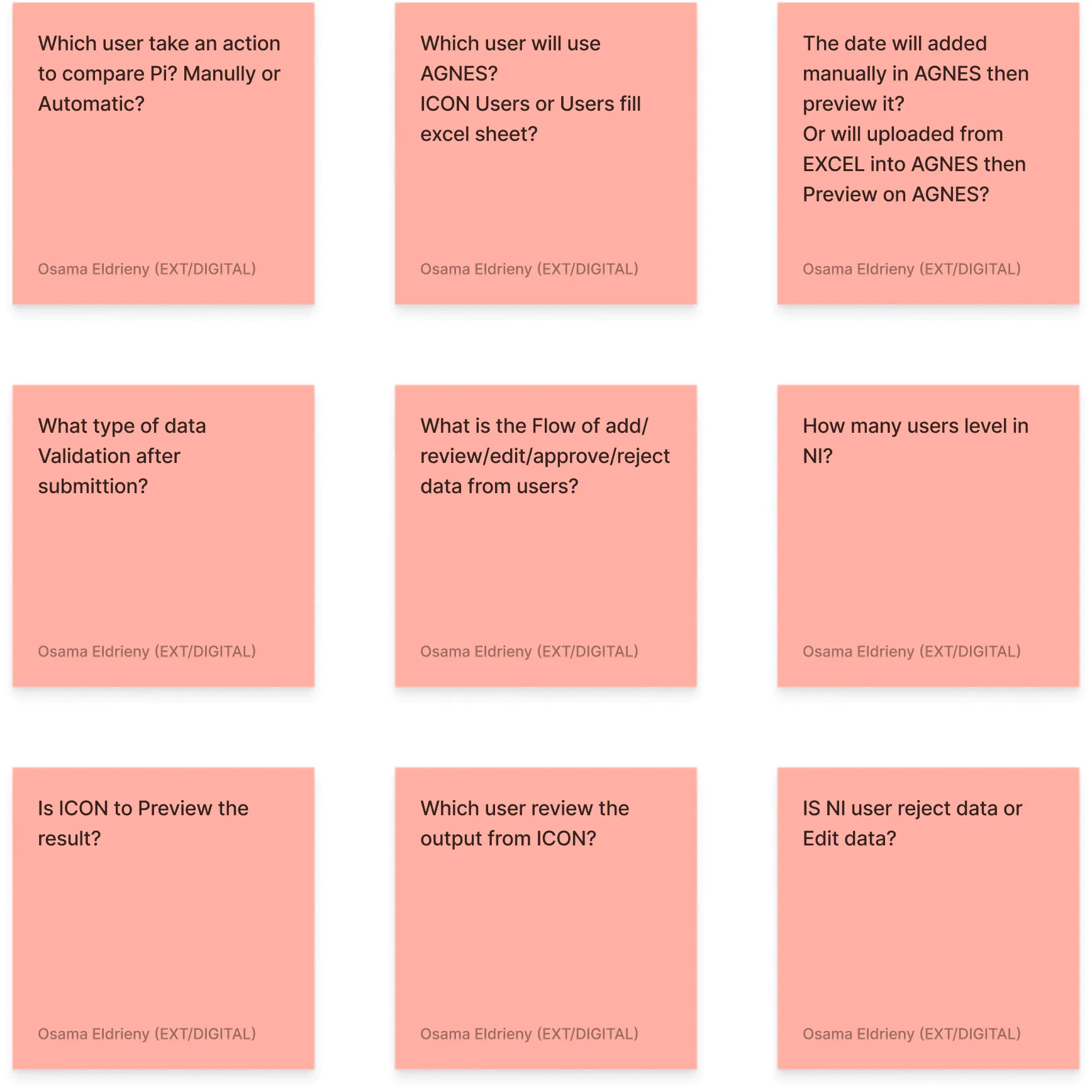
After reviewing all recorded meetings and reading through the user stories, we discovered
We still have 9 Grey areas
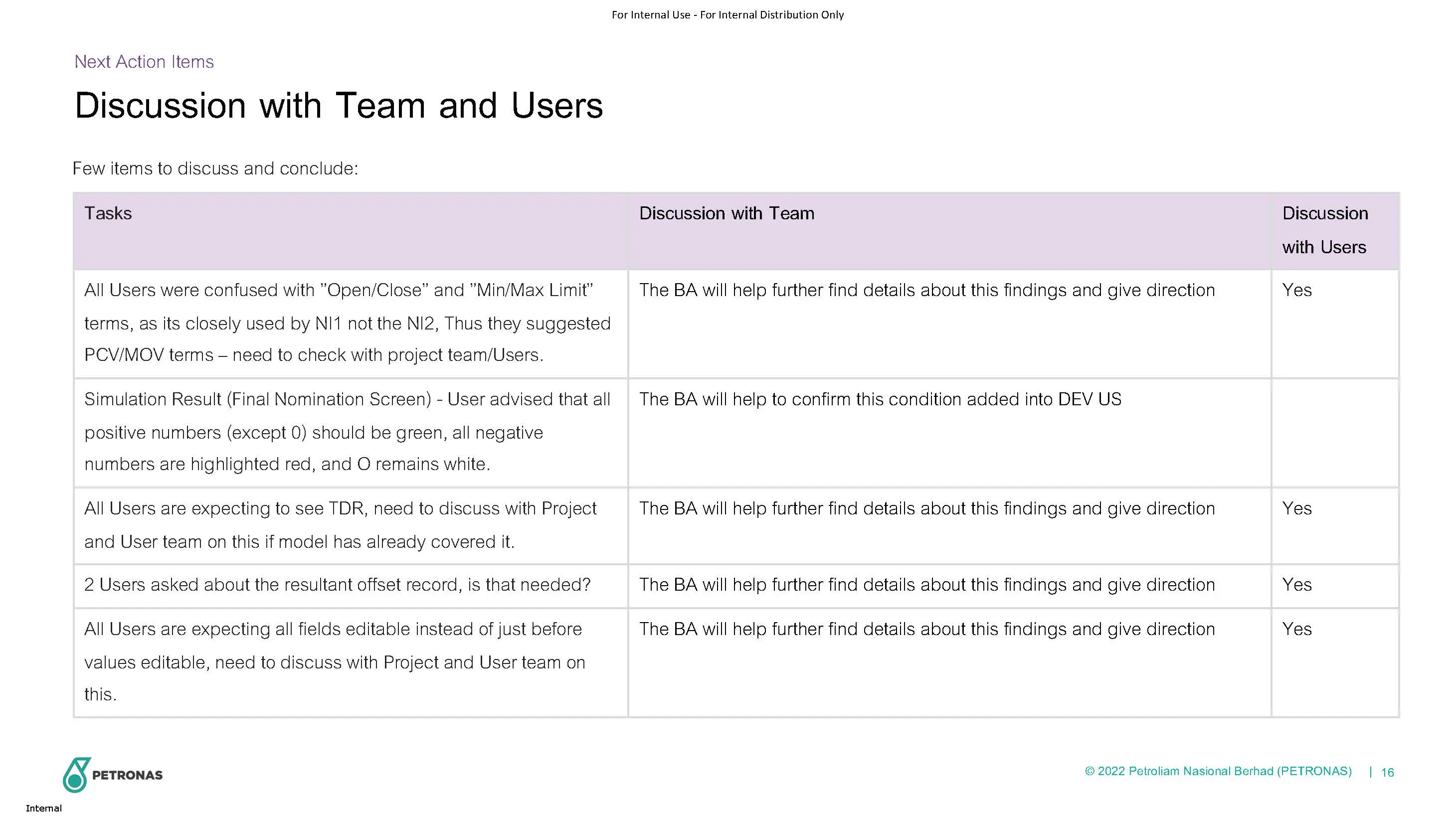
Asked for User Interviews
But Business Project Manager (Connie) suggest to set with the team first because they know the user needs and pain points
Meetings with team members
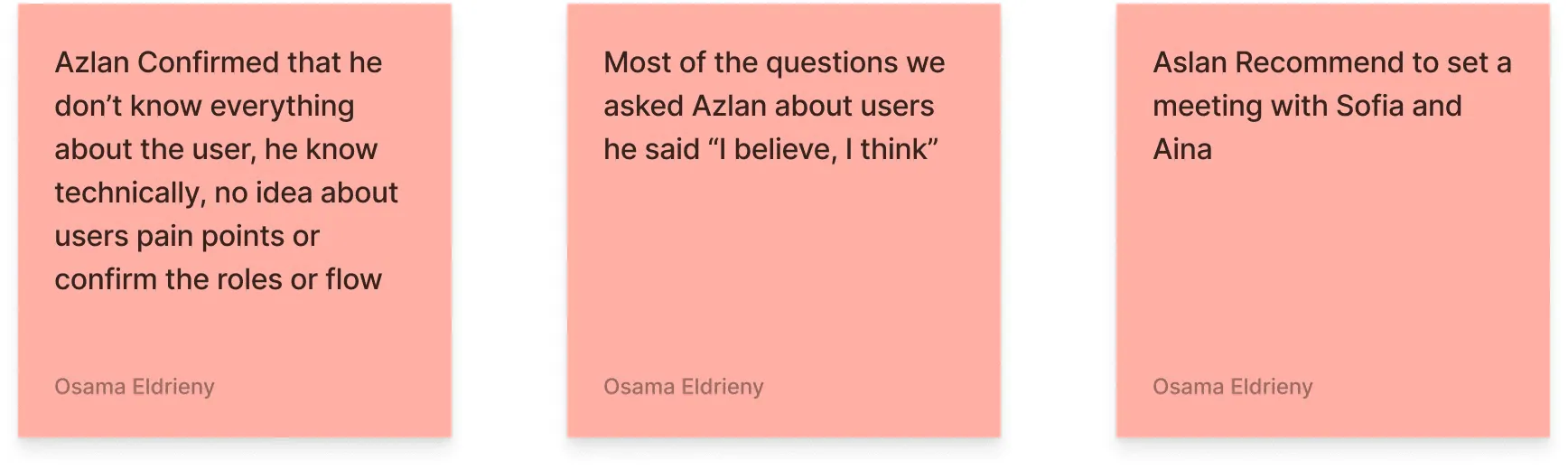
Meeting with Aslan
Meeting with Sofia & Aina
We held several meetings with team members to gain deeper insights, but they confirmed they don’t know the users. Instead, they focused on how the current system works. Most of our questions were met with responses like 'we believe,' 'we think,' or 'we have no idea.
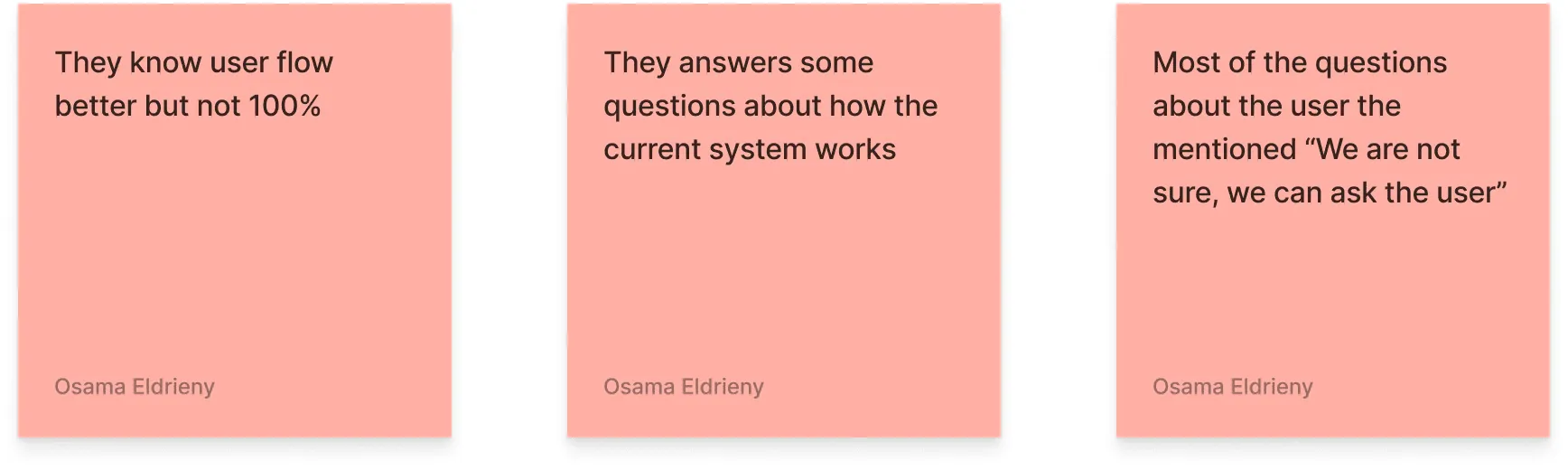
At th end
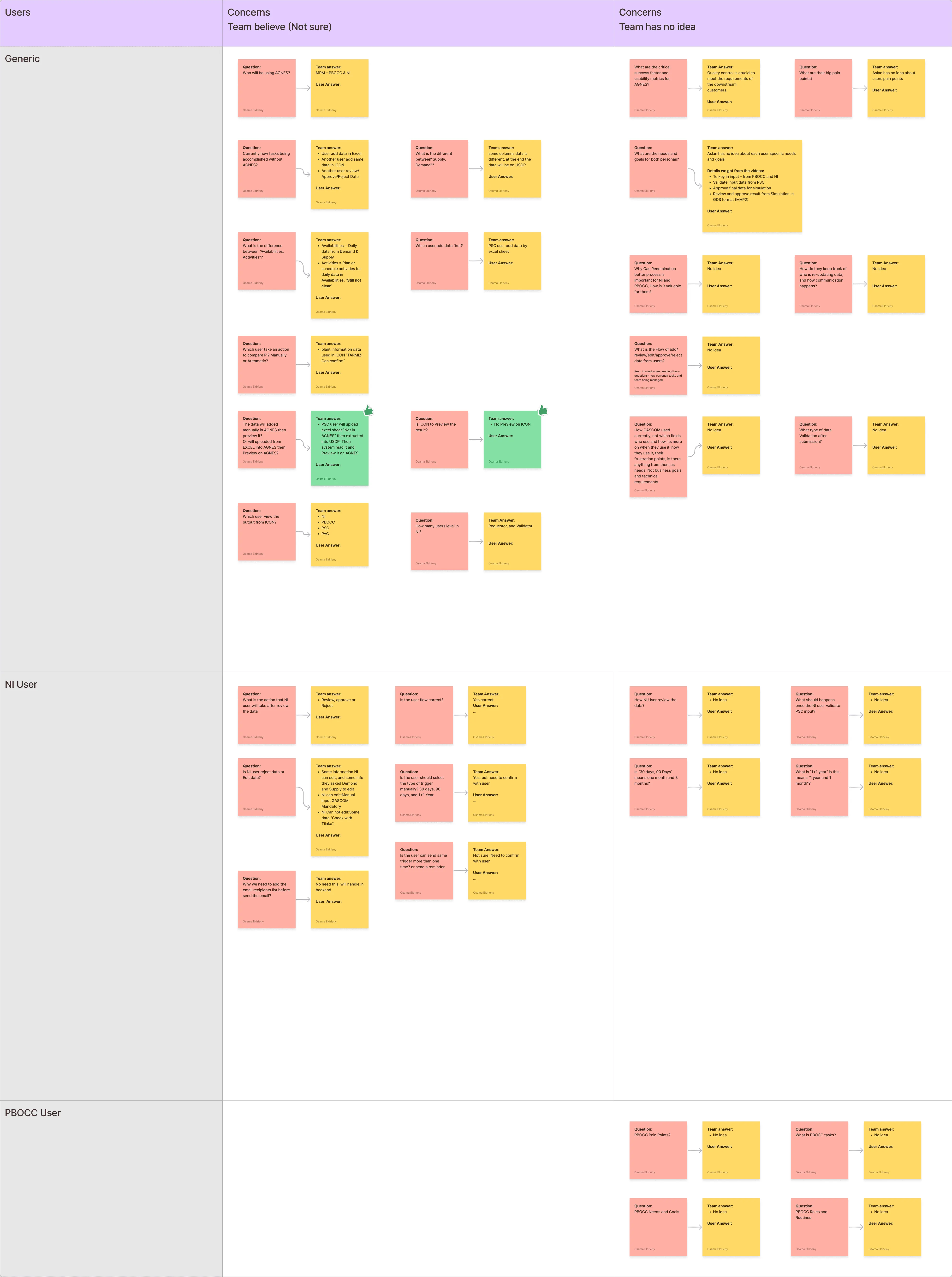
We requested a physical meeting with 50+ team members to align and better understand the project, only to find that everyone had a different understanding. This is what we uncovered.
Total 32 Questions
We believe, Not Sure (14 Questions)
No Idea (16 Questions)
Got answer (2 Questions)
Temprory Plan
The business has now agreed to proceed with user research and interviews. In parallel, we’ll begin creating initial designs to review with users, as this step is crucial. This is our temporary plan.
What we planed to do
User Interviews
Personas
Tasks Flow / Priority
User Journeyority
IA
Create UI & Prototype
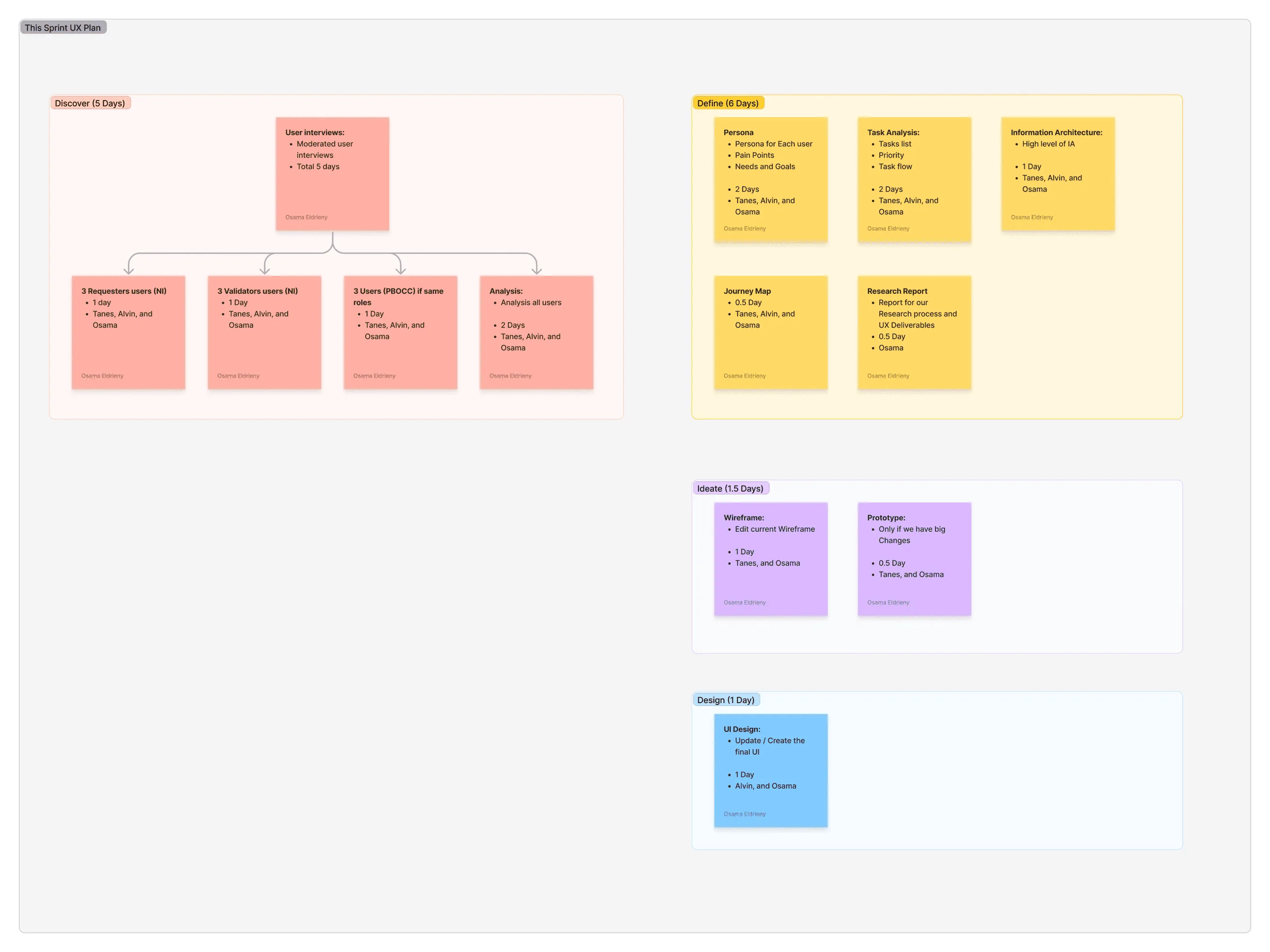
Work in parallel to save the team time
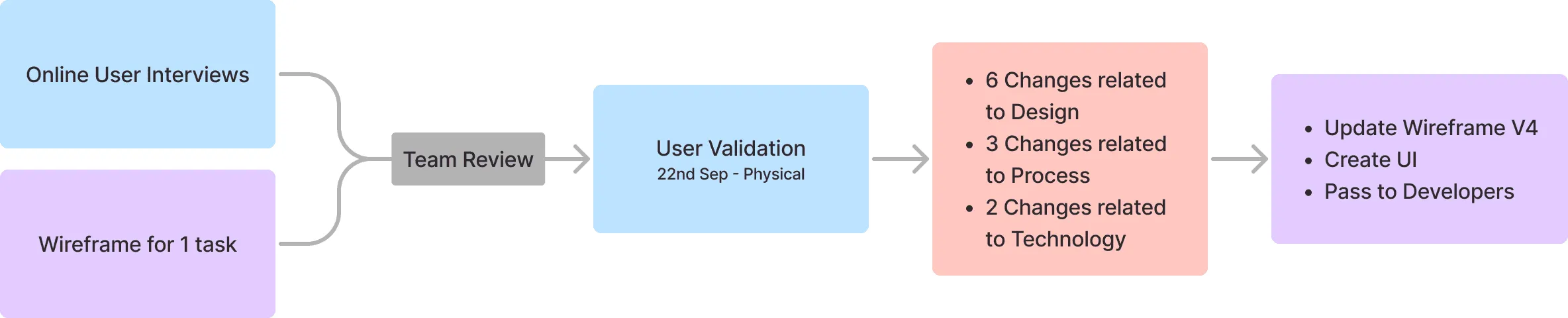
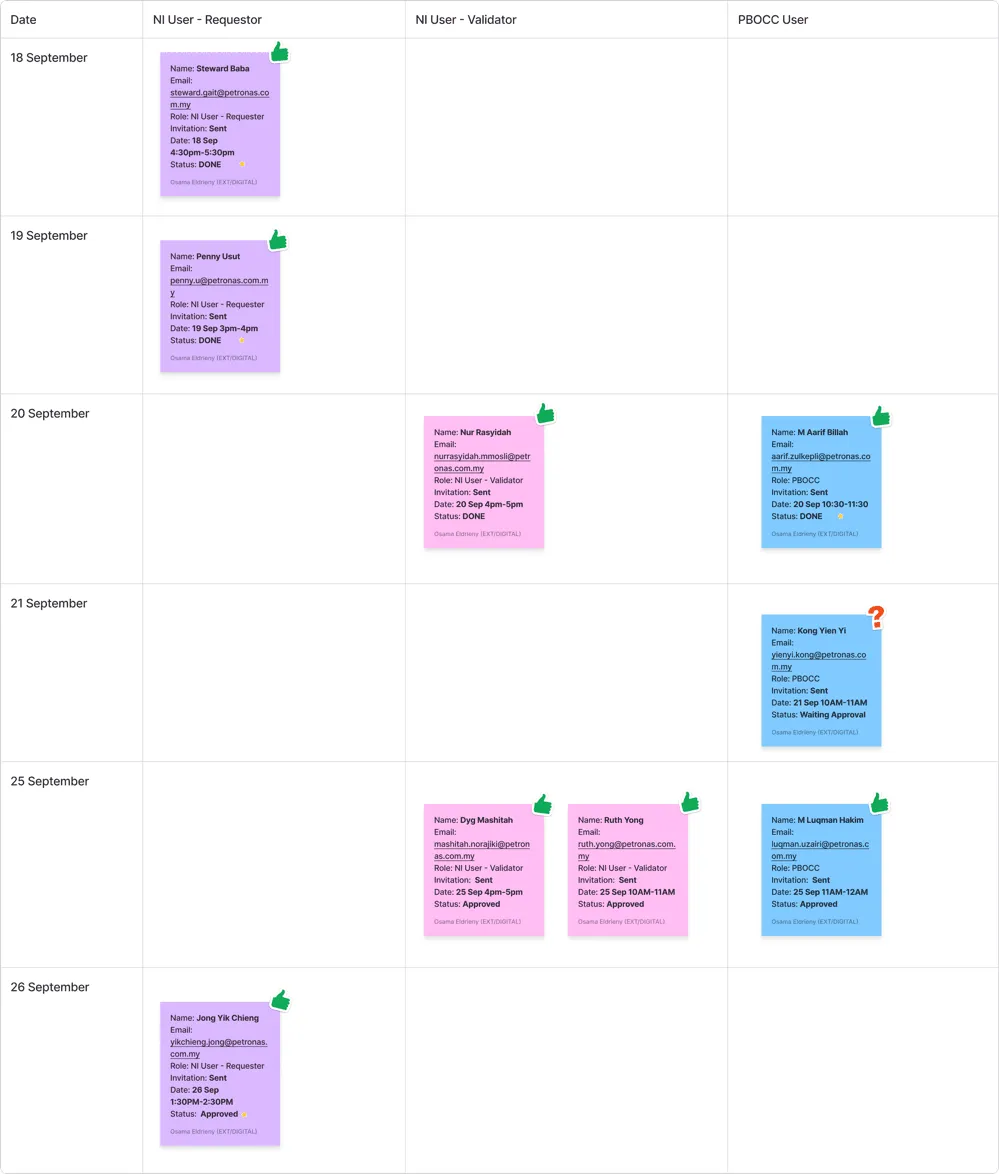
User Interviews
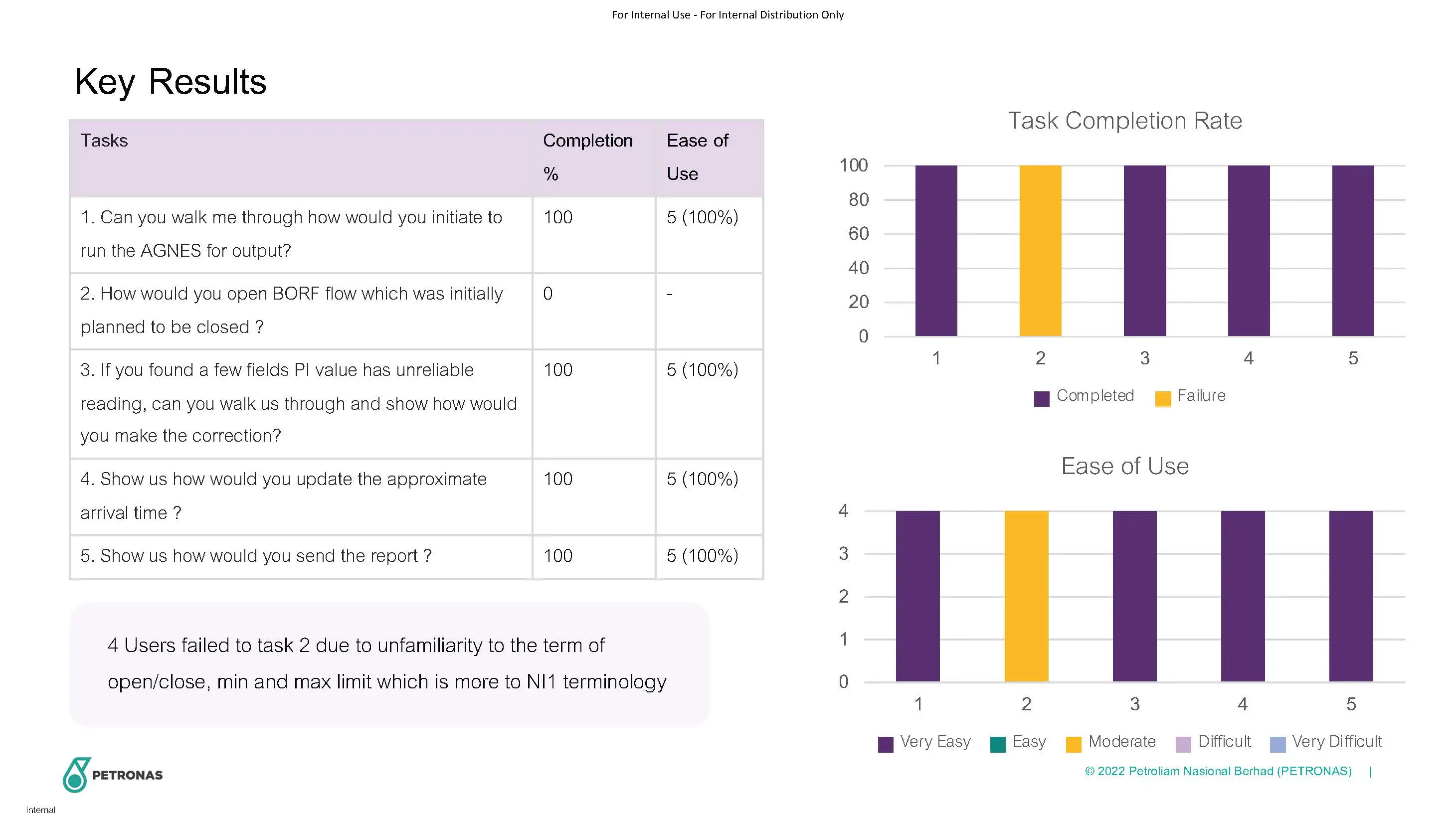
Total 8 User interviews
3 NI Requester
3 NI Validator
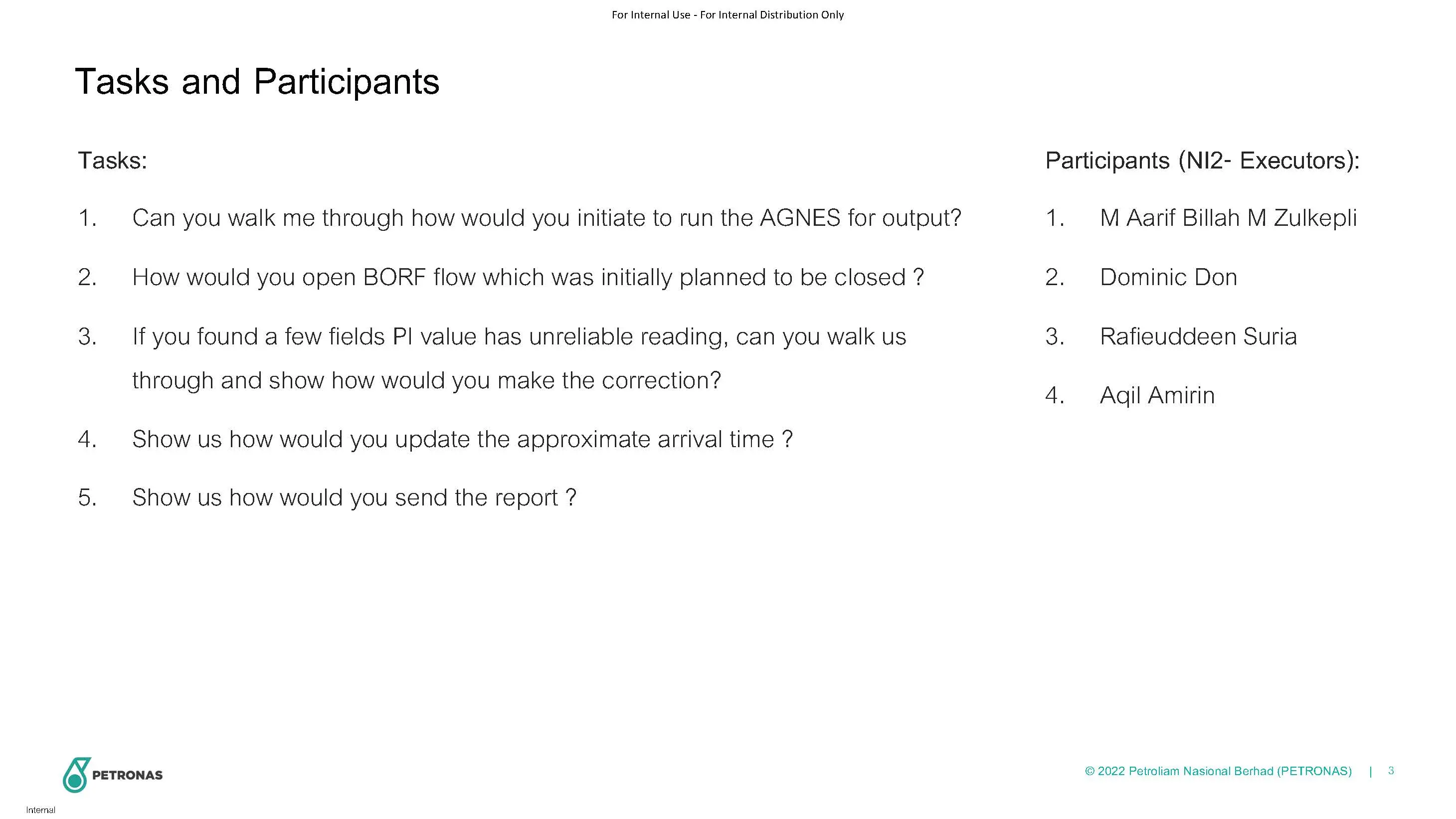
2 PBOCC
Discover
Main Pain Points
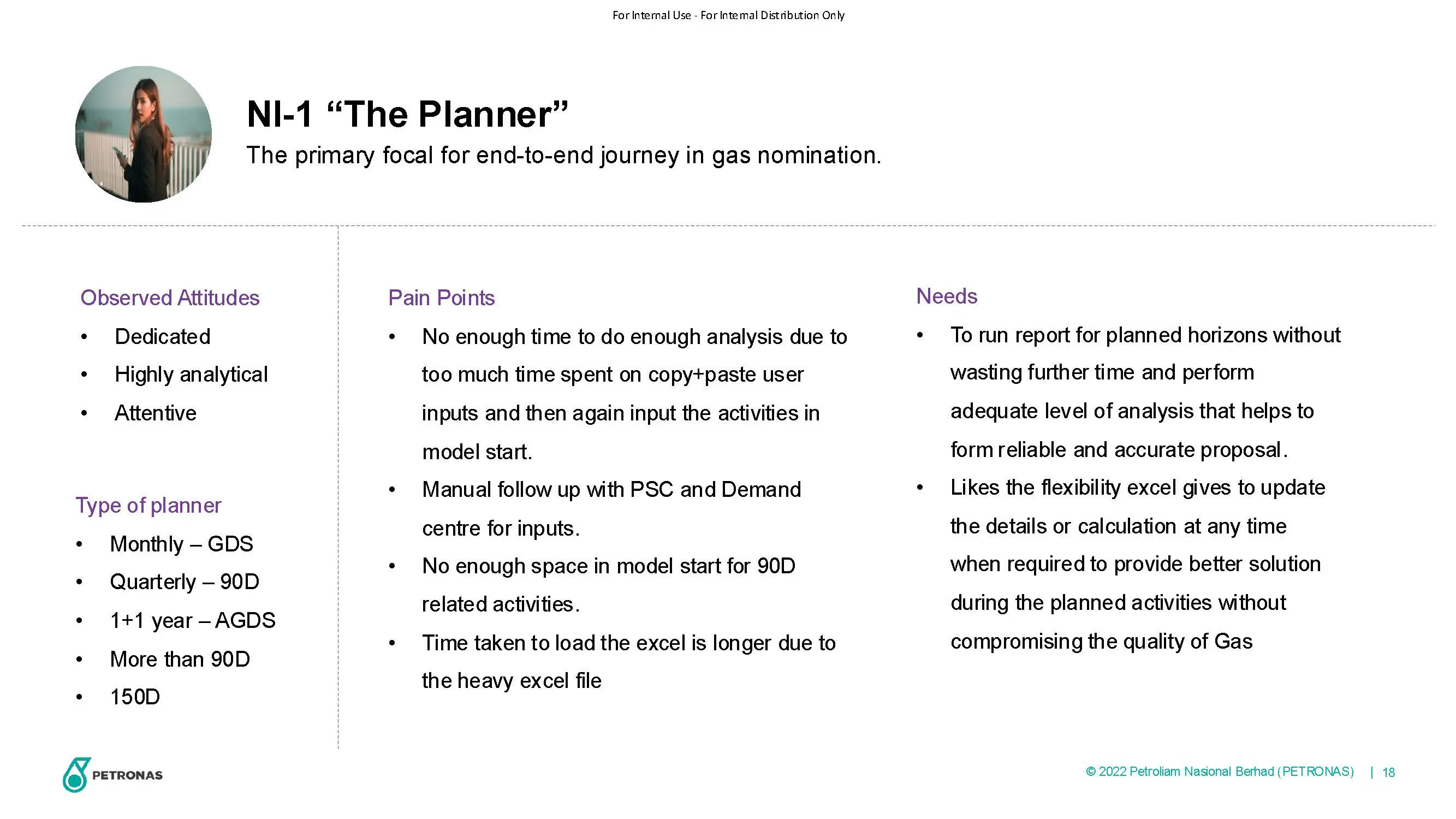
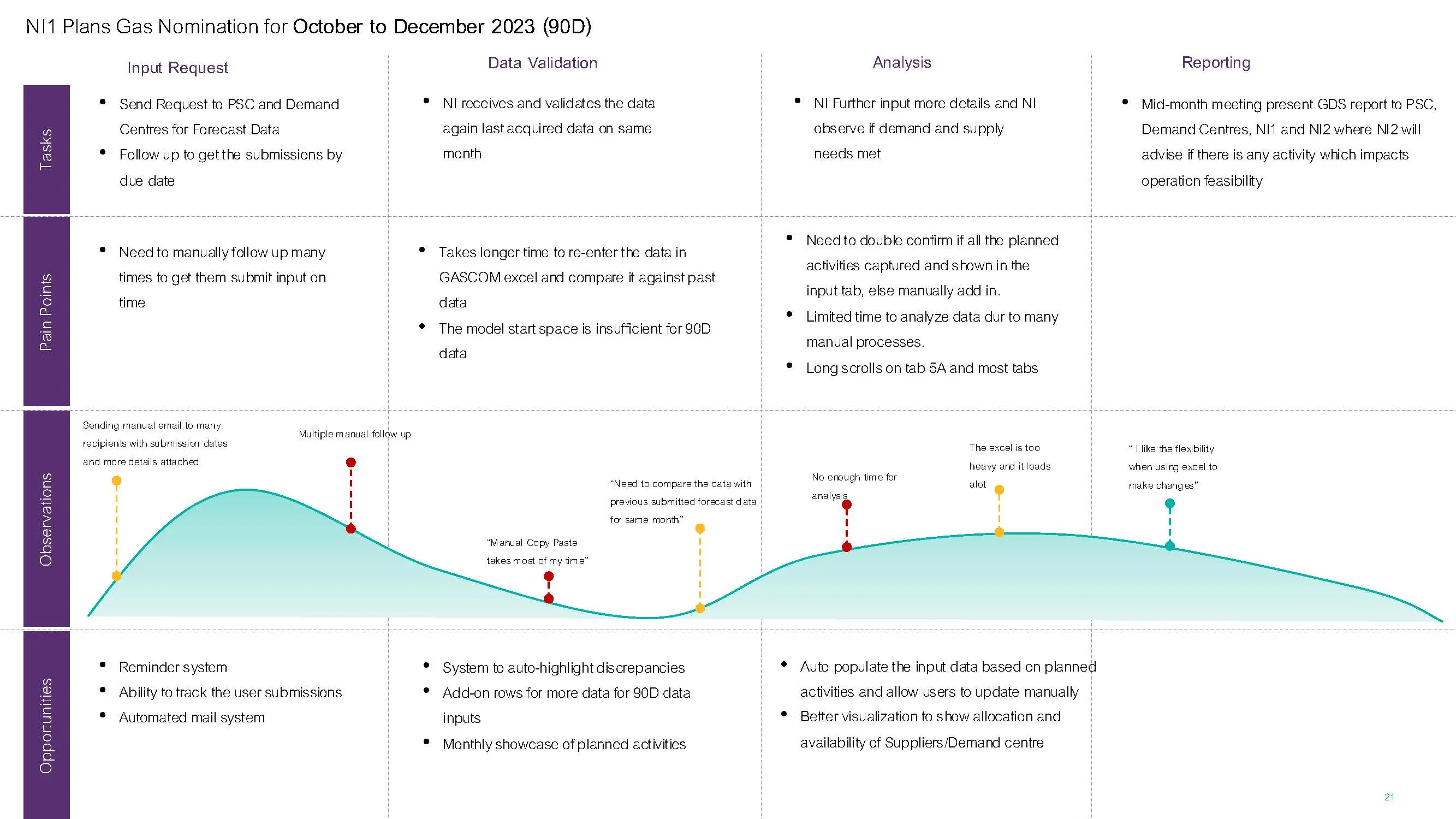
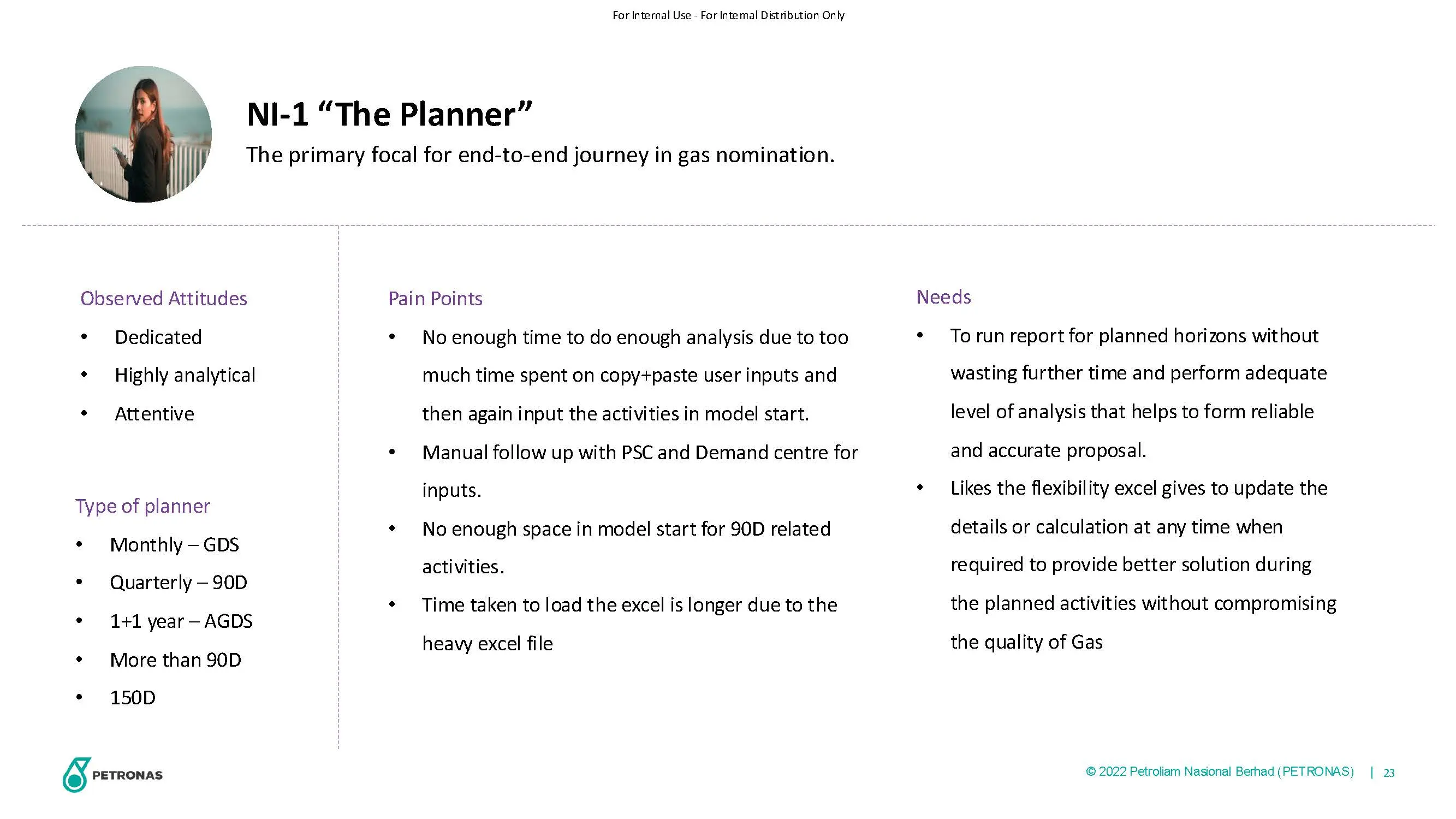
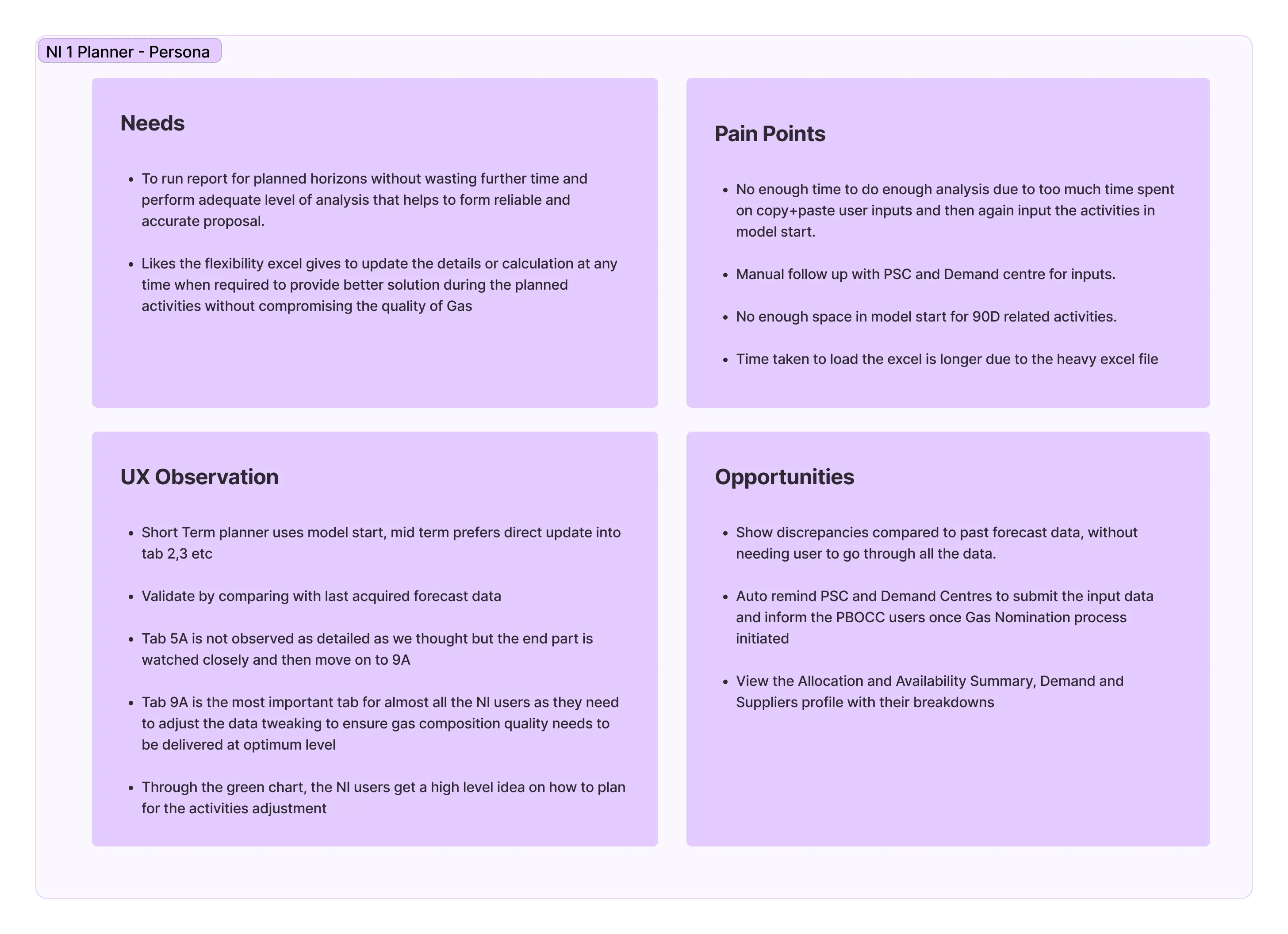
No enough time to do enough analysis due to too much time spent on copy+pasteuser inputs and then again input the activities in model start.
Manual follow up with PSC and Demand centre for inputs.
No enough space in model start for 90D related activities.
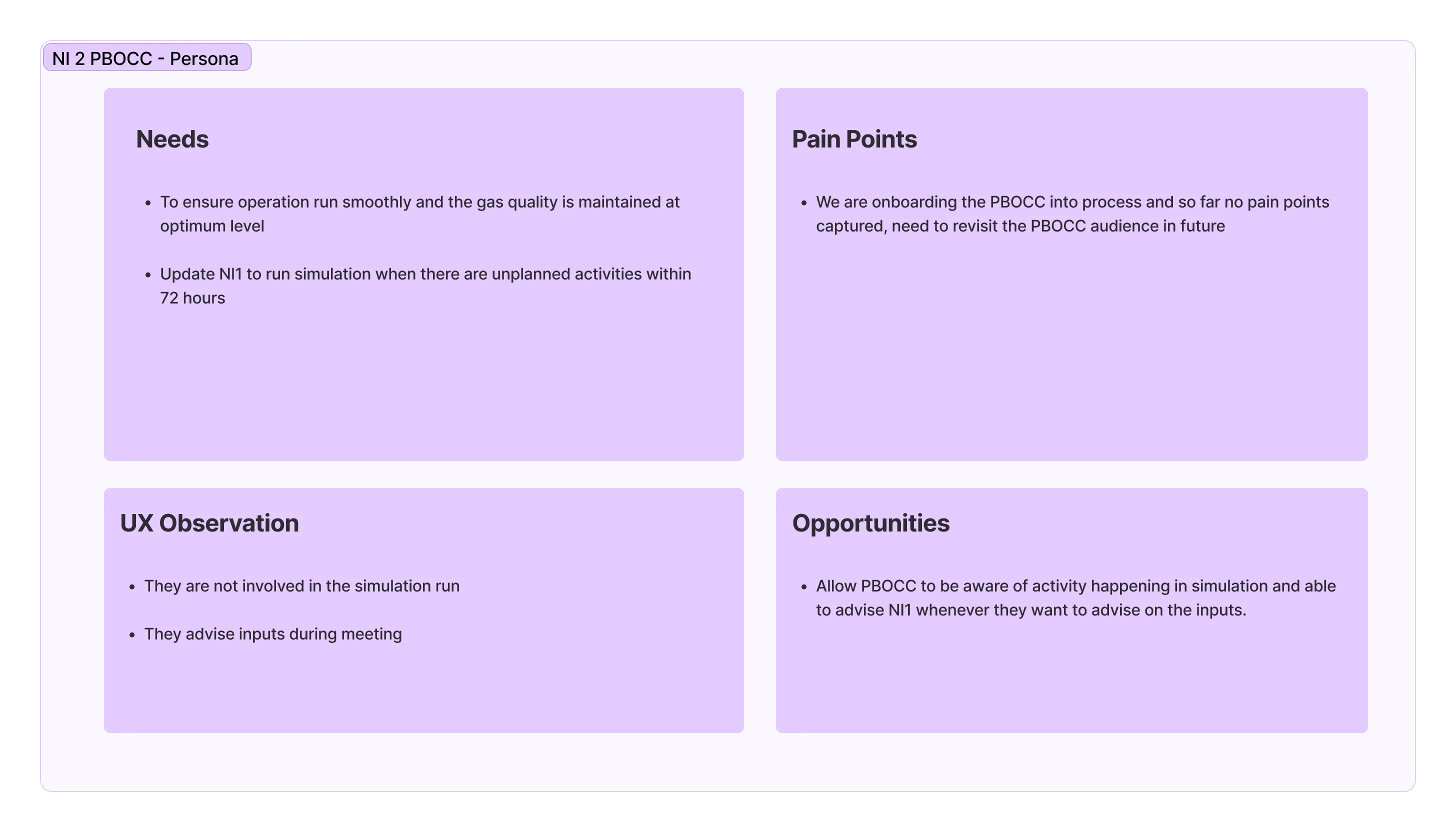
Time taken to load the excel is longer due to the heavy excel file We are onboarding the PBOCC into process and so far no pain points captured, need to revisit the PBOCC audience in future
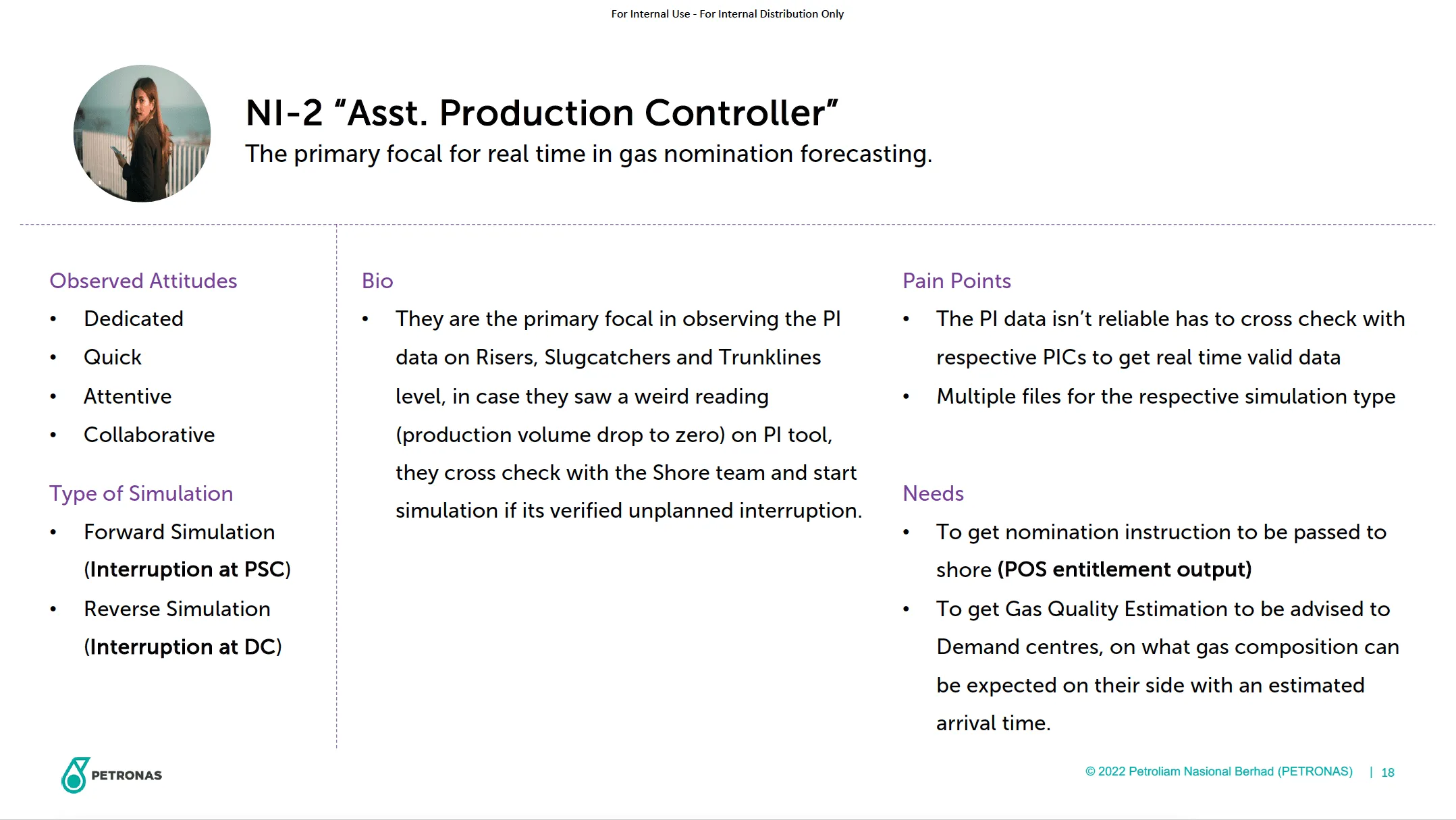
Persona
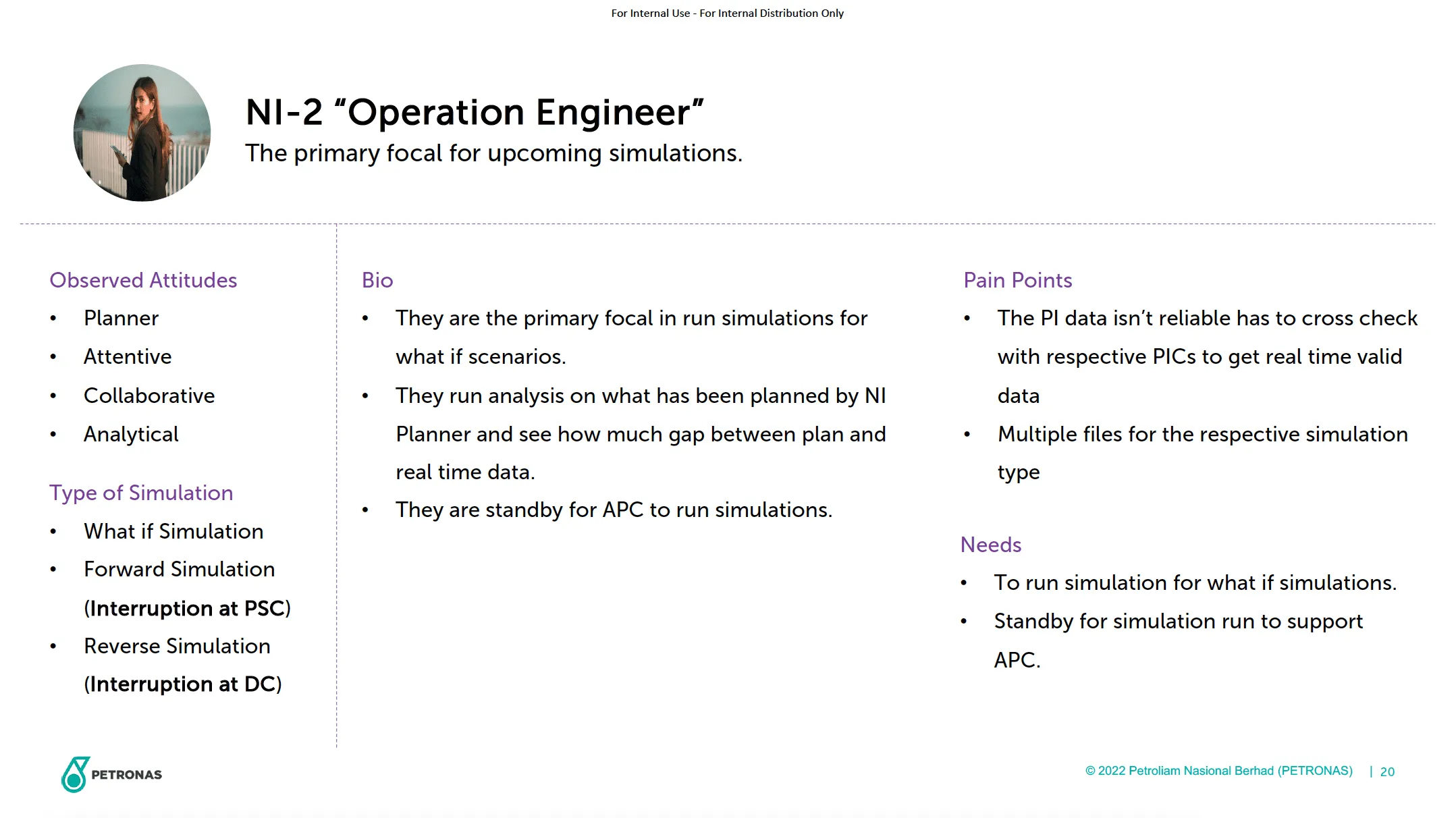
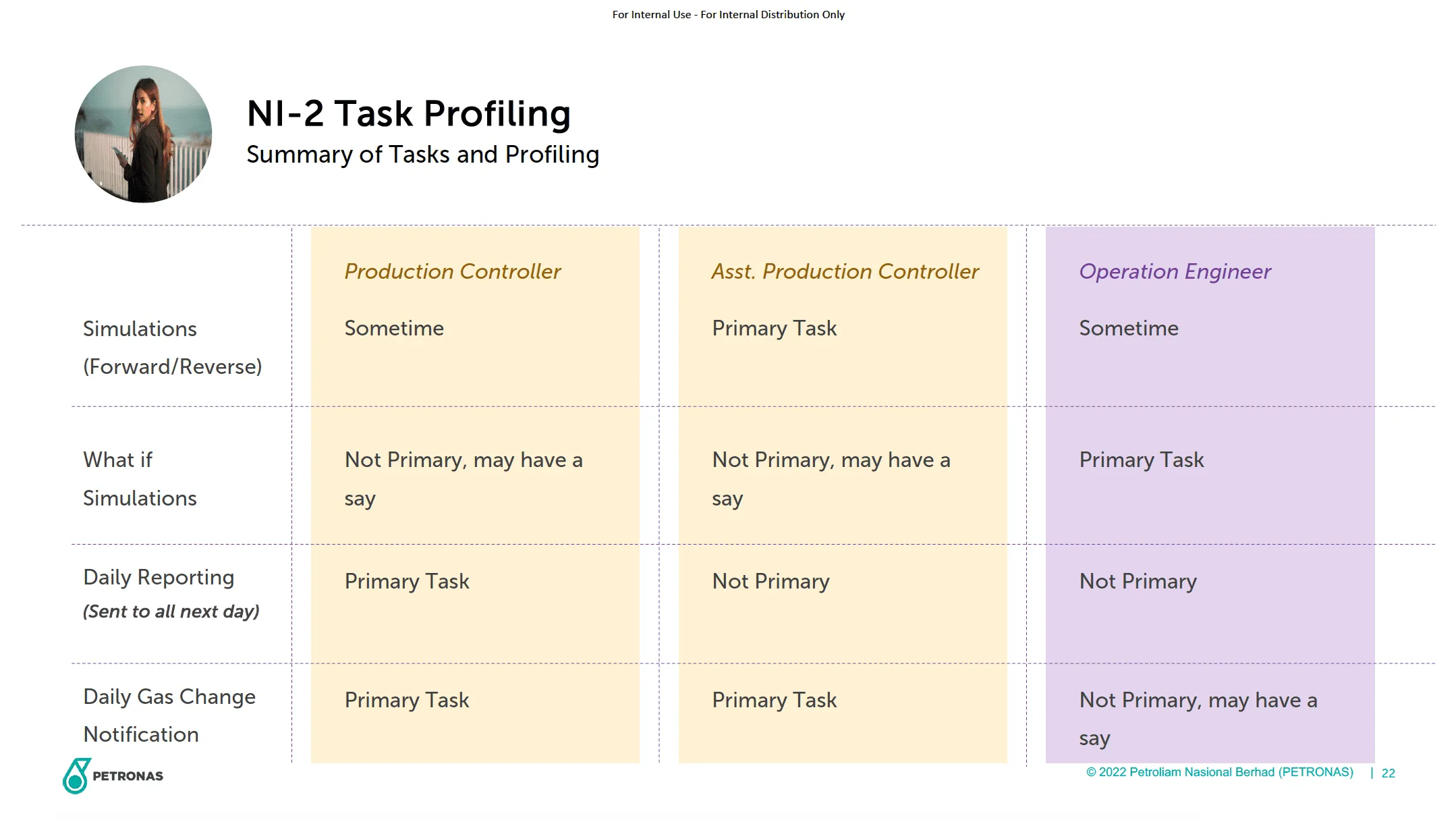
NI User
Requestor
Validator
Input data
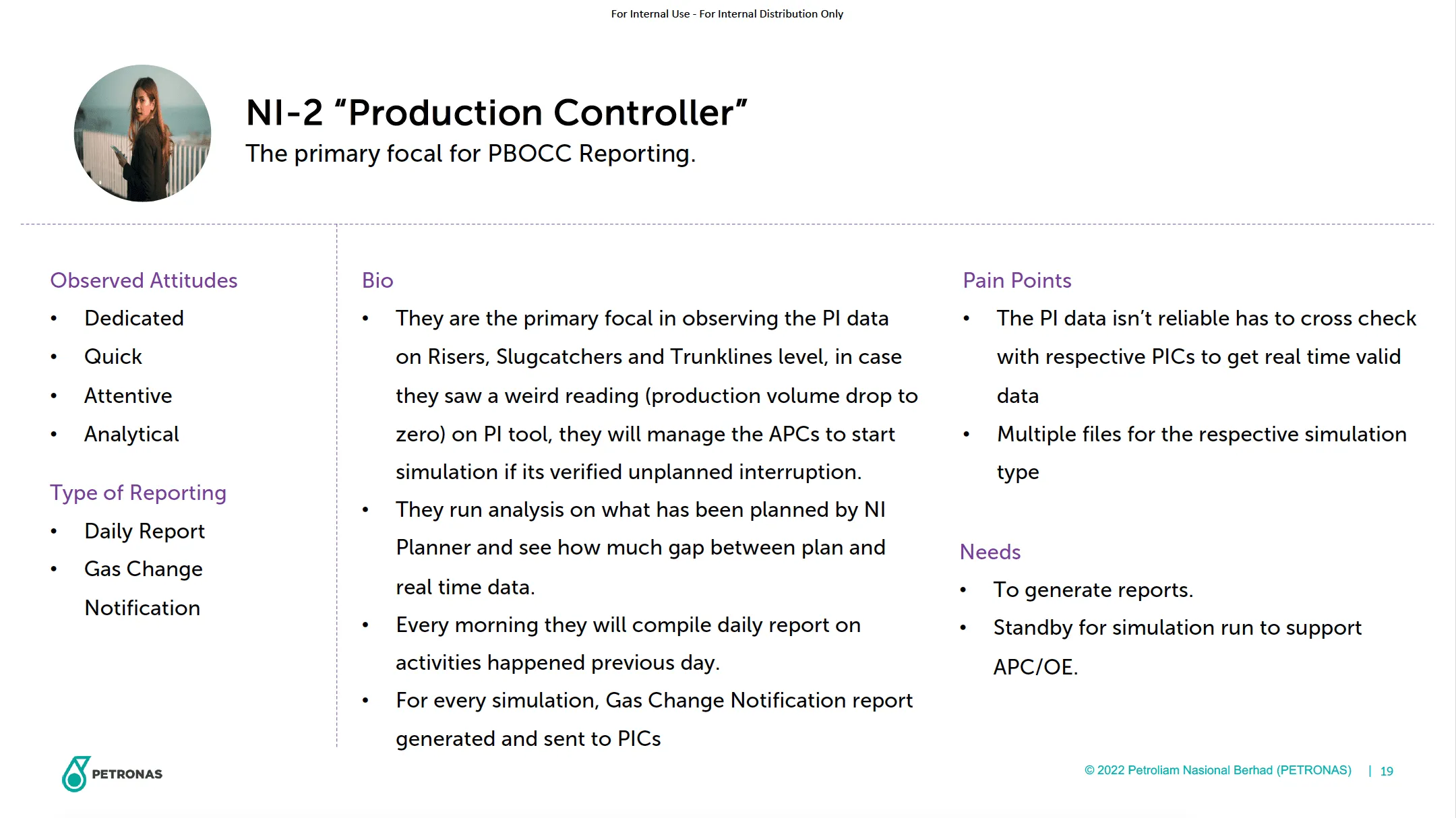
Persona
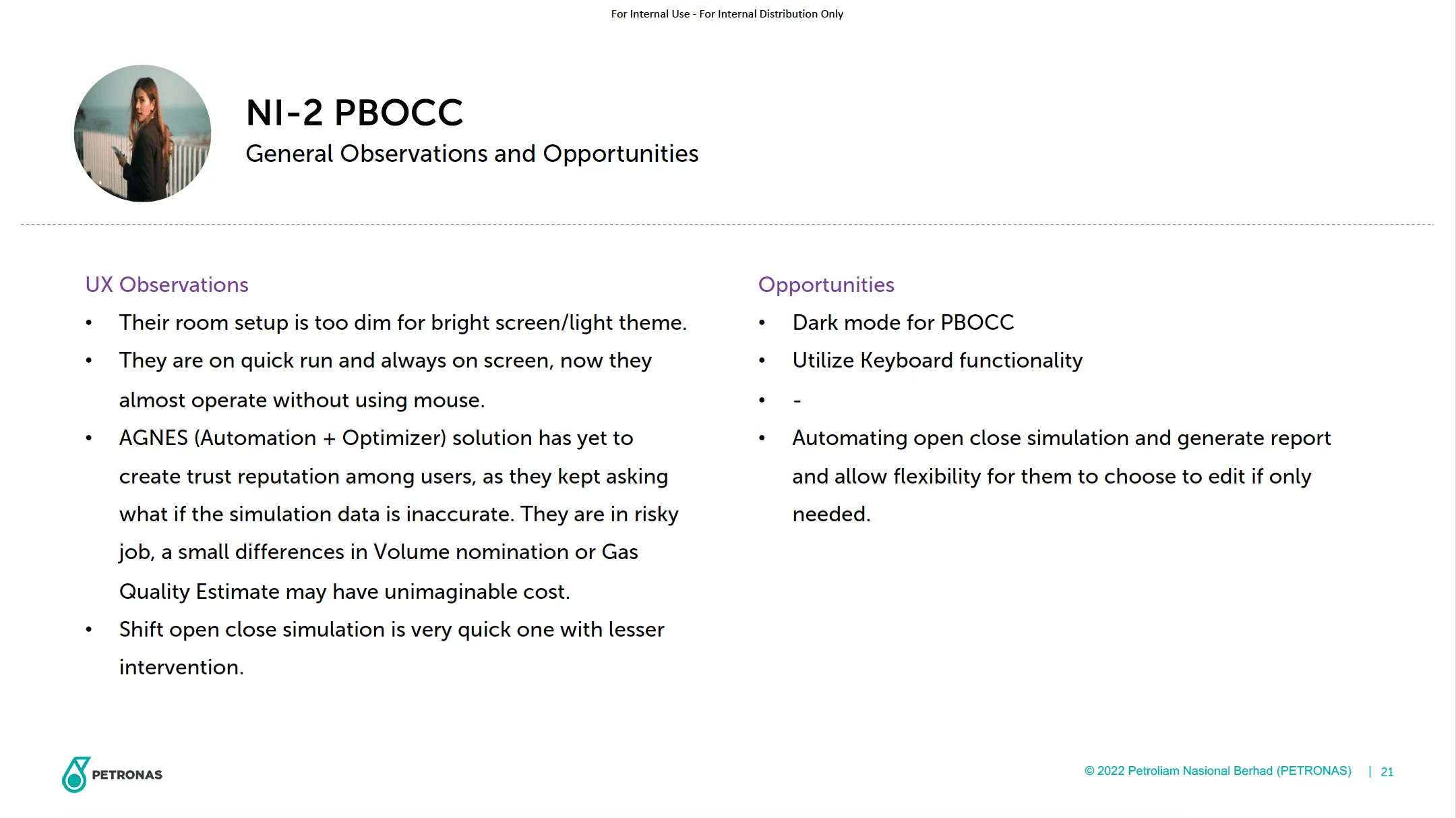
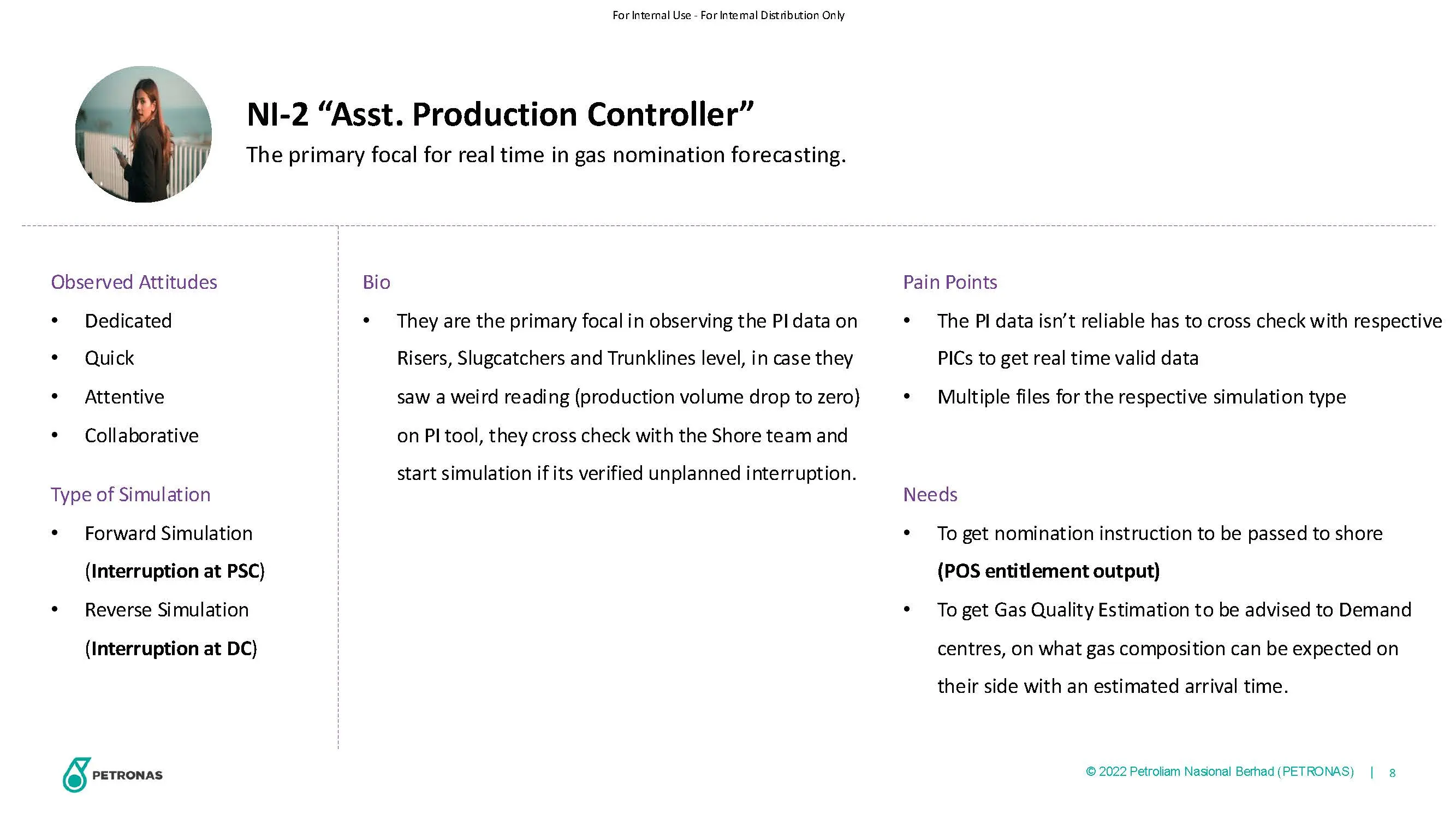
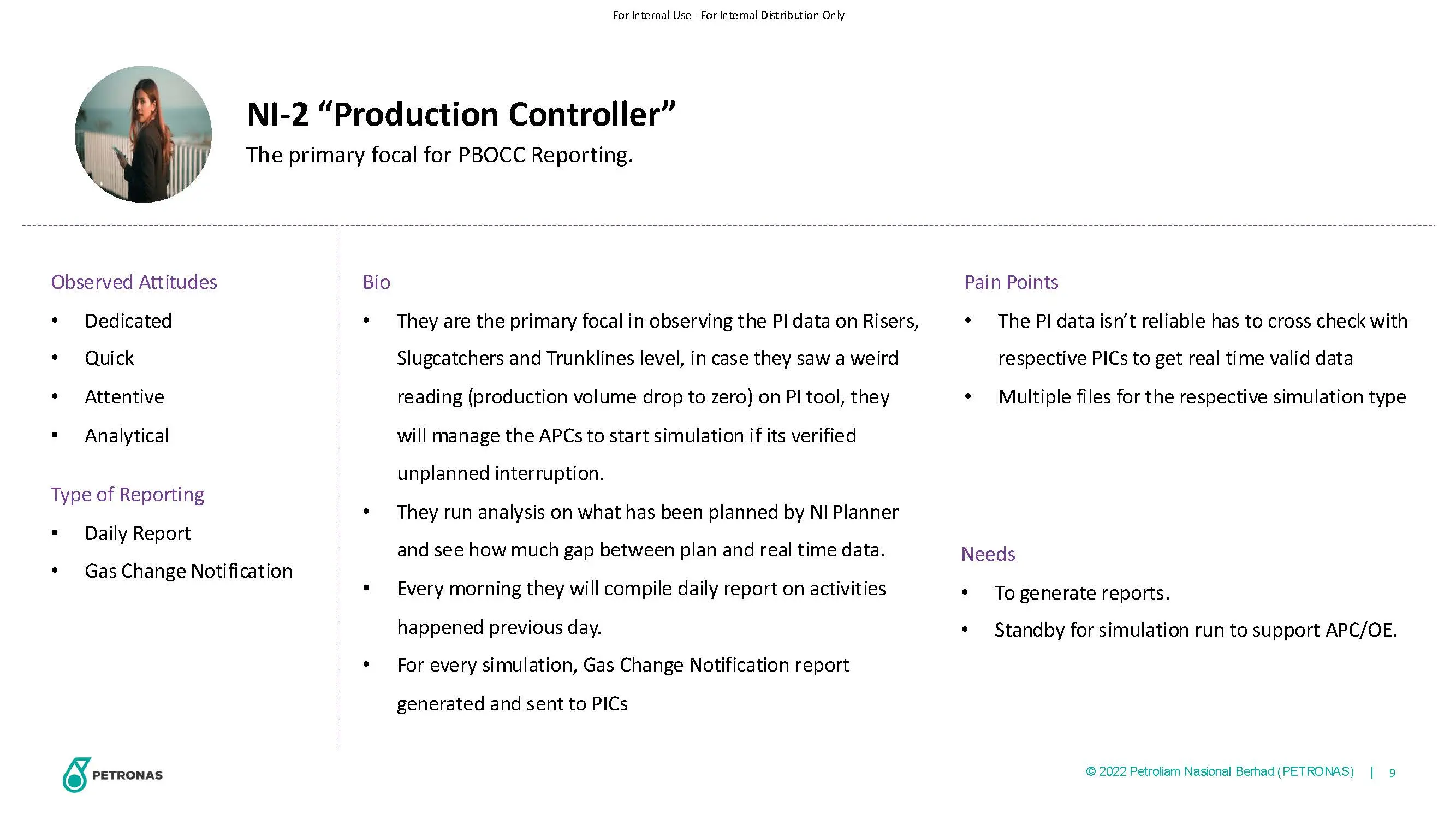
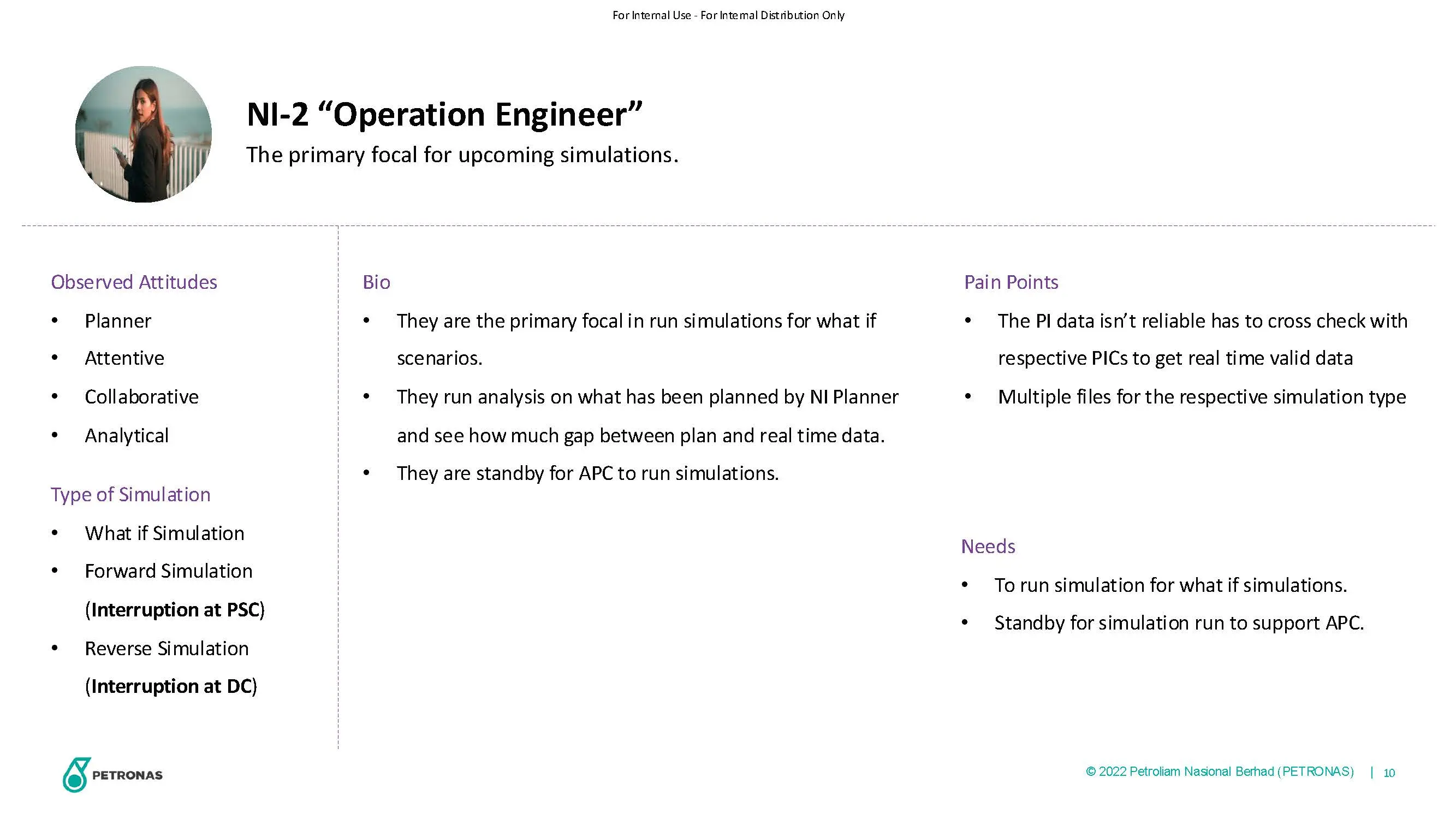
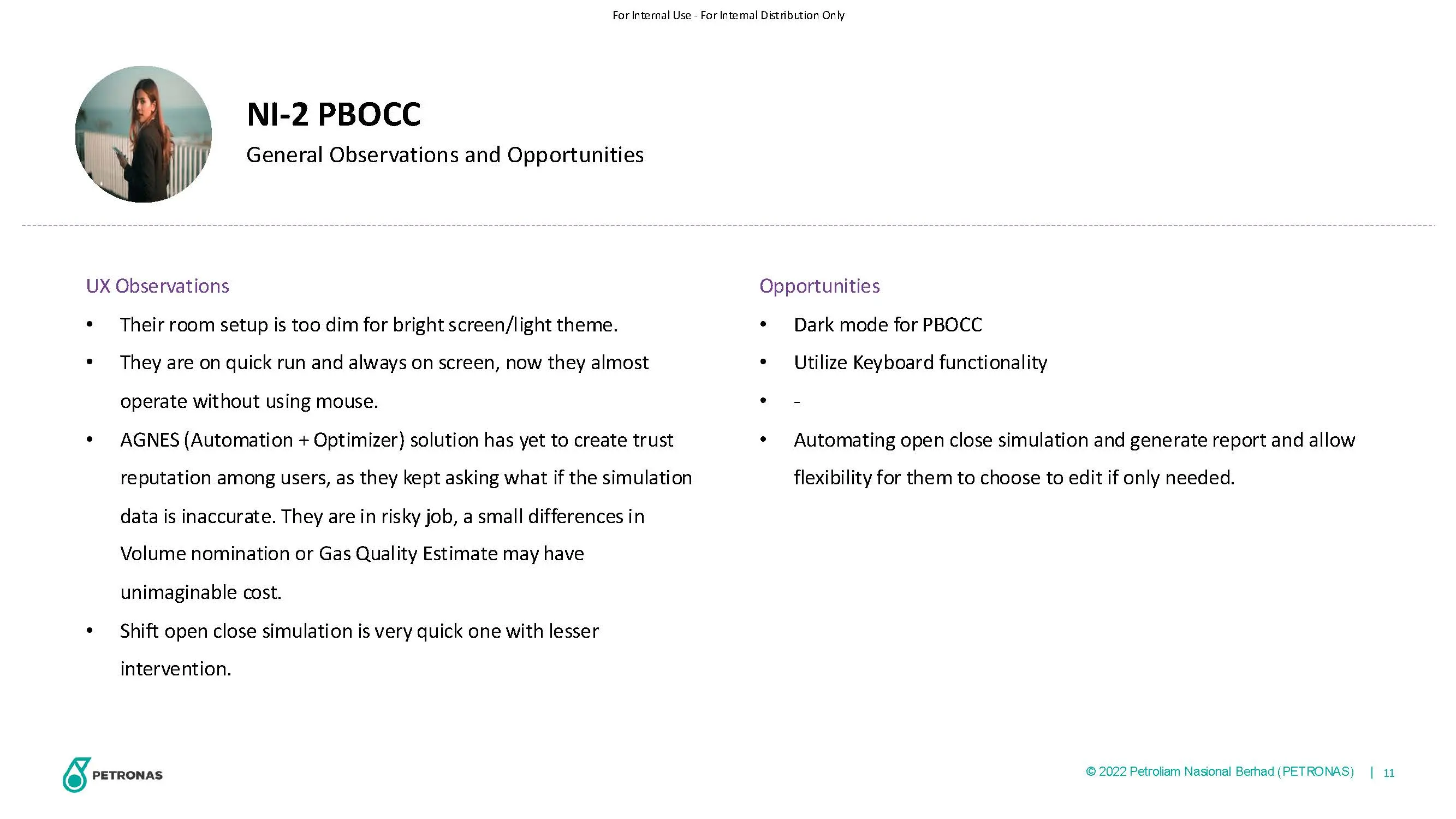
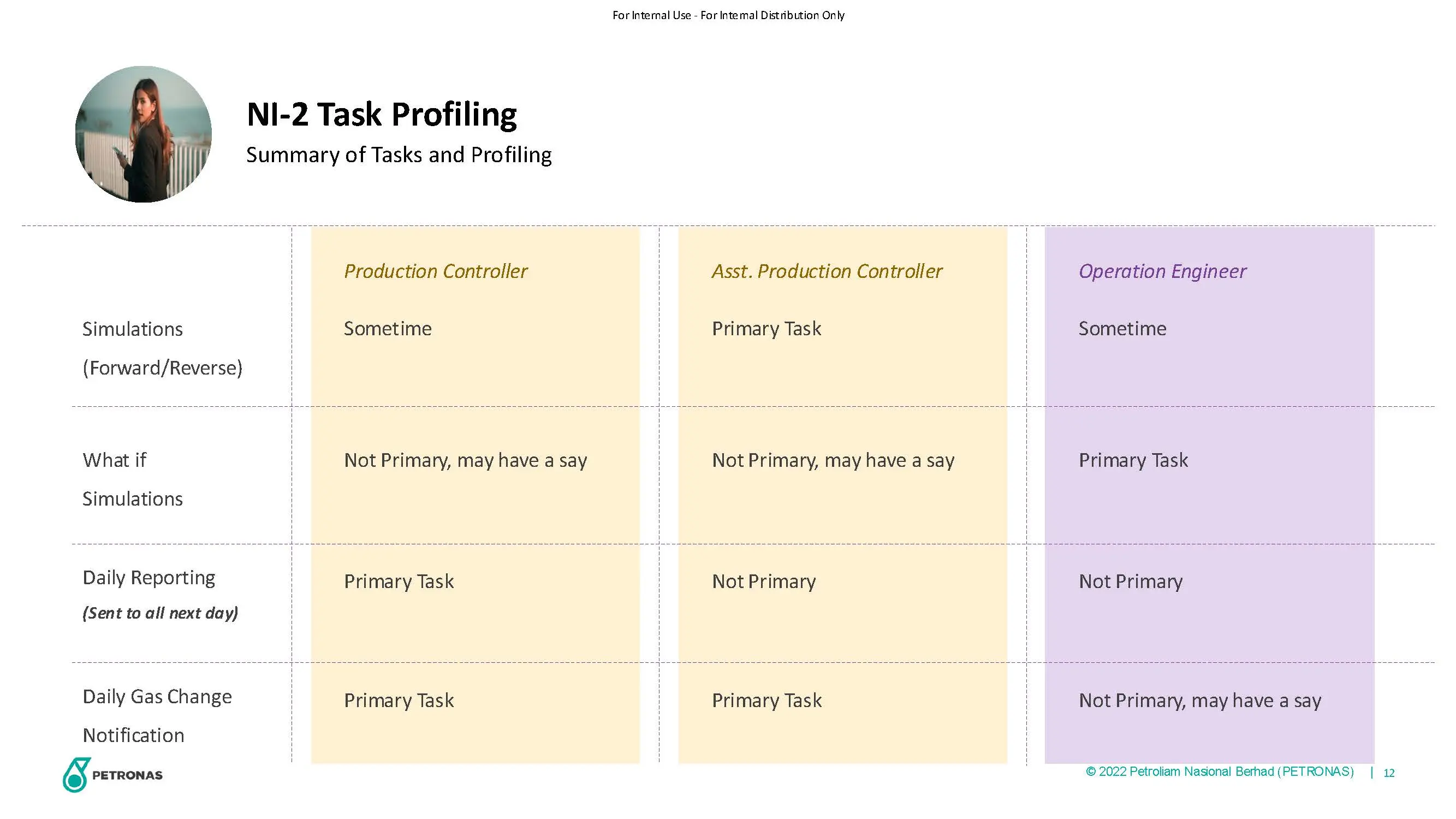
PBOCC User
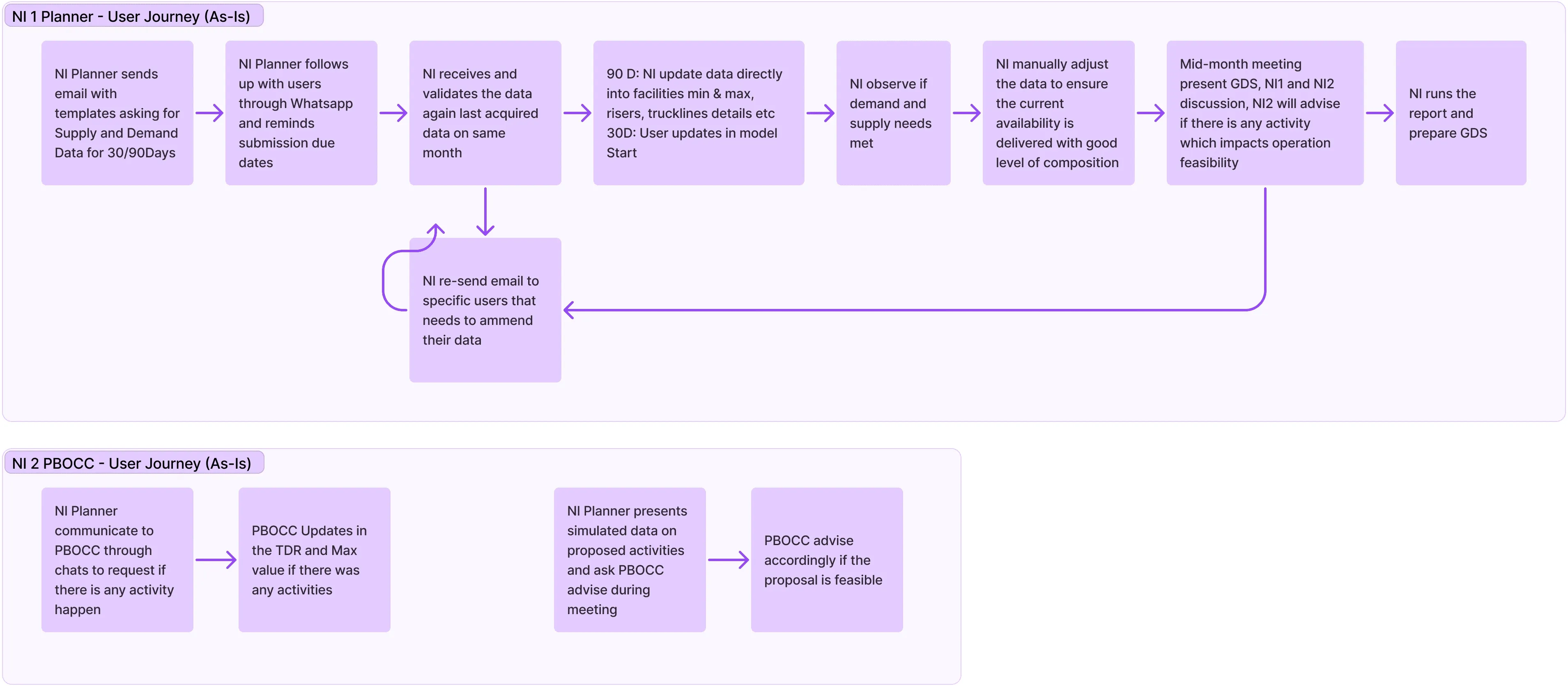
User Journey (As-Is)
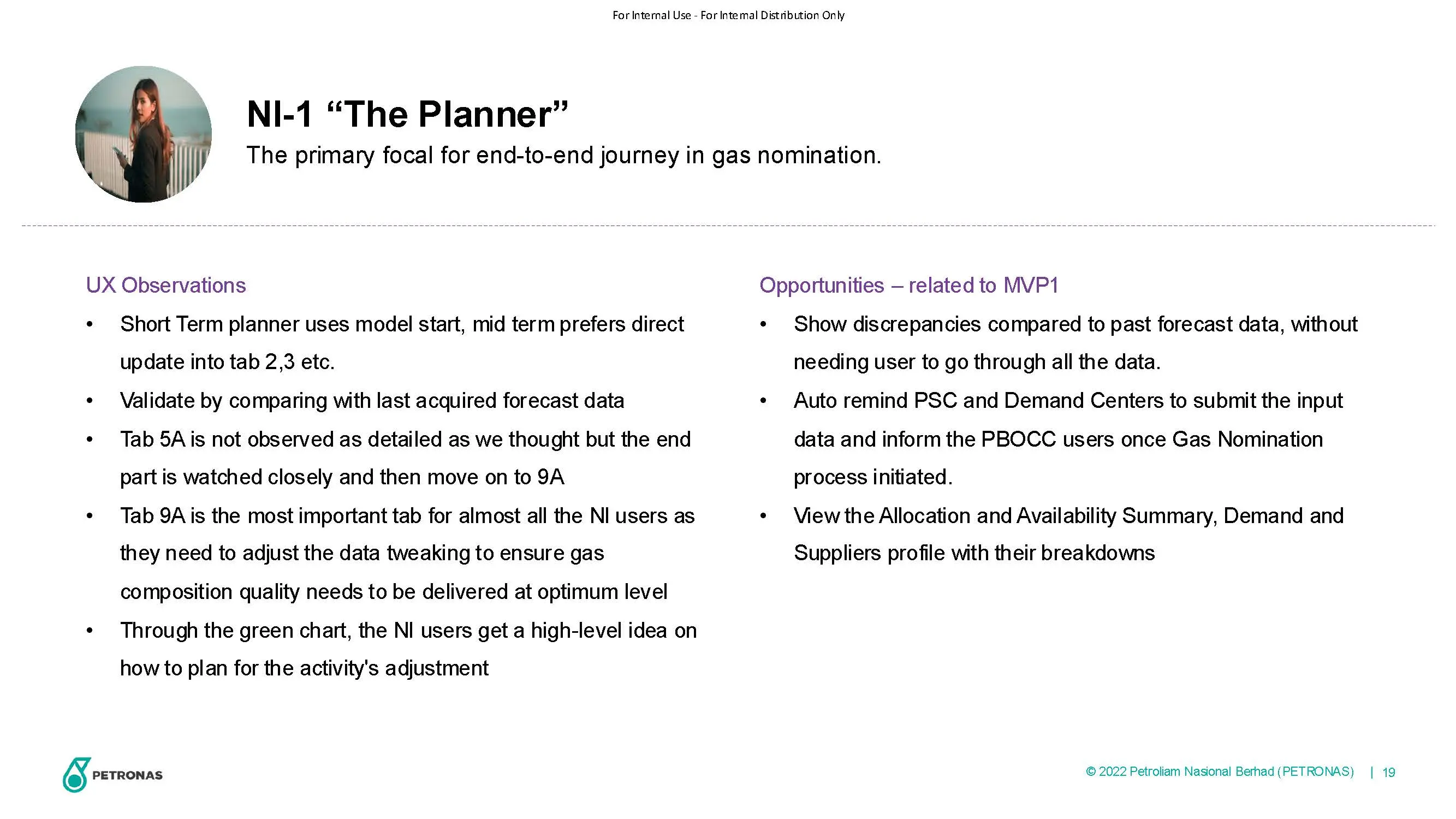
NI User
PBOCC User
User Journey (To-Be), Per Task
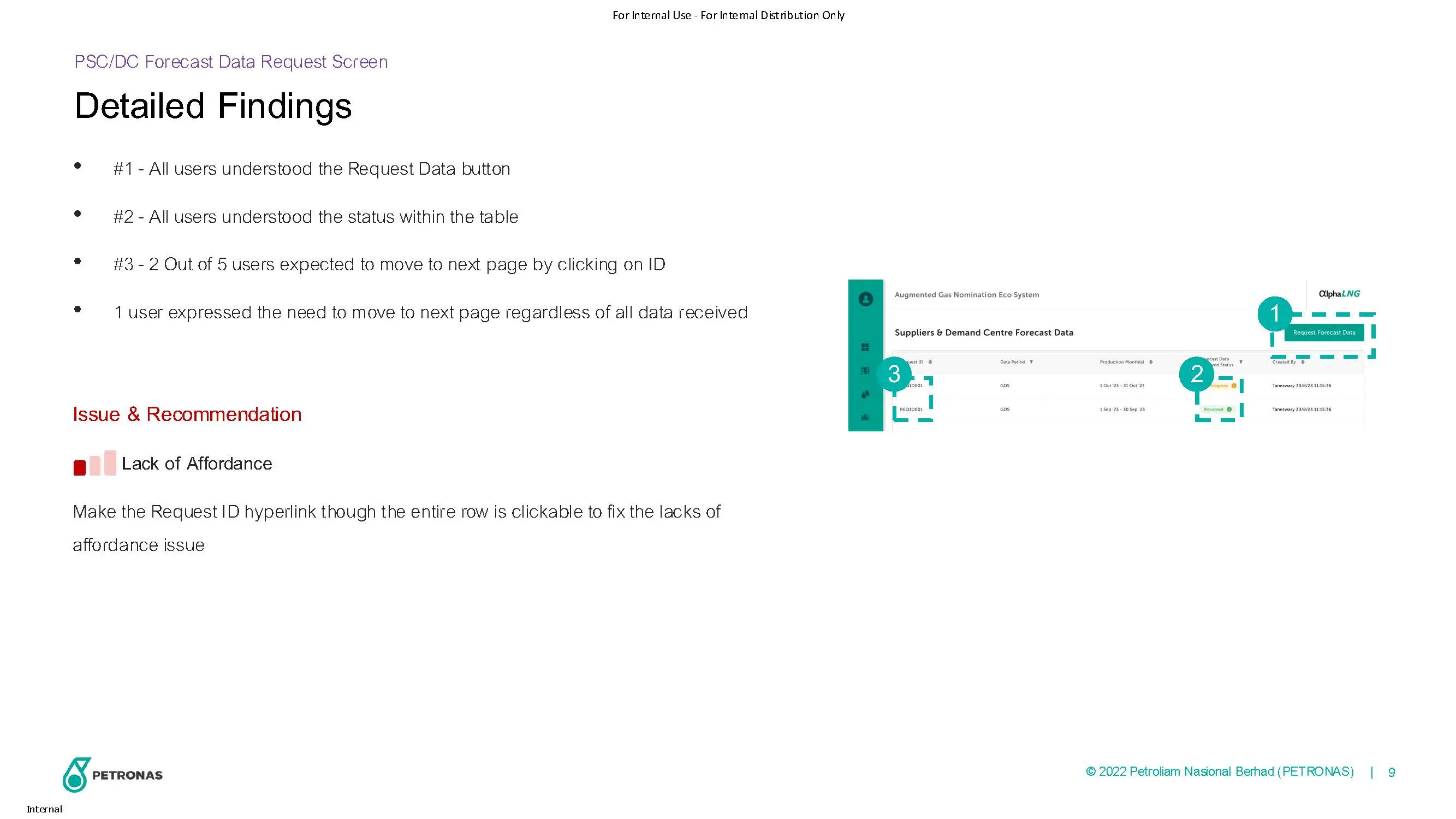
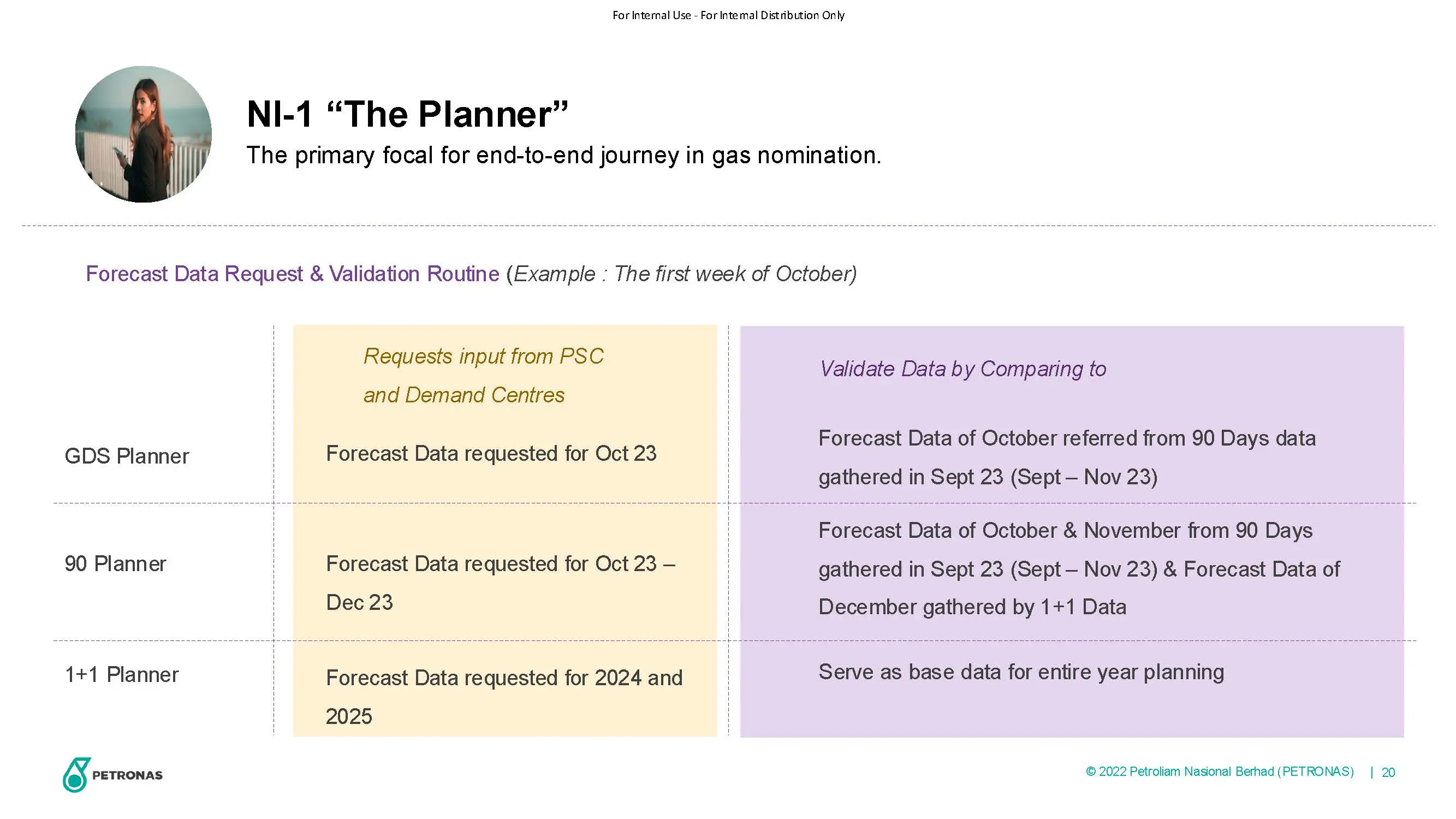
NI Request input data from Suppliers and Demand Centre
View PSC and Demand Centre forecast
PBOCC Input Non Mandatory Data
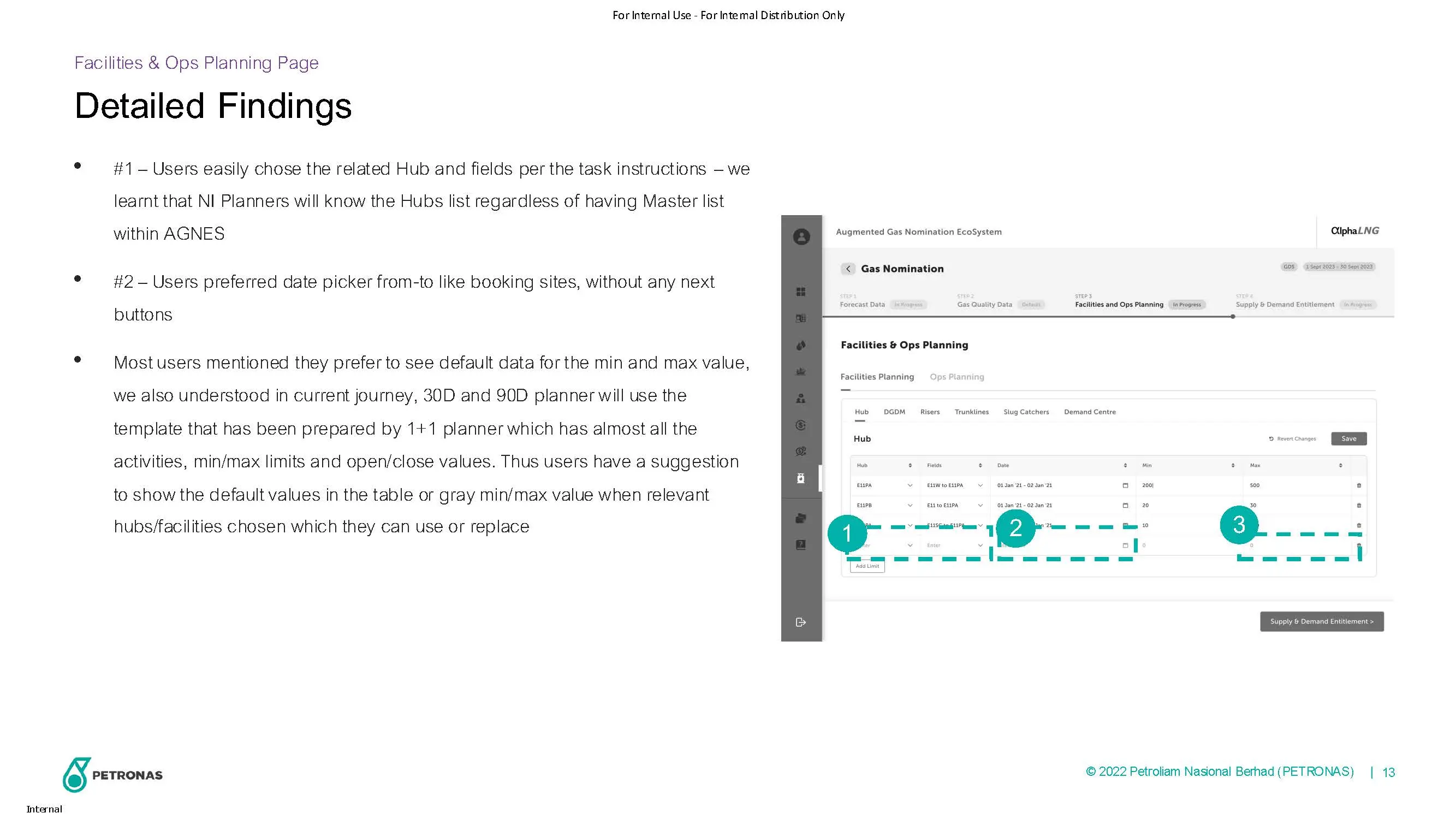
NI Input Facilities and Ops Planning Data
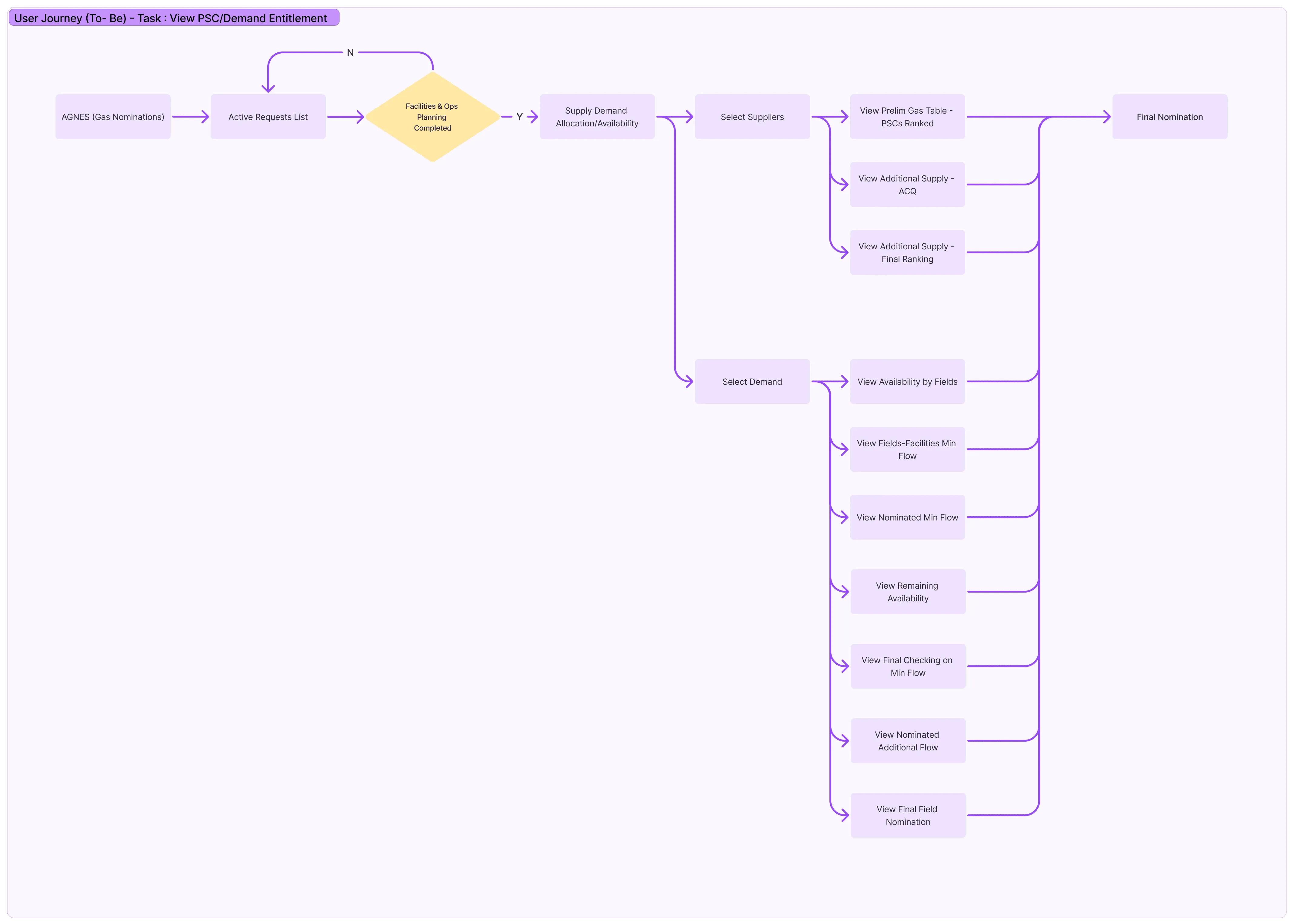
View PSC/Demand Entitlement
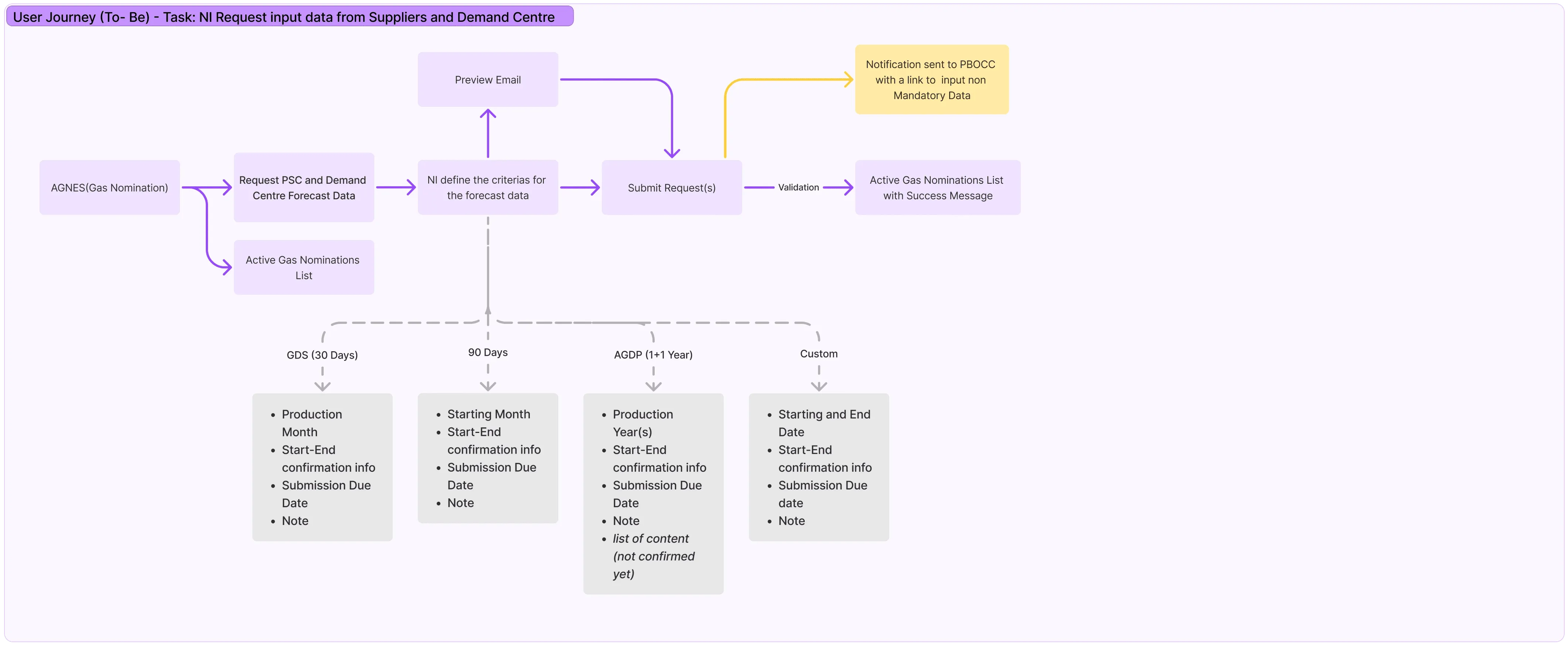
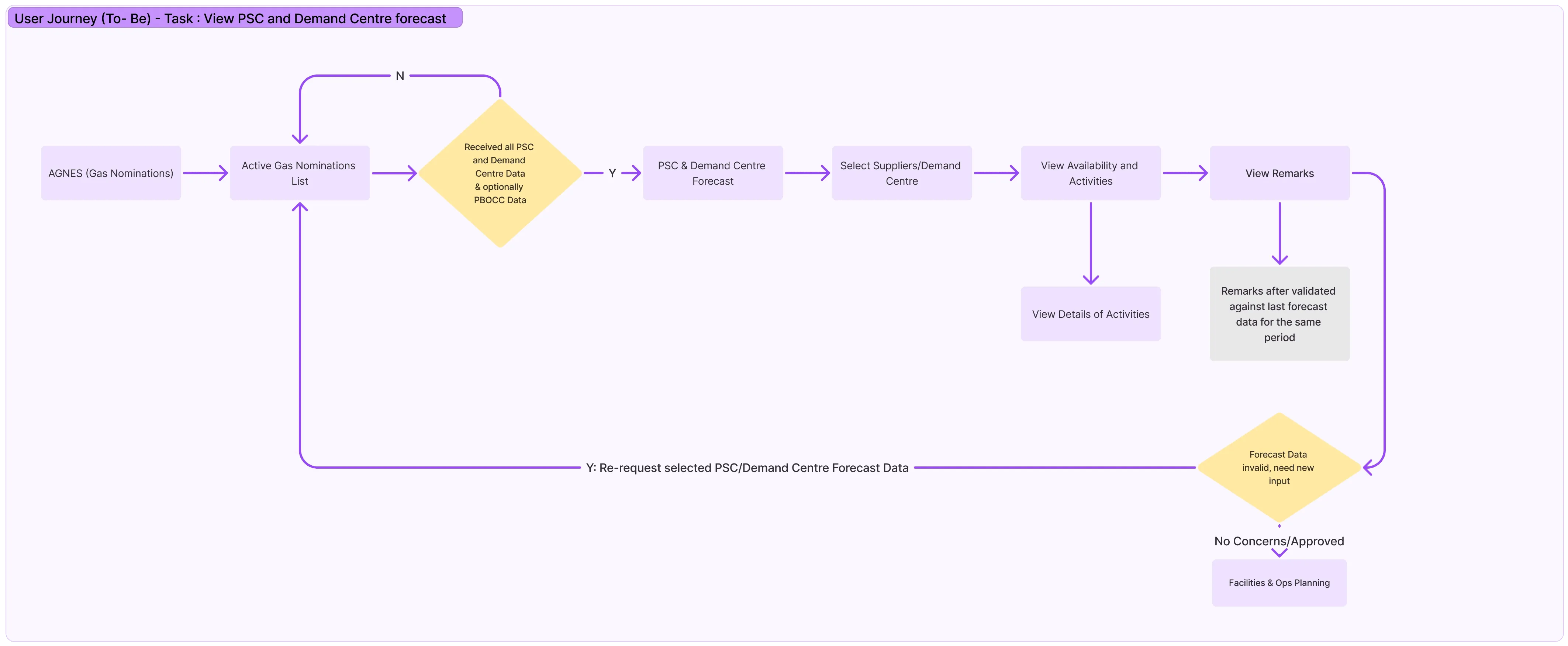
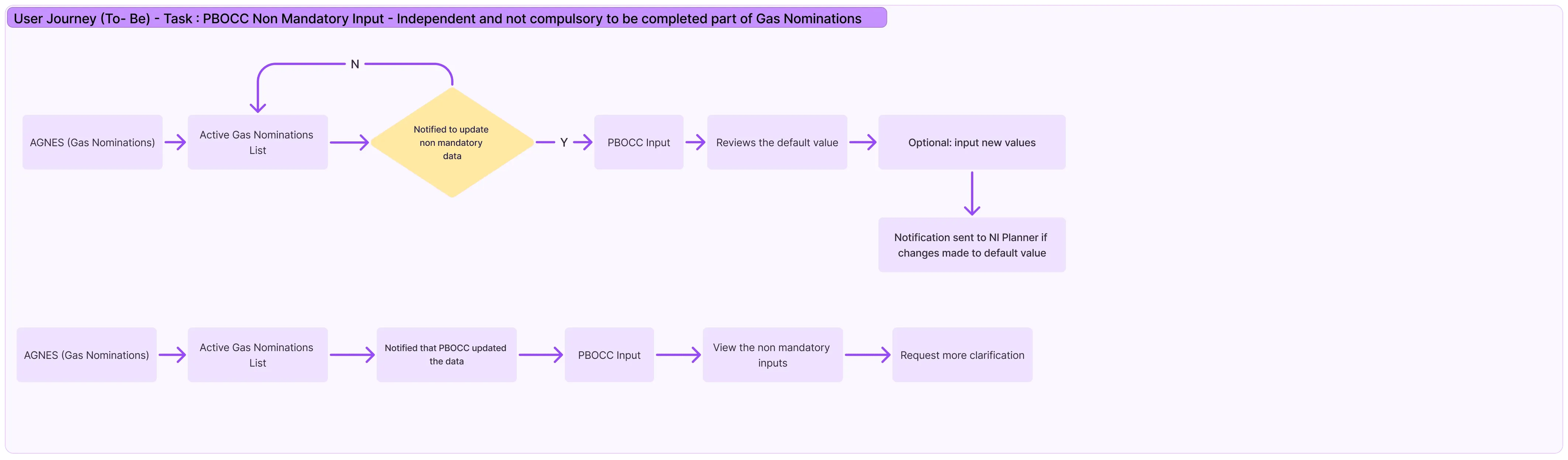
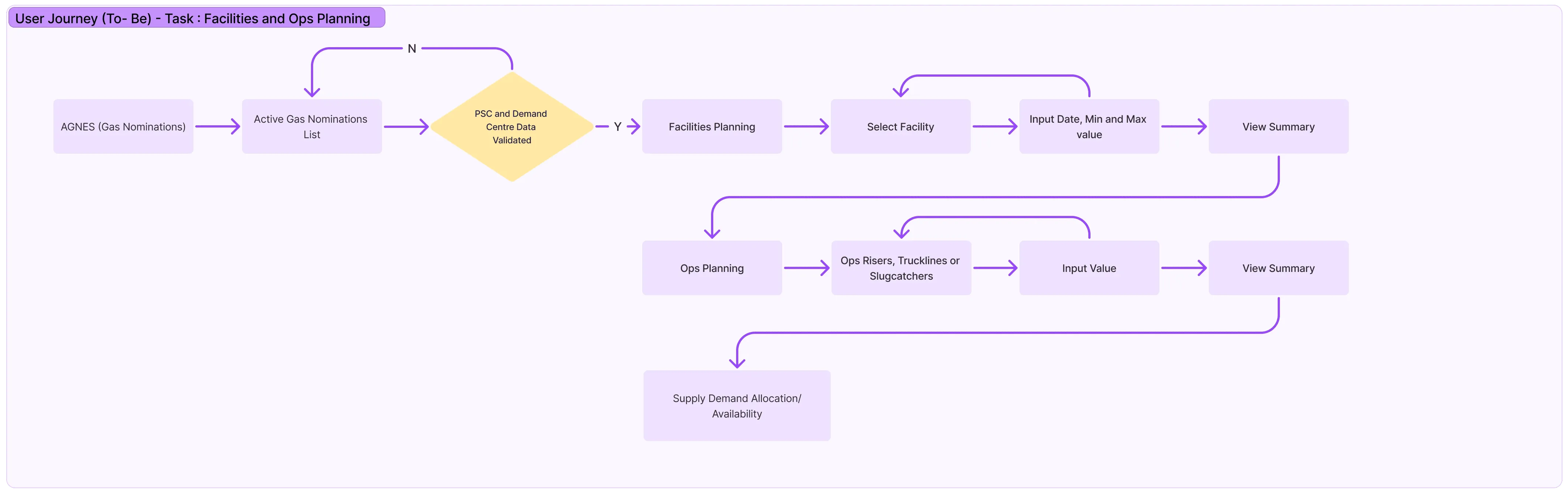
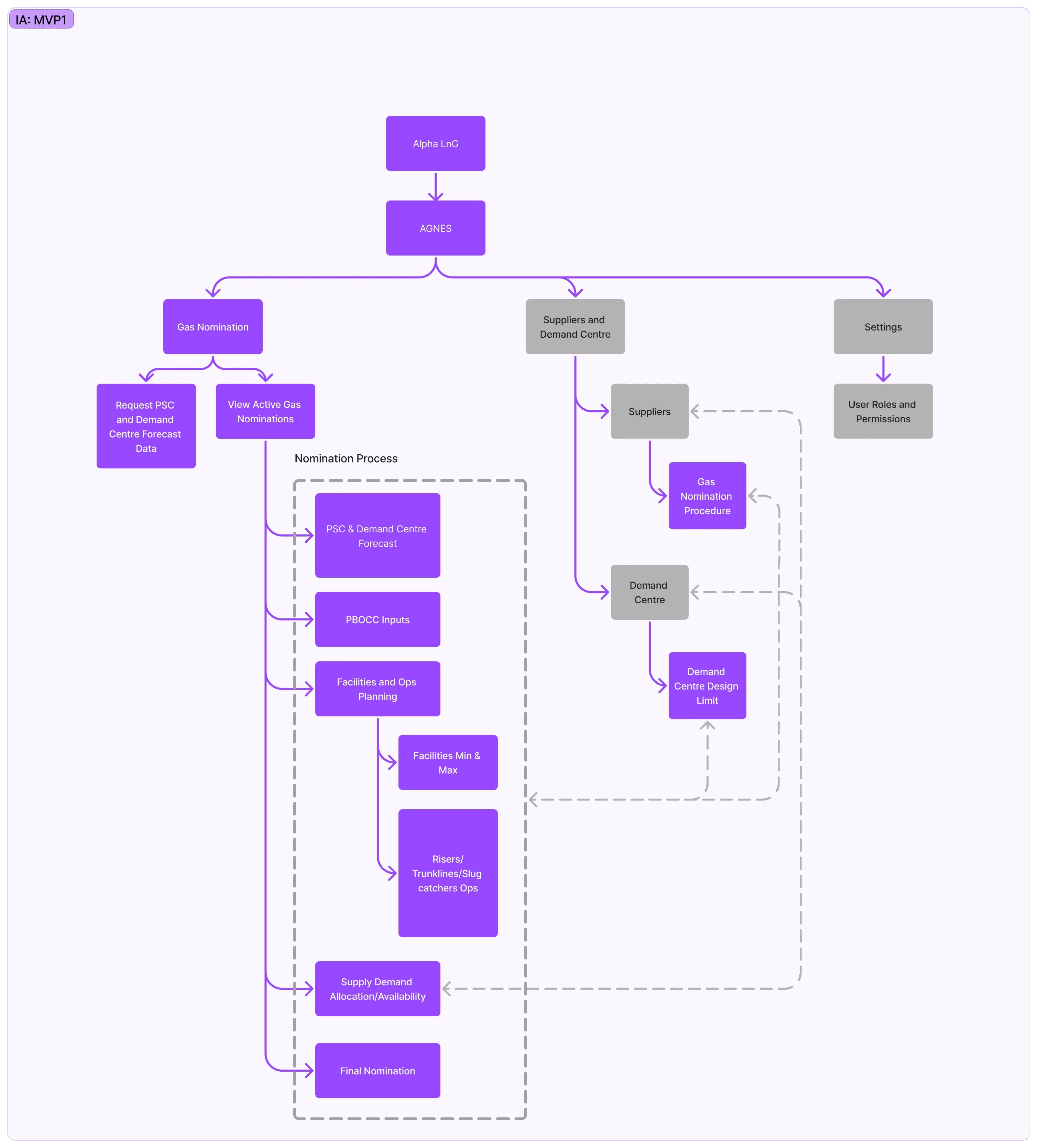
Information Architecture ( for mvp 1)
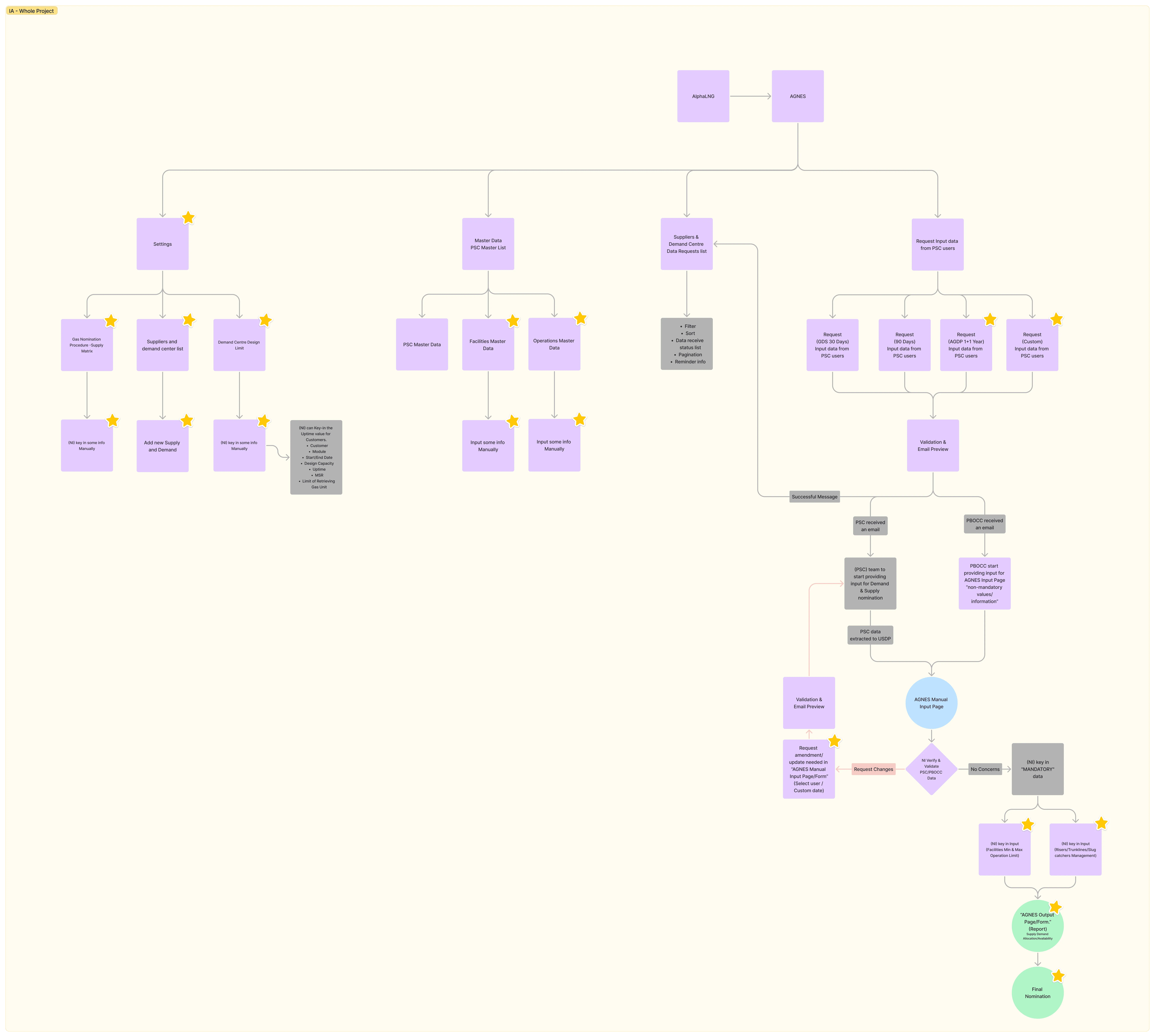
IA for Whole Project
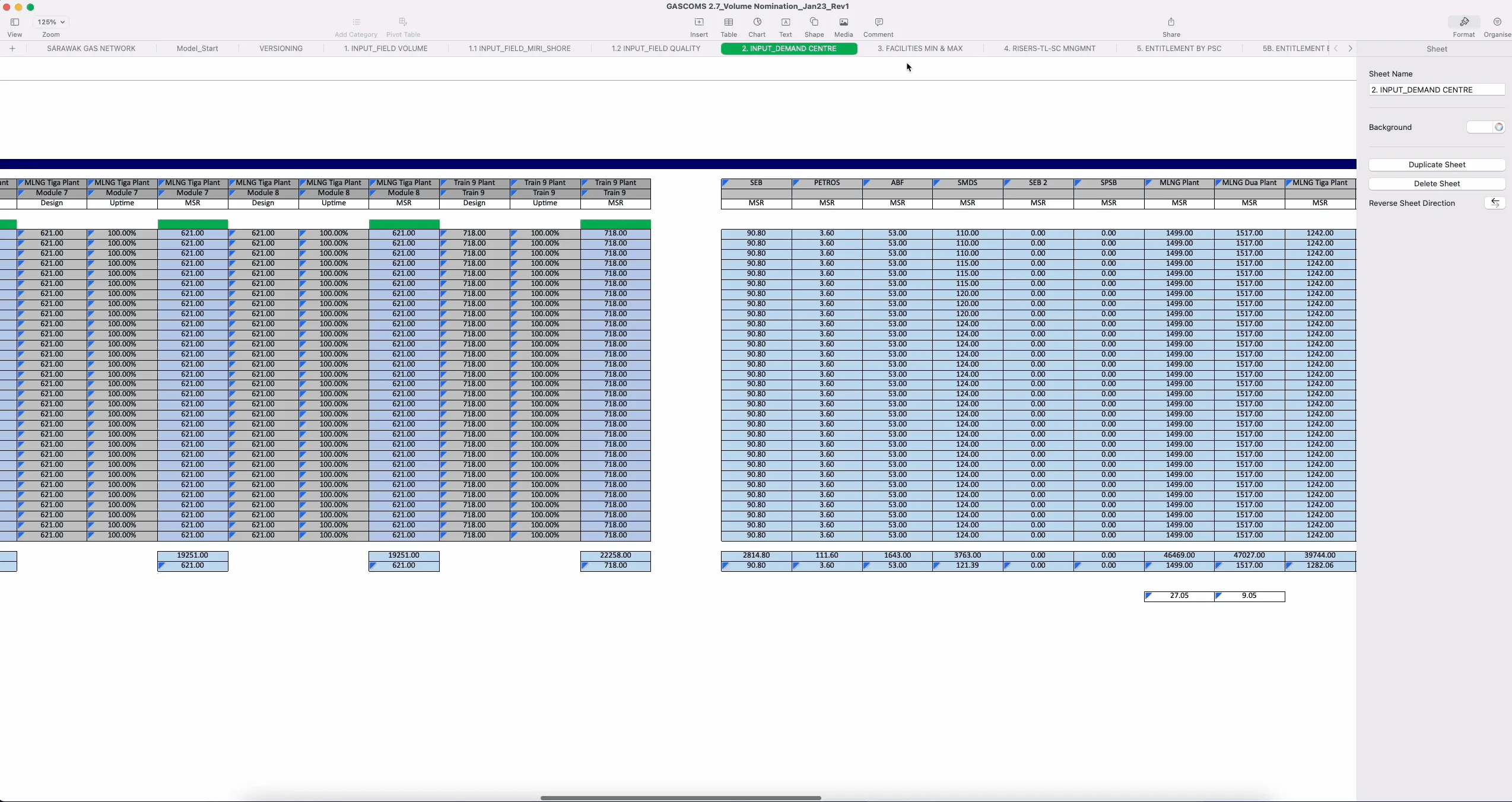
Current System
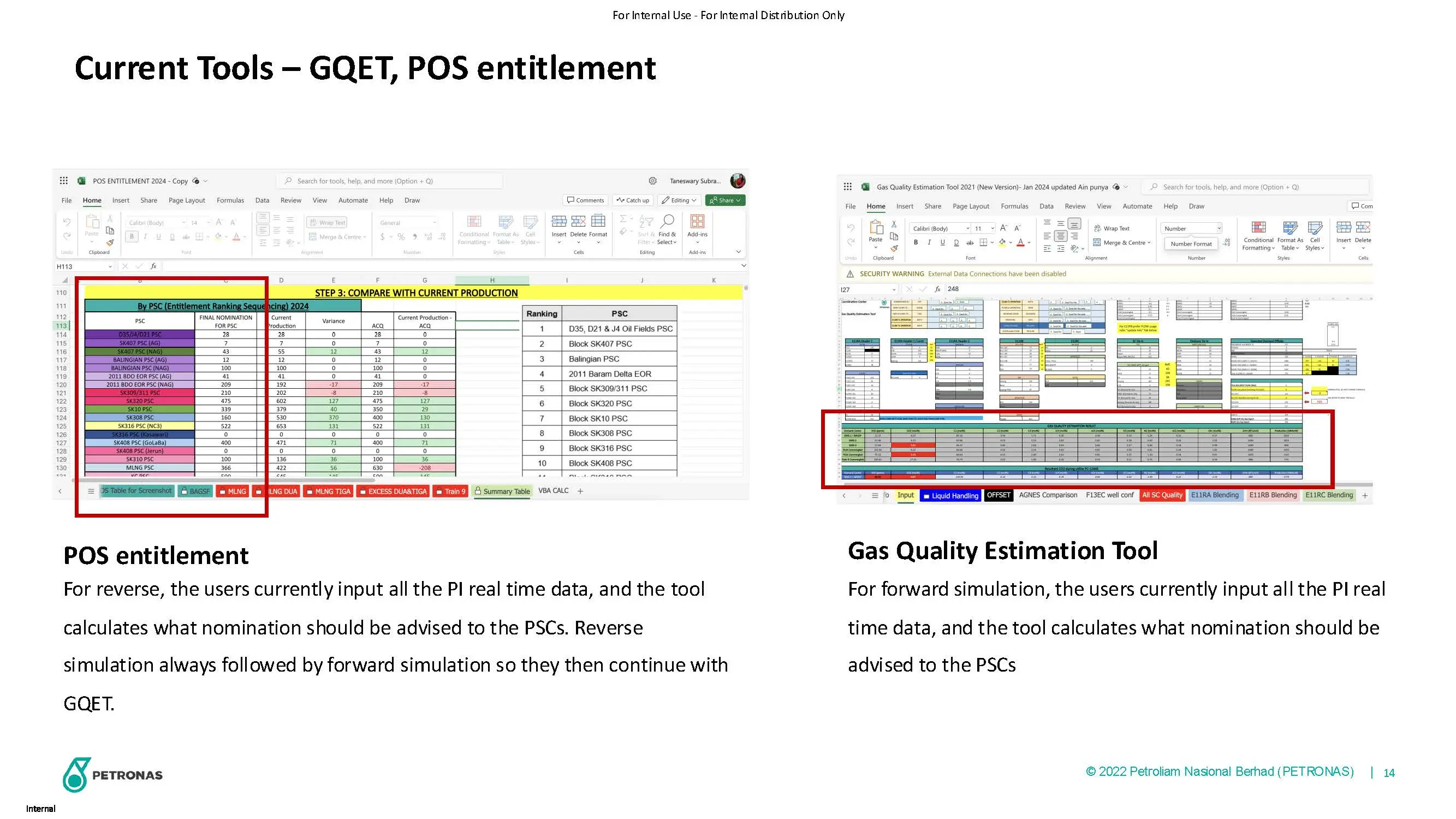
Excel sheets full of numbers, very complicated to them to understand, take long time to input manually
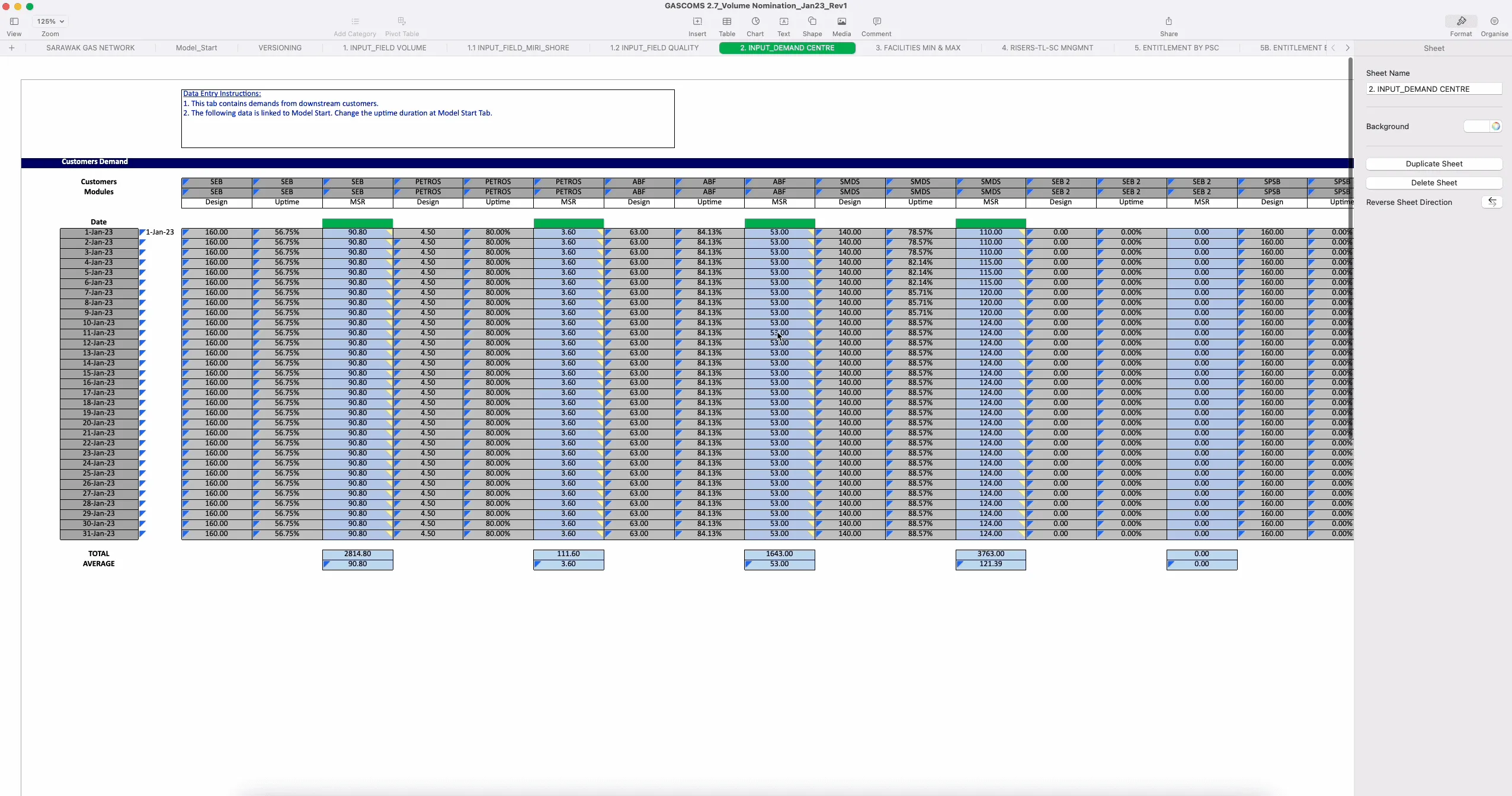
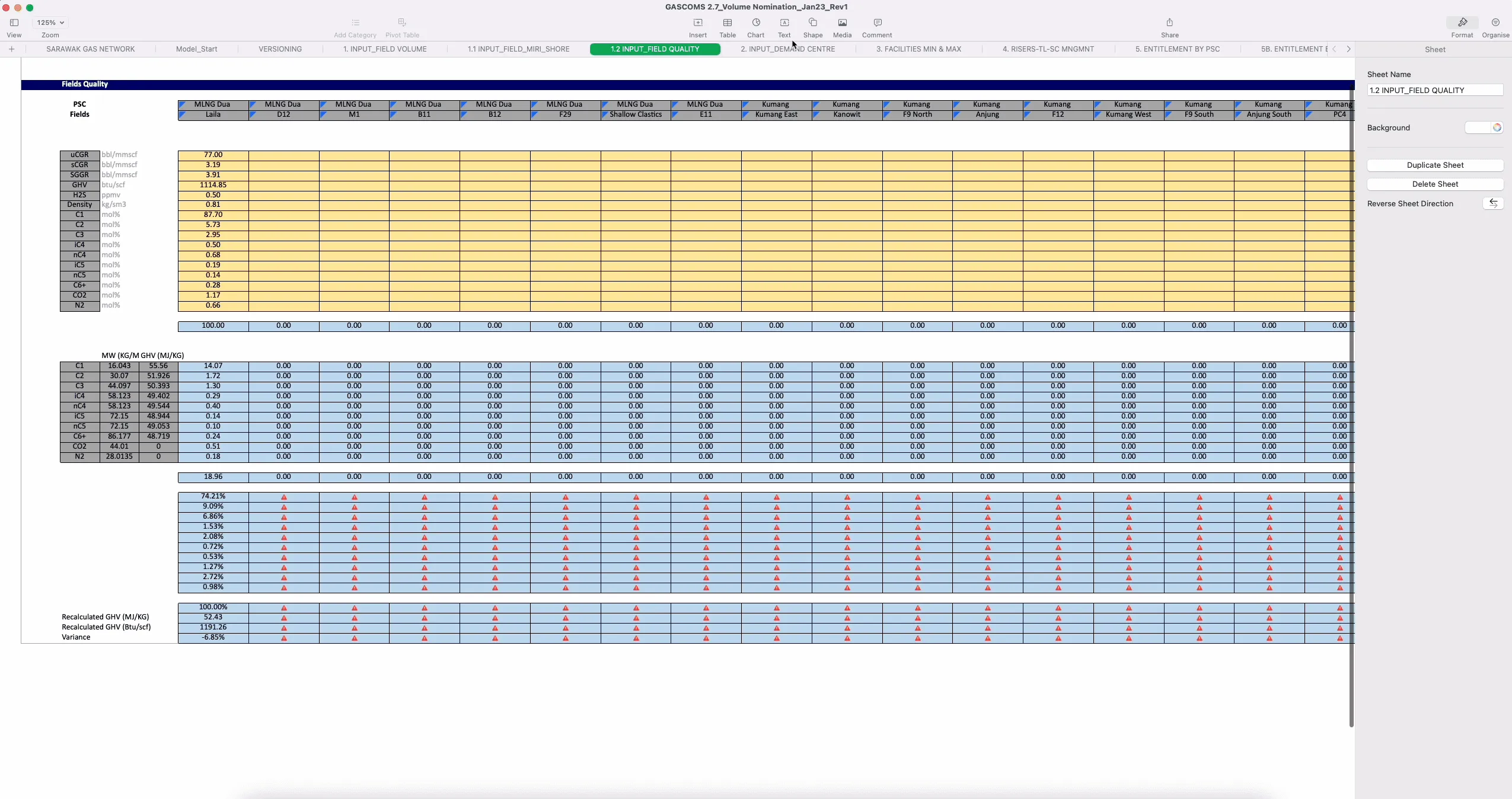
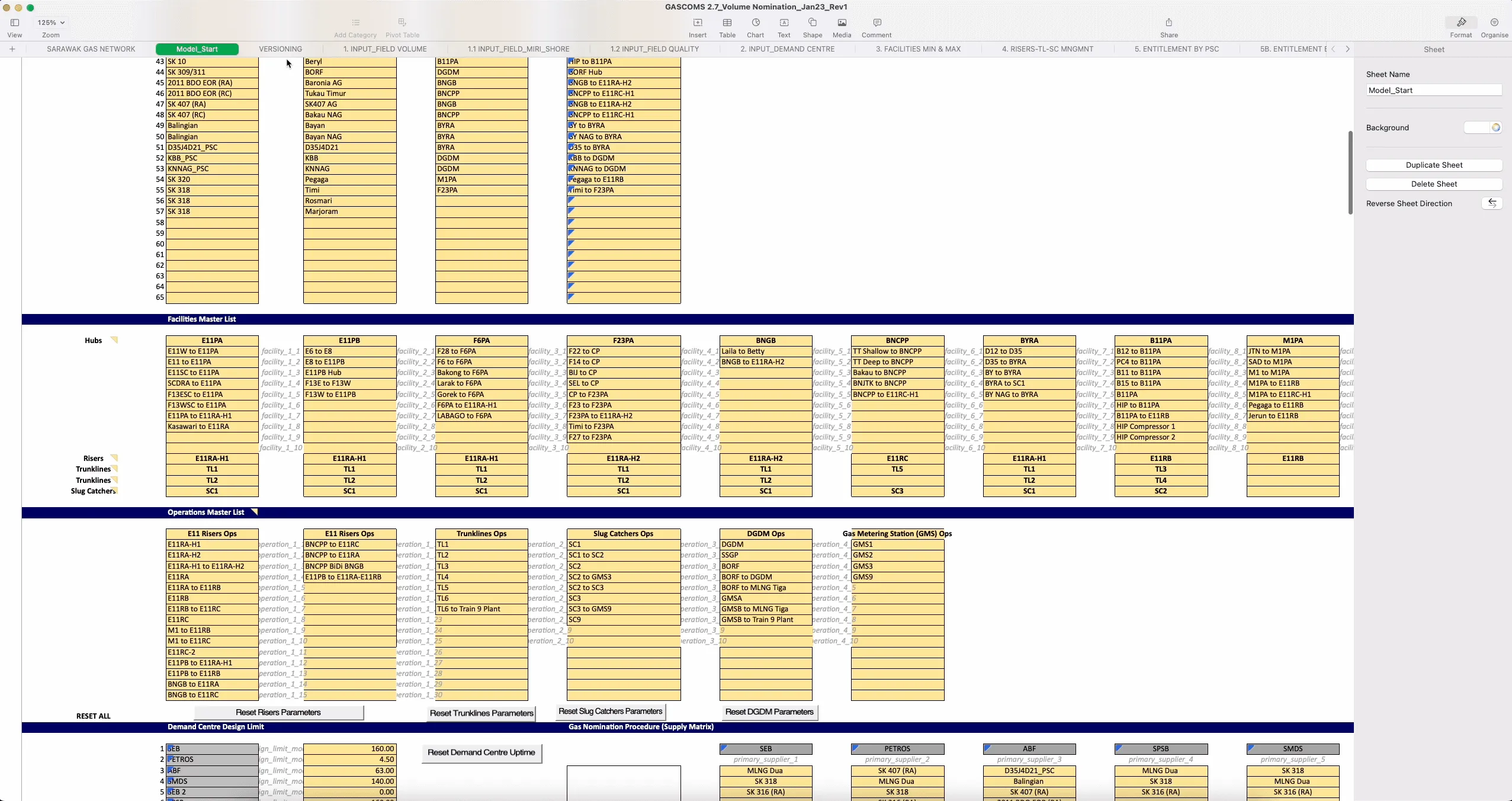
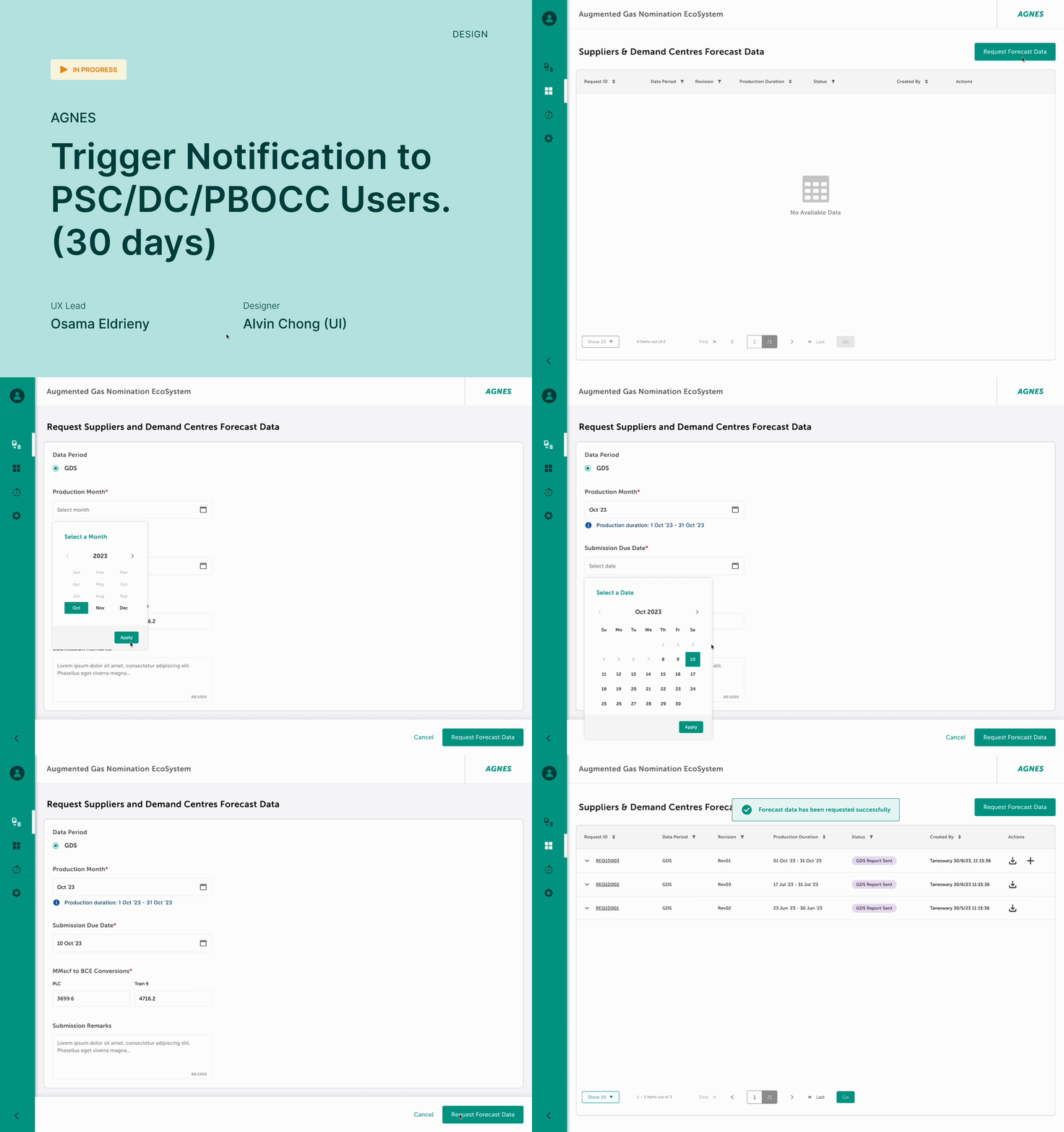
Request the data screens
Trigger Notification to PSC Users (30 Days)
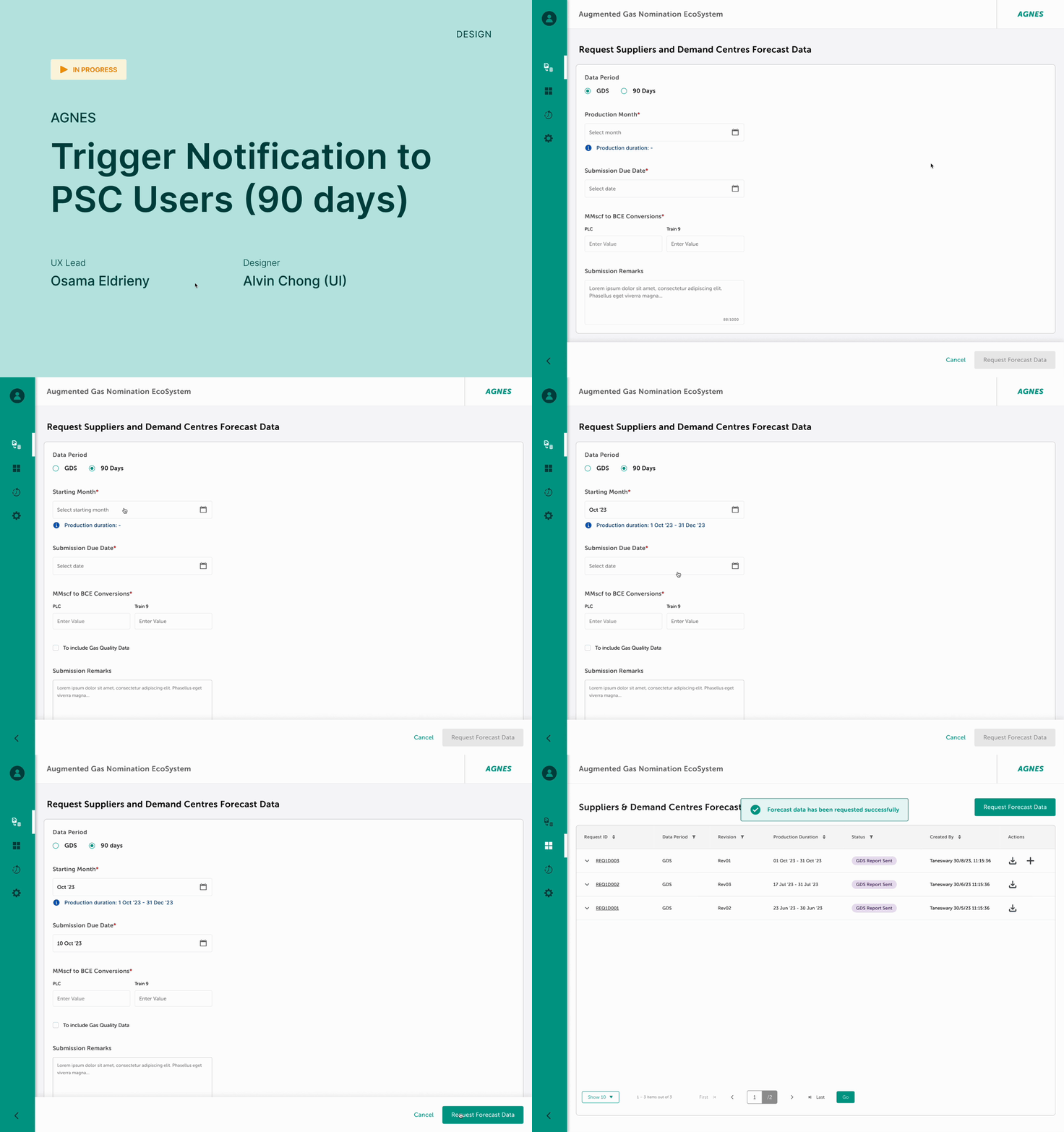
Trigger Notification to PSC Users (90 Days)
Define
design discovery workshop
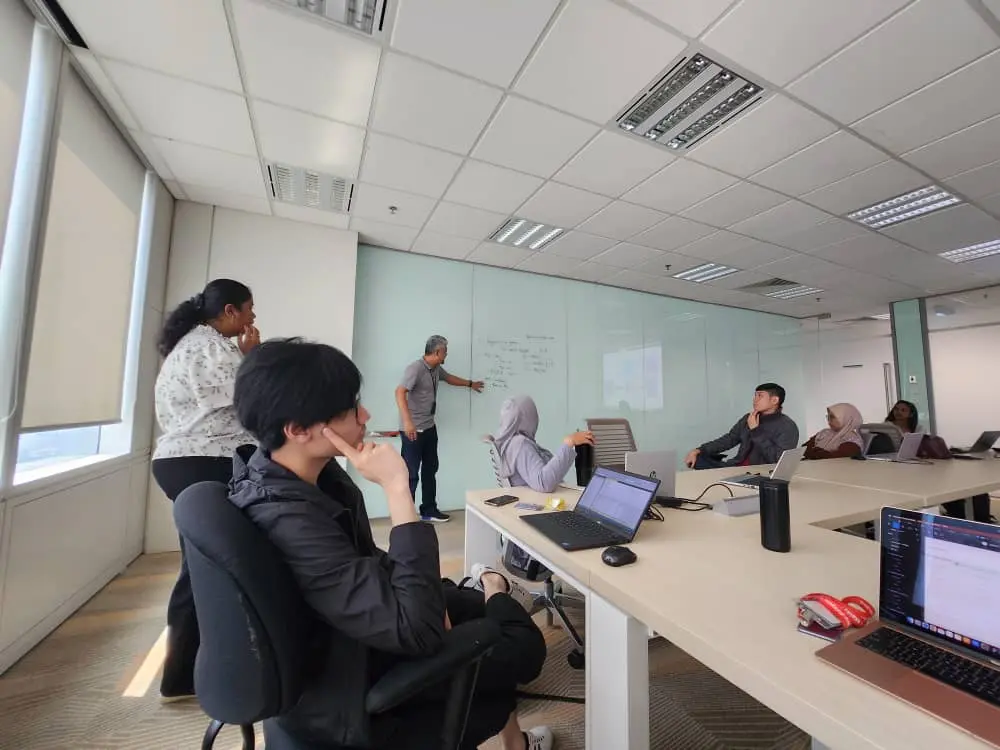
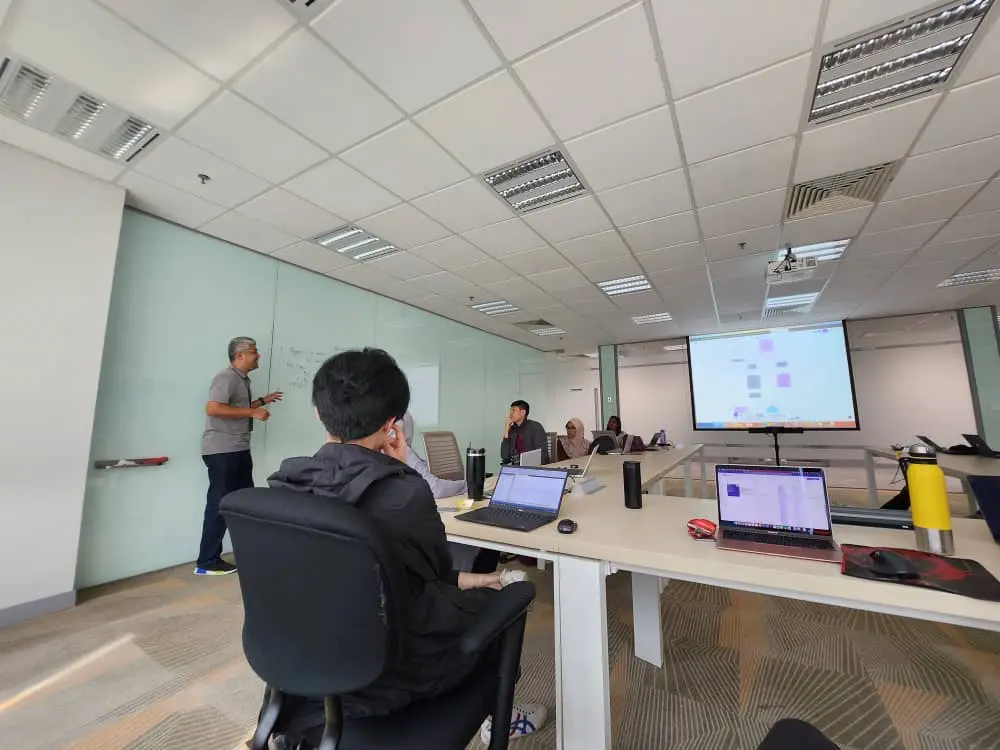
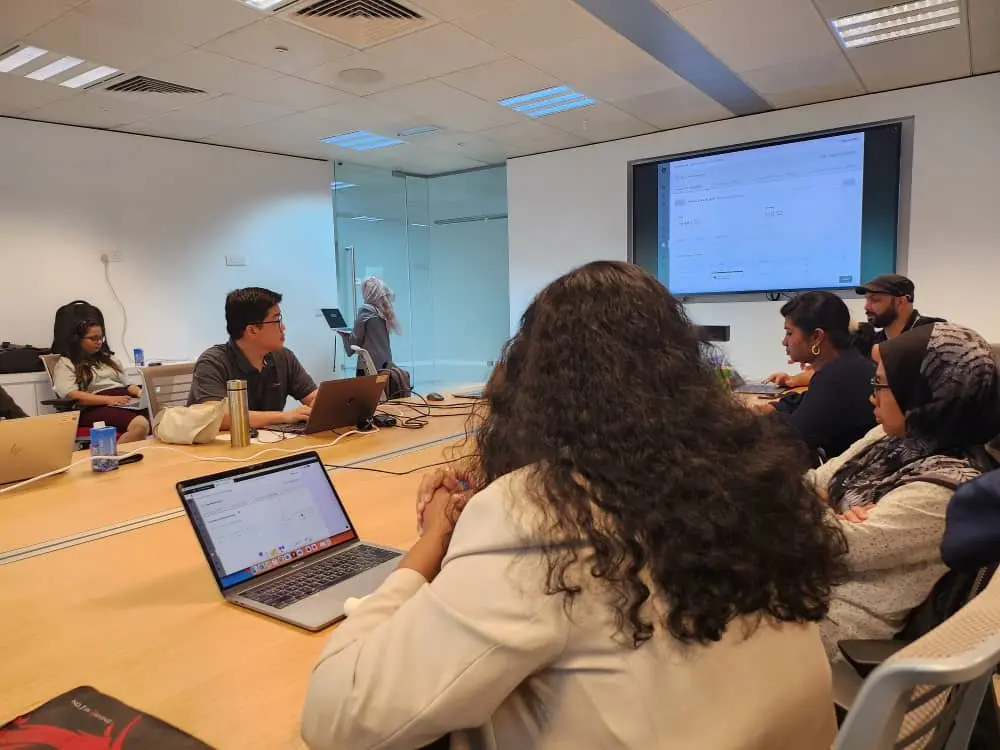
After gathering all the findings, we held a design discovery workshop to review and validate them with all stakeholders—users, business, project managers and owners, business analysts, developers, solution architects, testers, and designers. Together, we aligned on project goals, business impact, personas, user pain points, current and future user journeys, and information architecture. We also explored potential solutions. Most importantly, the entire team is now aligned.
Design Discovery Workshop
Team alignment
Find the gap between Business and User Requirements
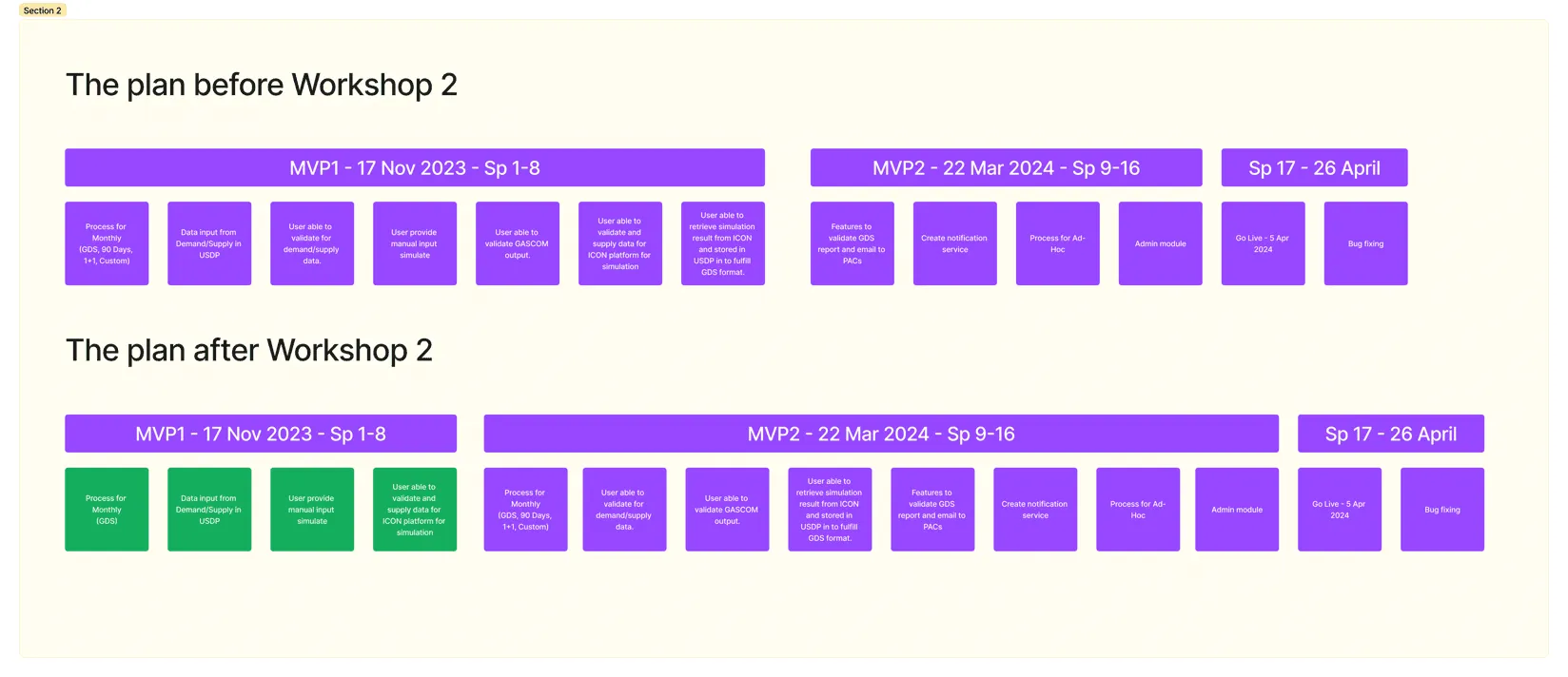
Define what we can build on MVP1
Business requirements Vs User Requirements
Wrong requirements (33)
Correct requirements (23)
Missing Requirements (67)
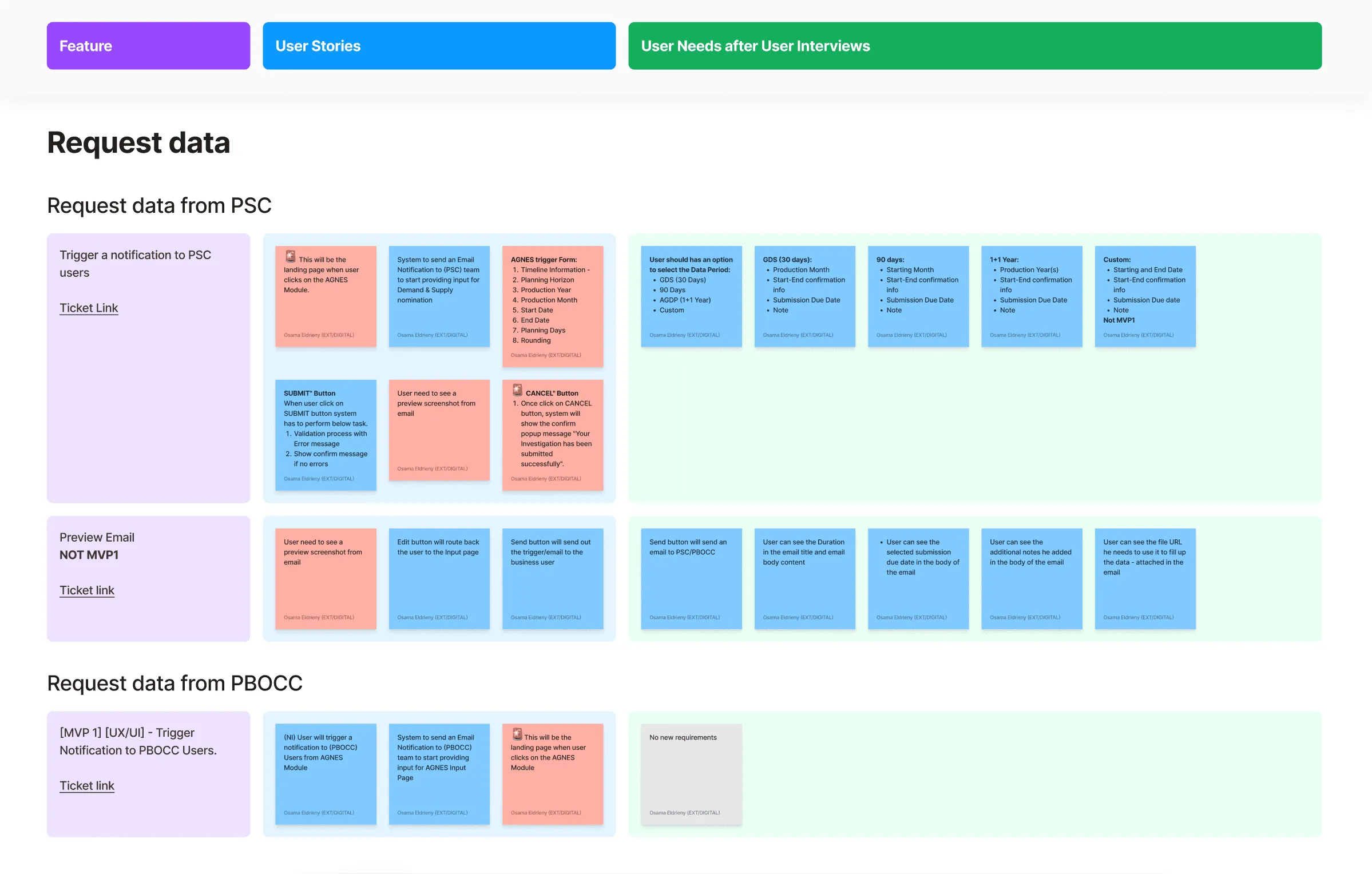
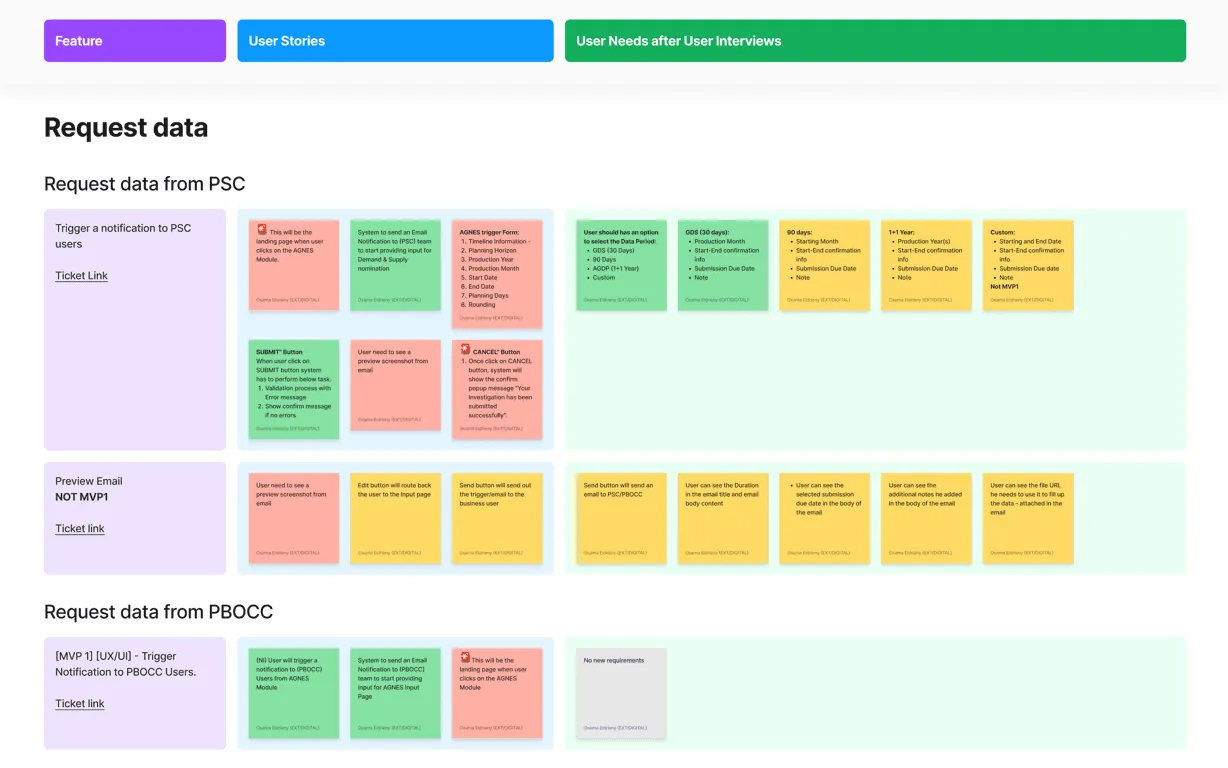
Finalizing the requirements to fit our timeline
Selected (15)
Passed to MVP2 (64)
Deliver
Forecast Data
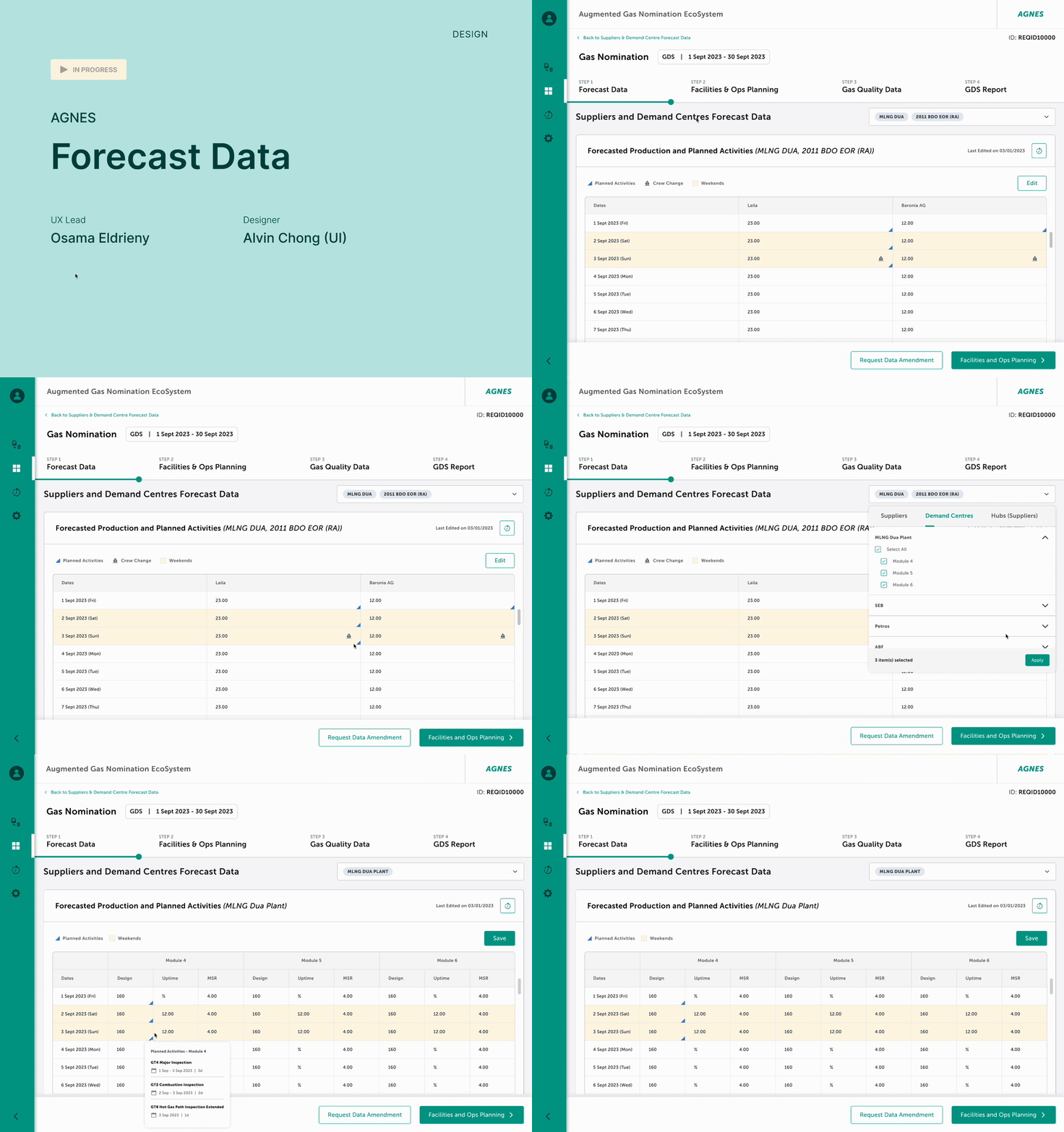
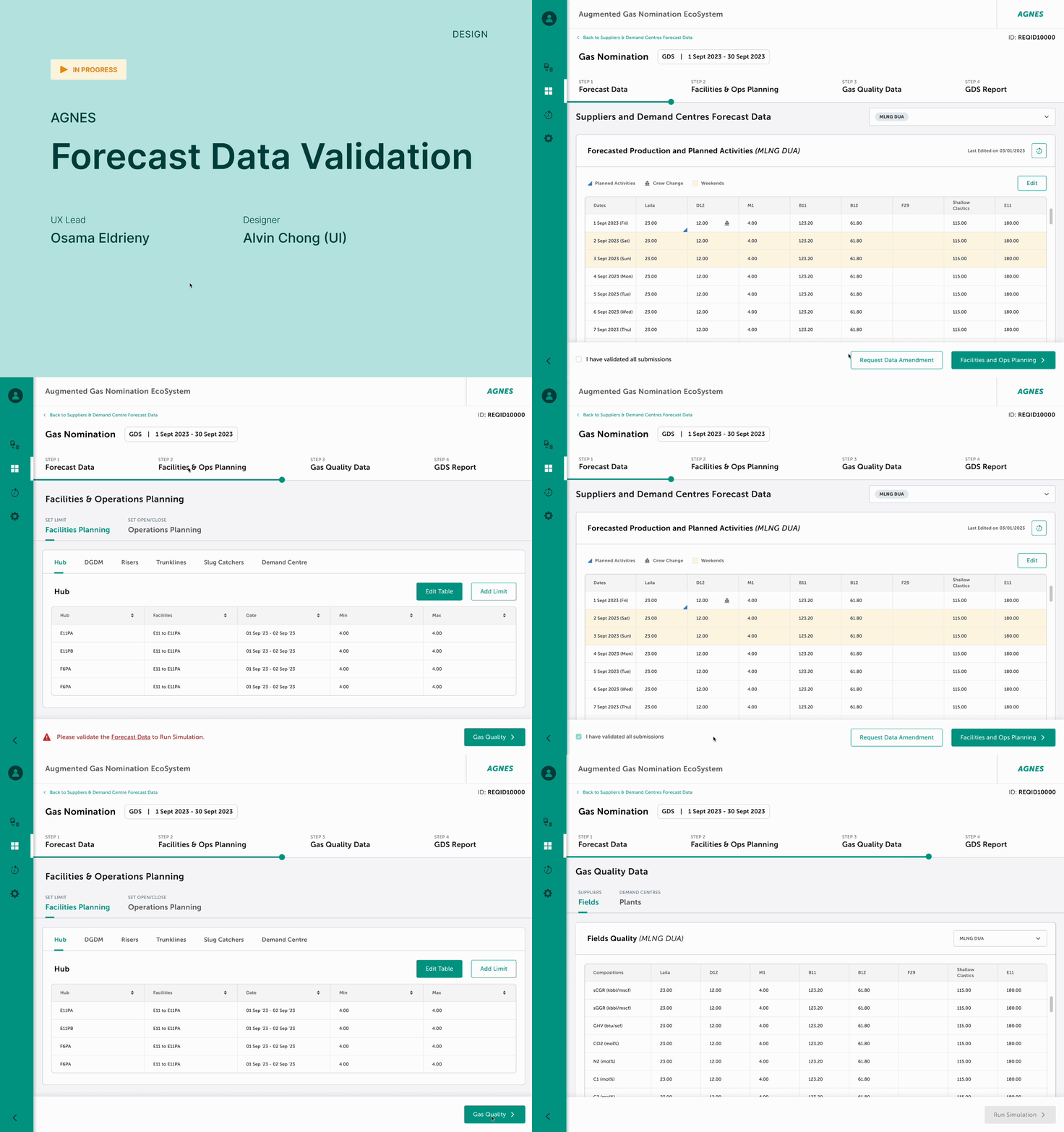
Forecast Data Validation
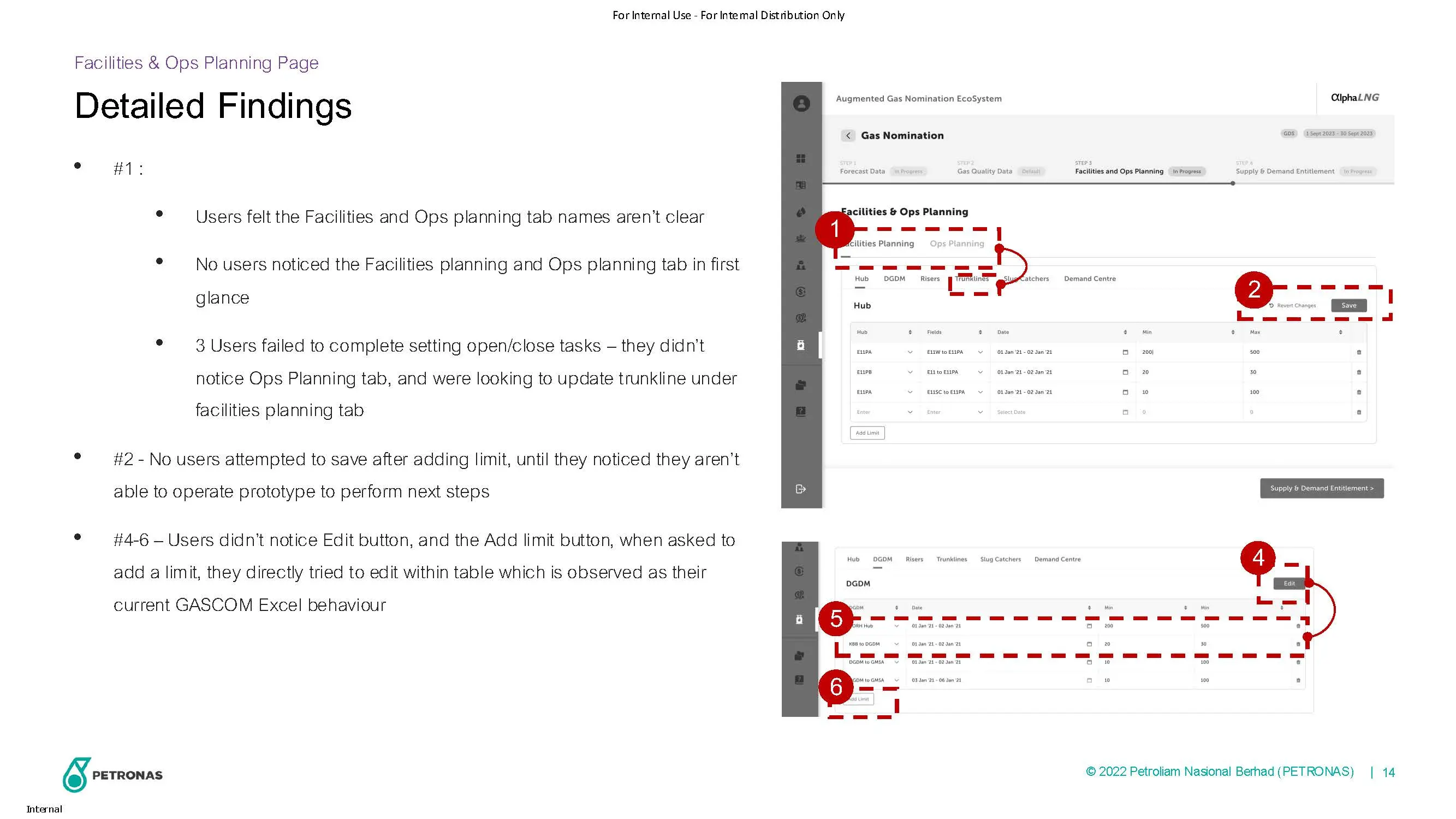
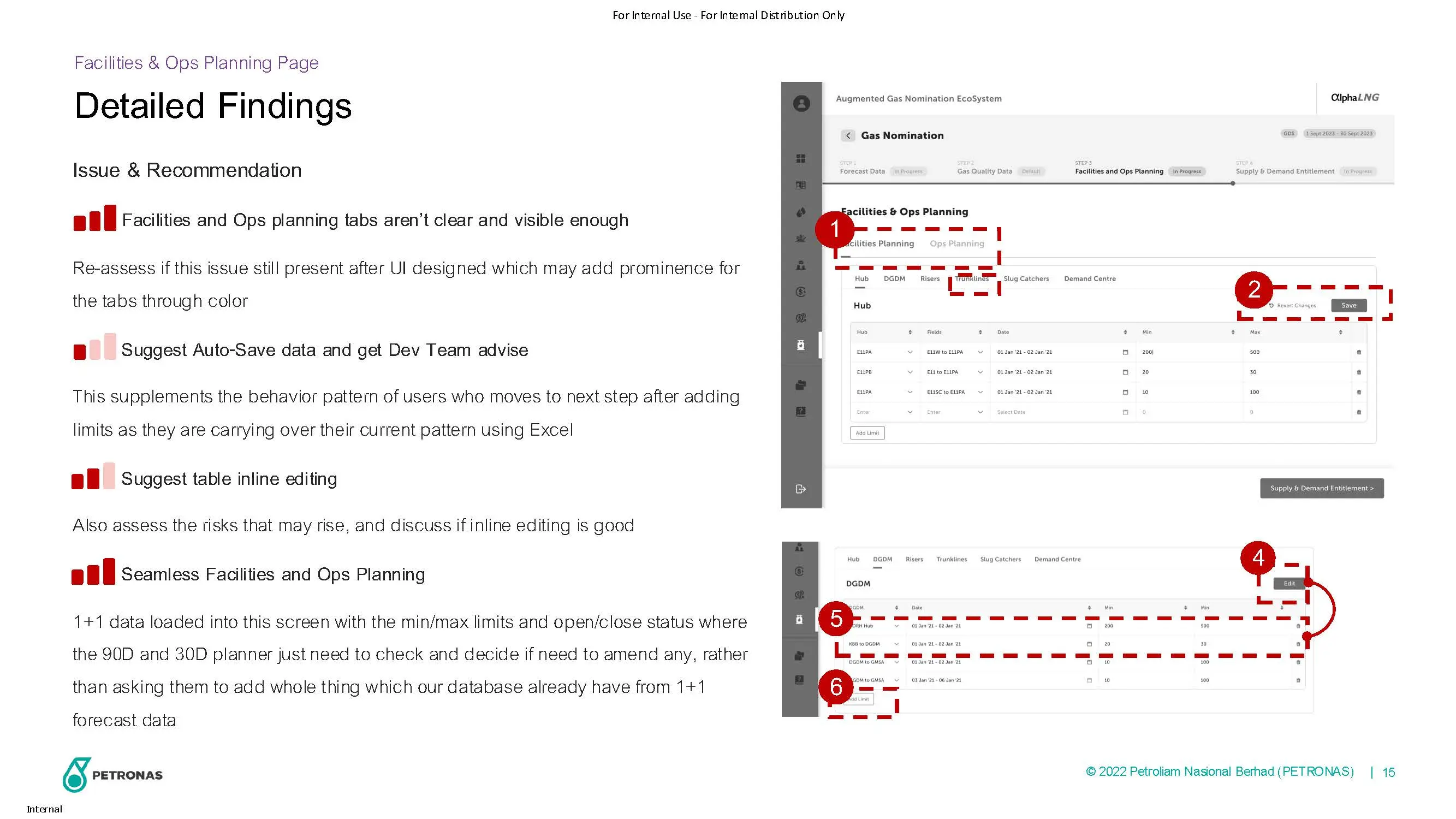
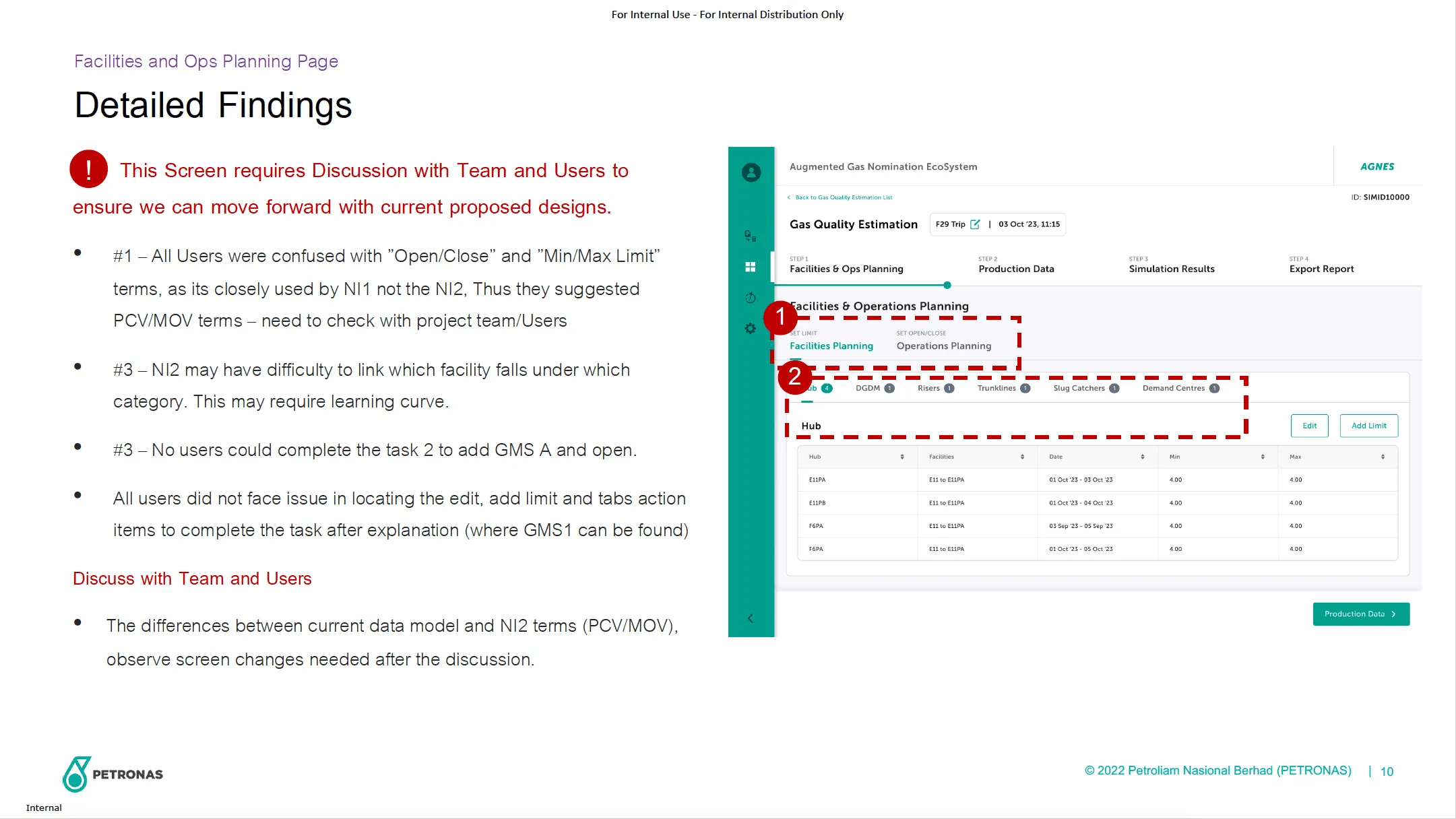
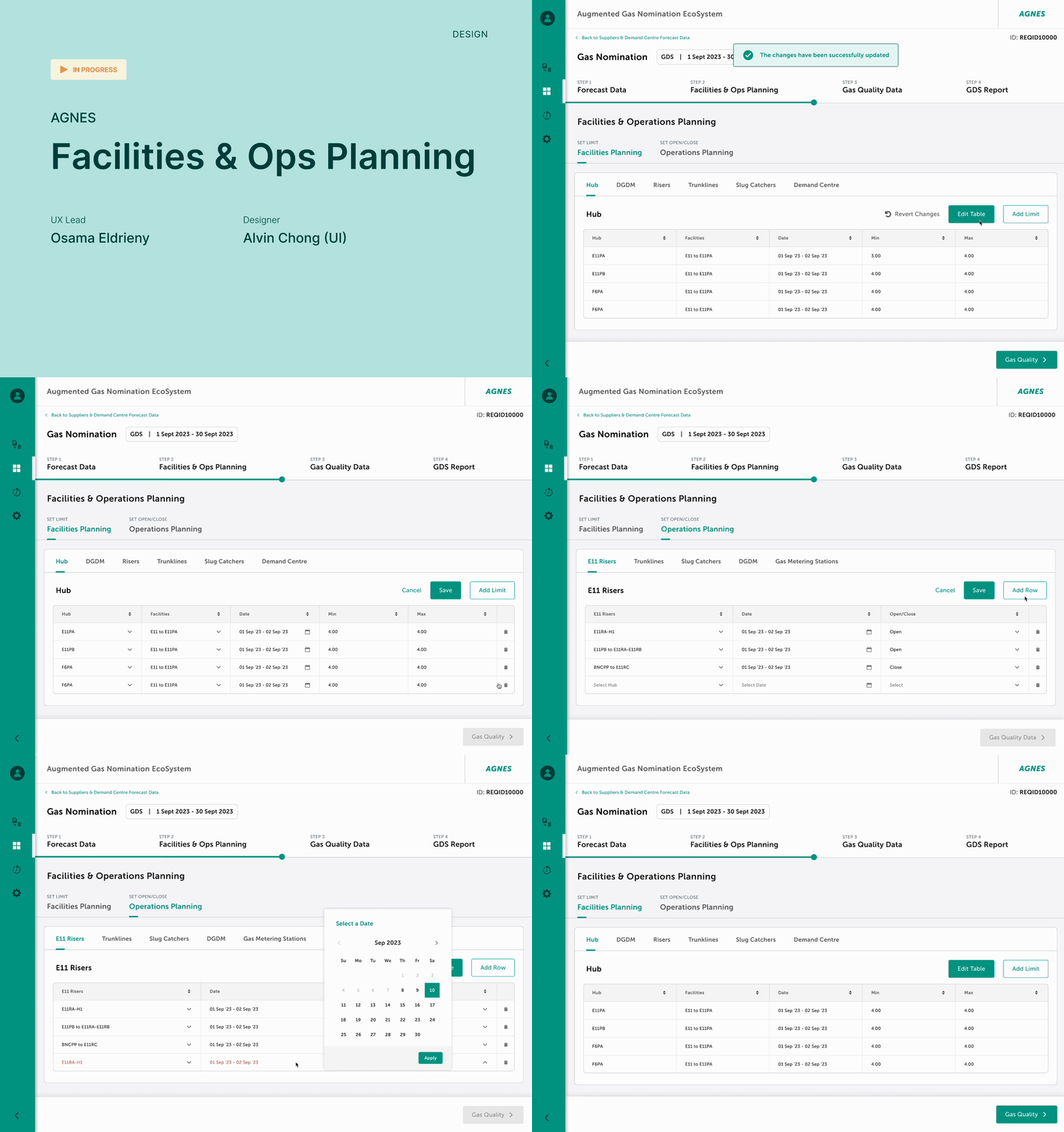
Facilities and Ops Planning
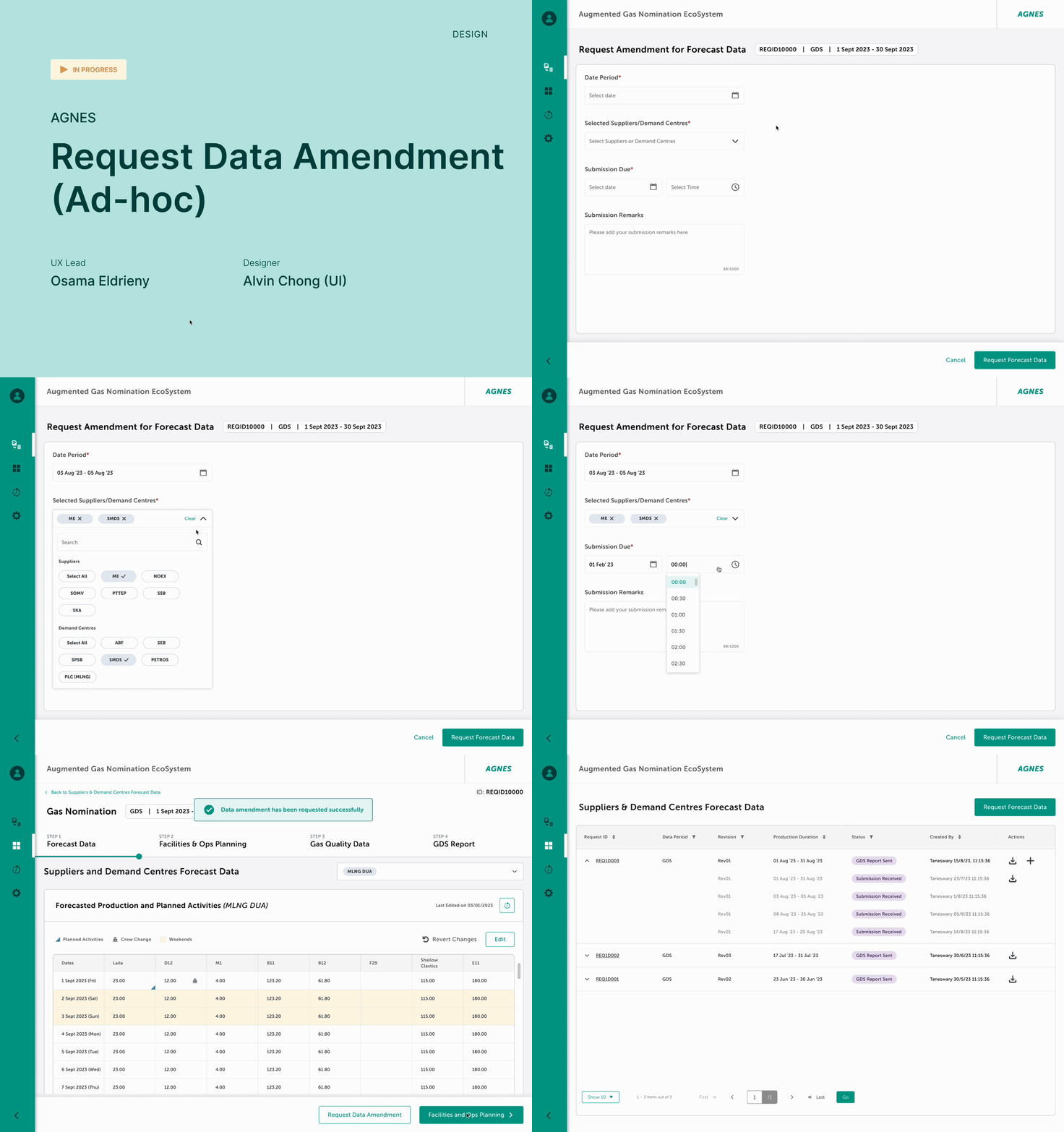
Request Data Amendment (Ad-hoc)
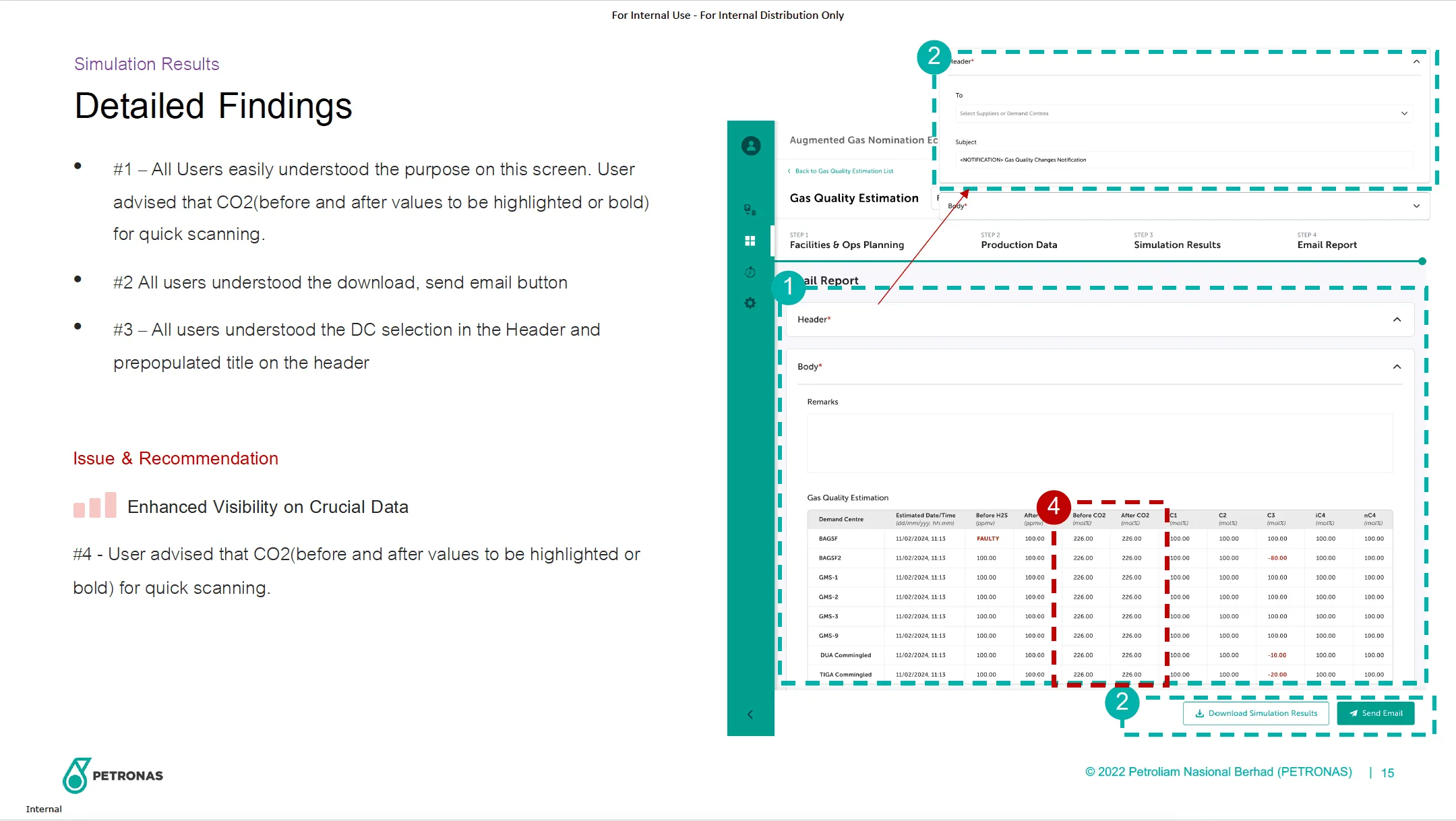
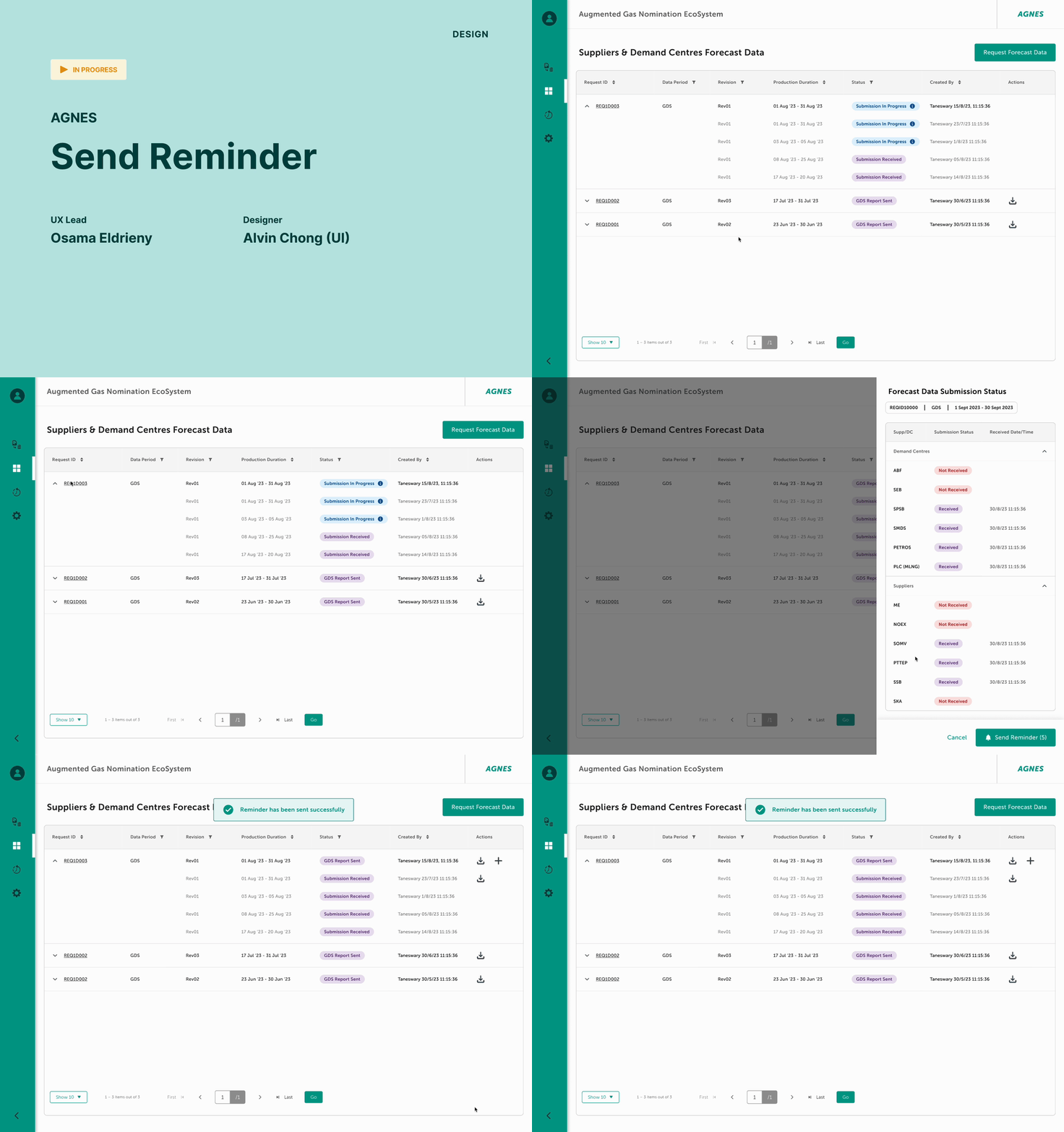
Send Reminder
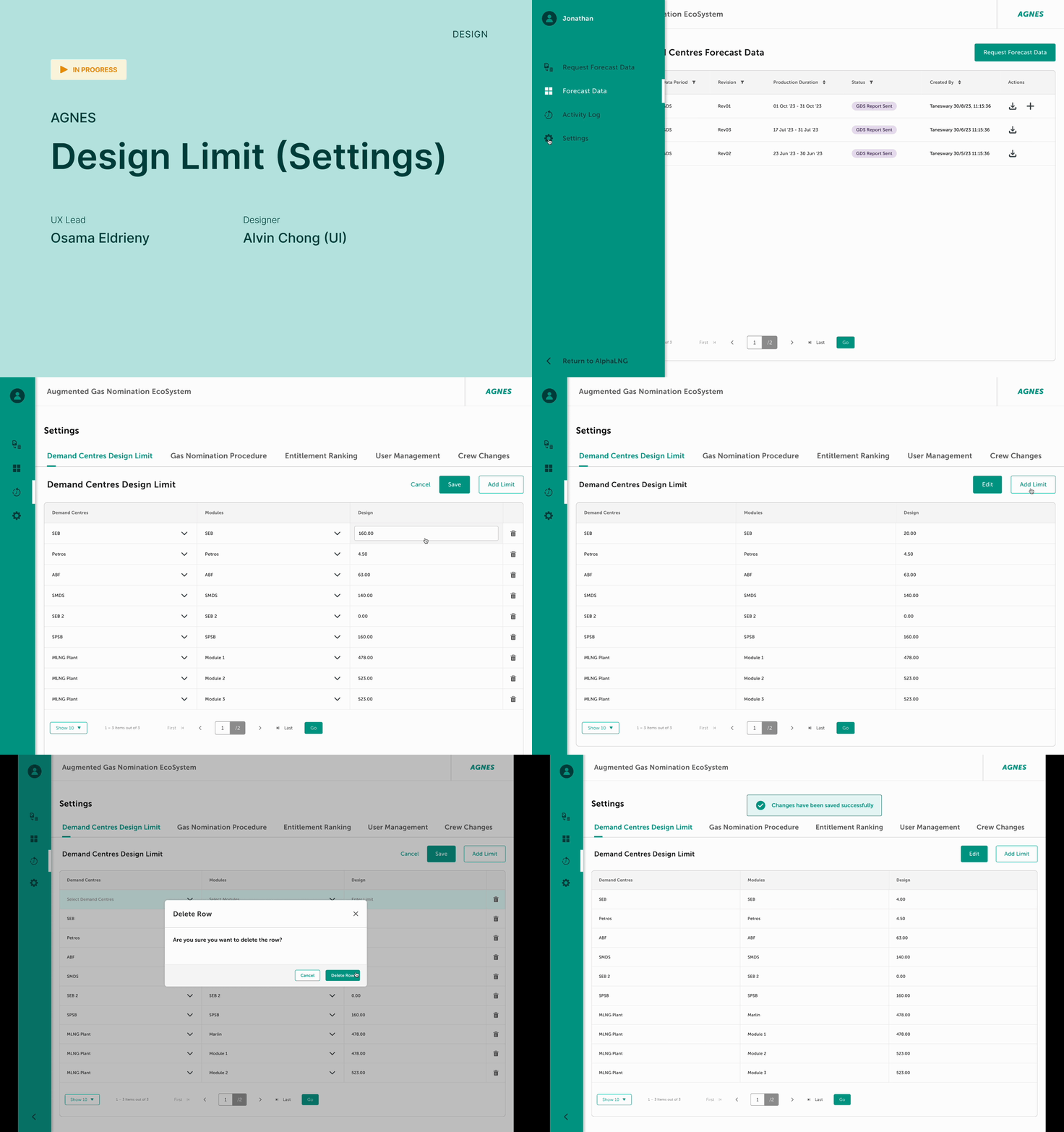
Design Limit Settings
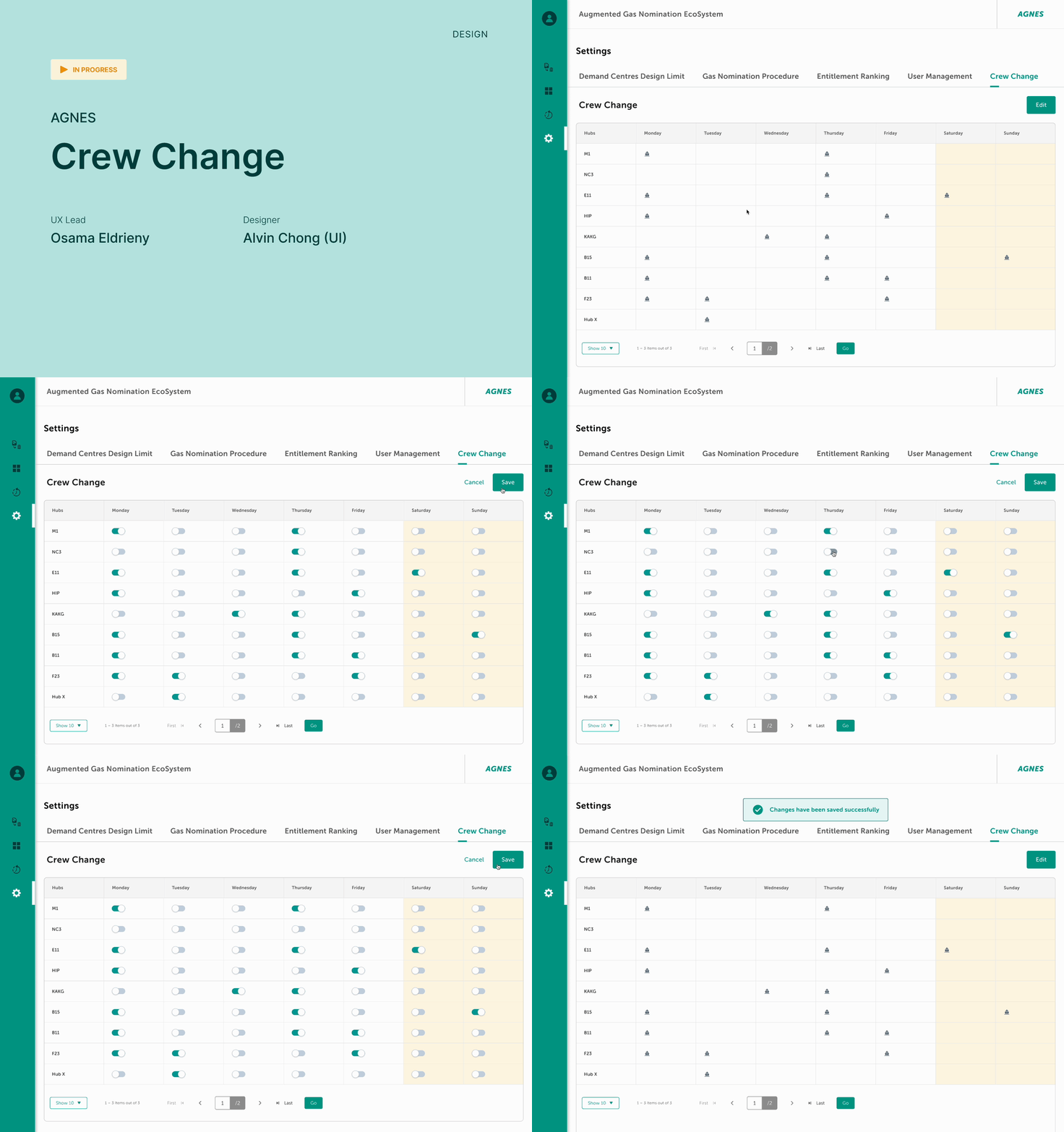
Crew Change
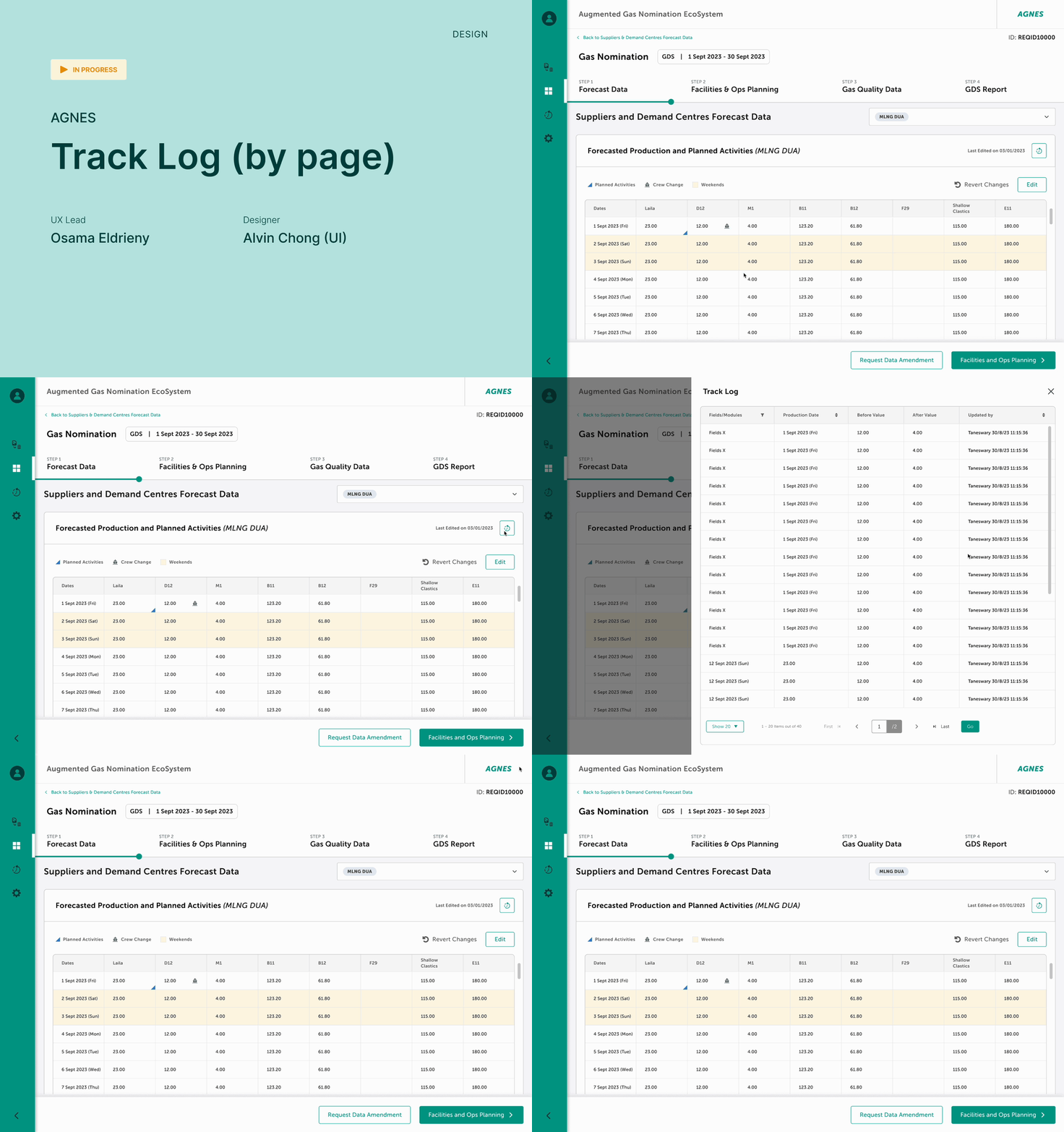
Track Log (By Page)
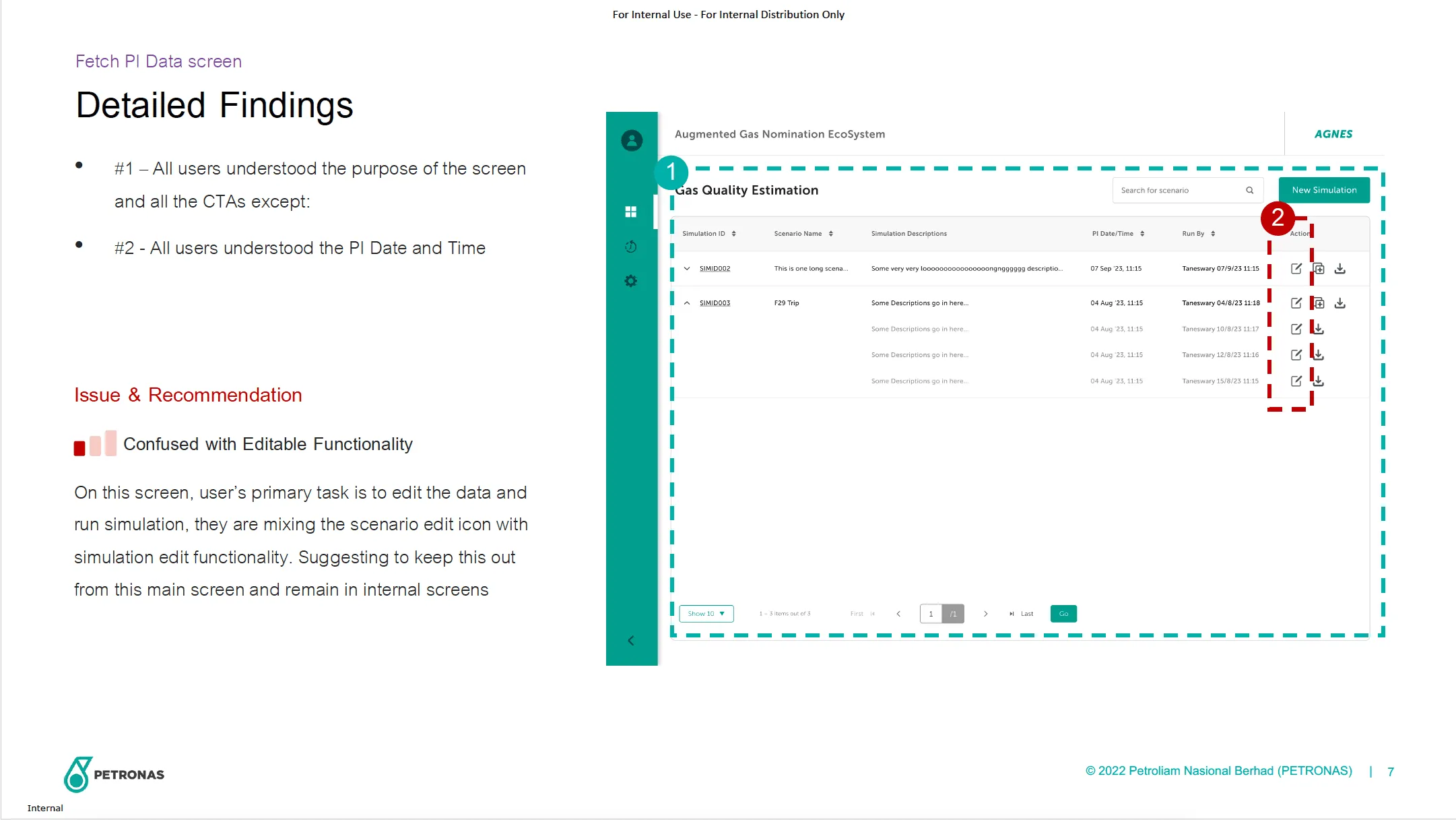
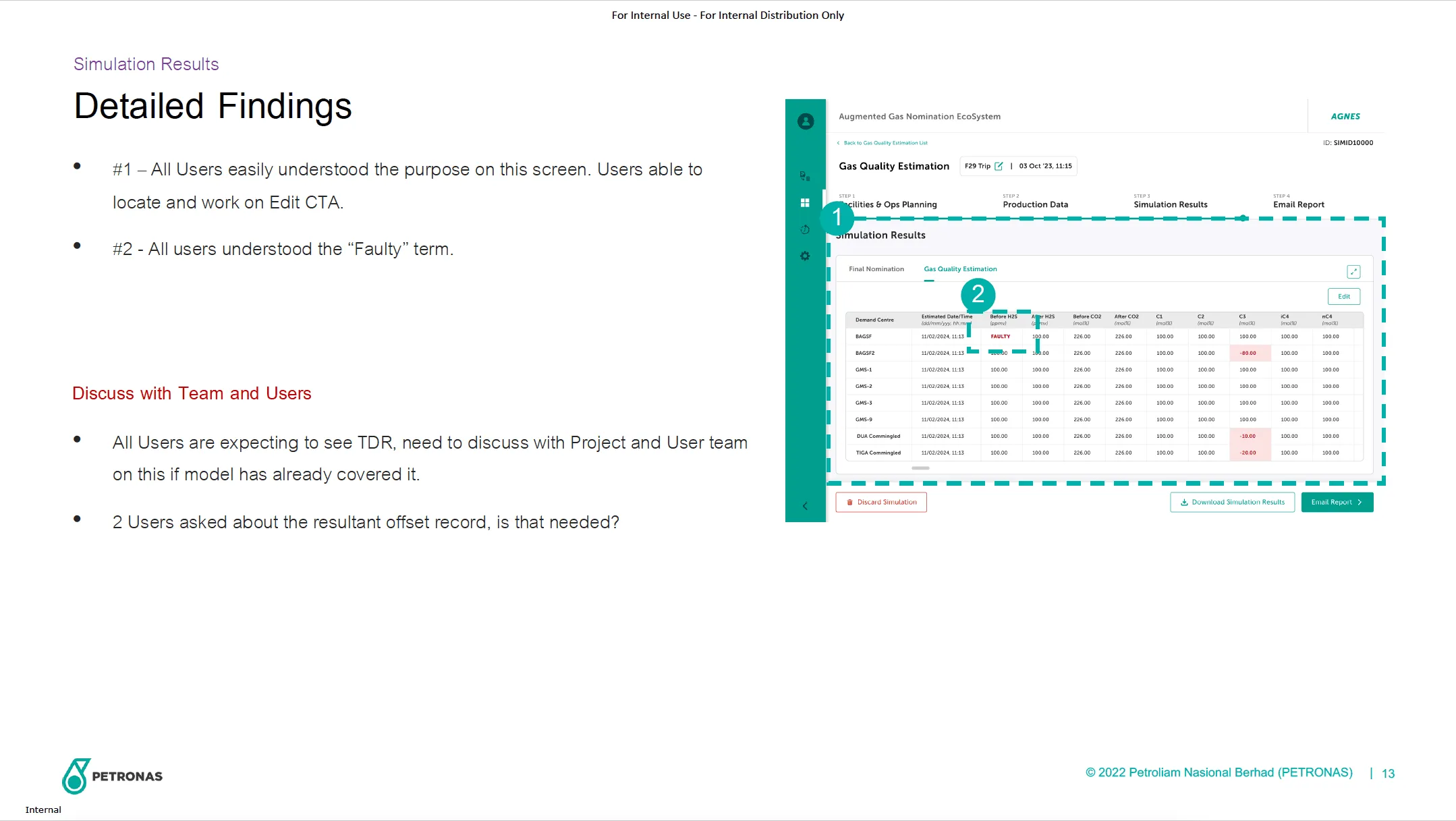
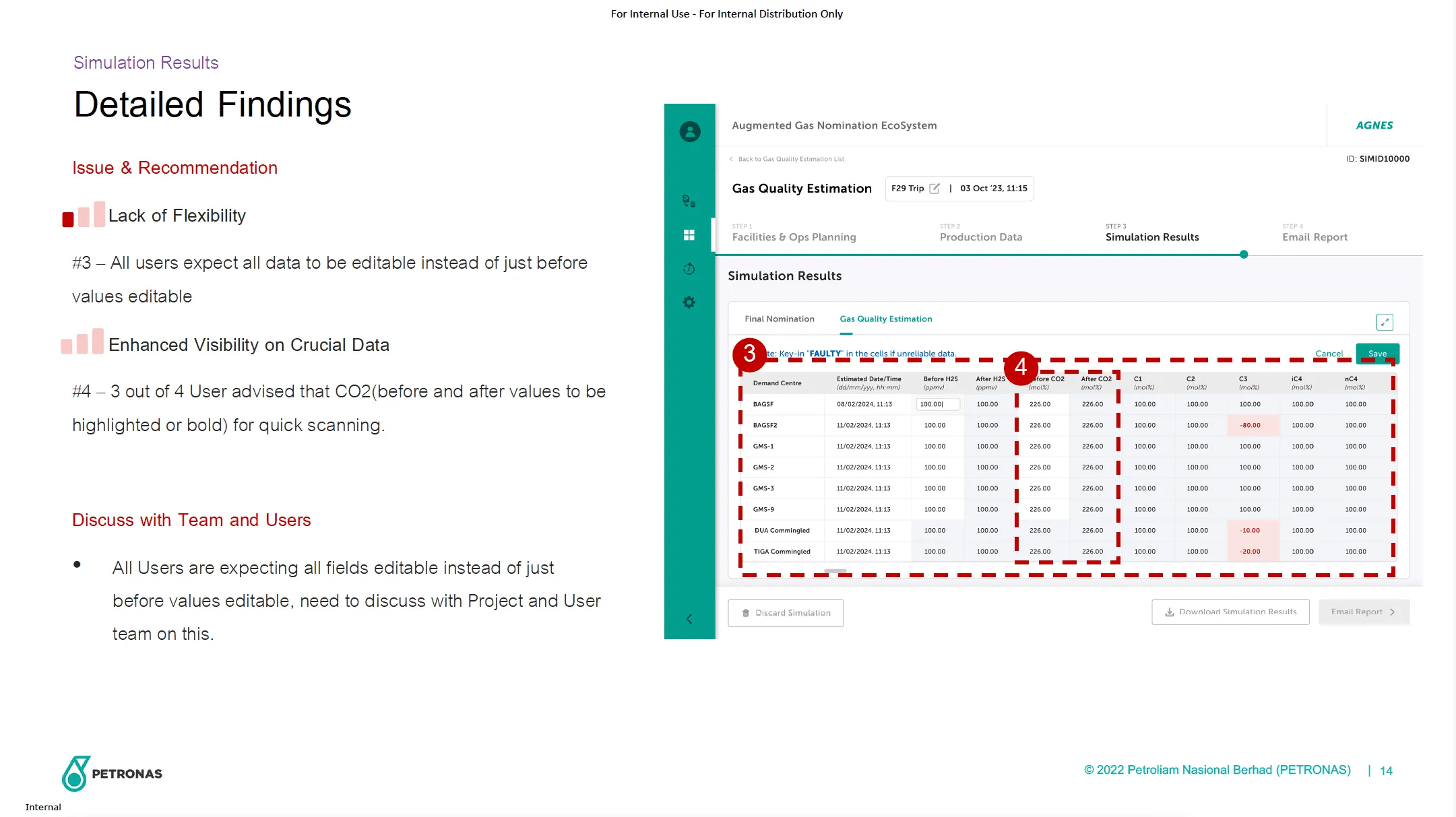
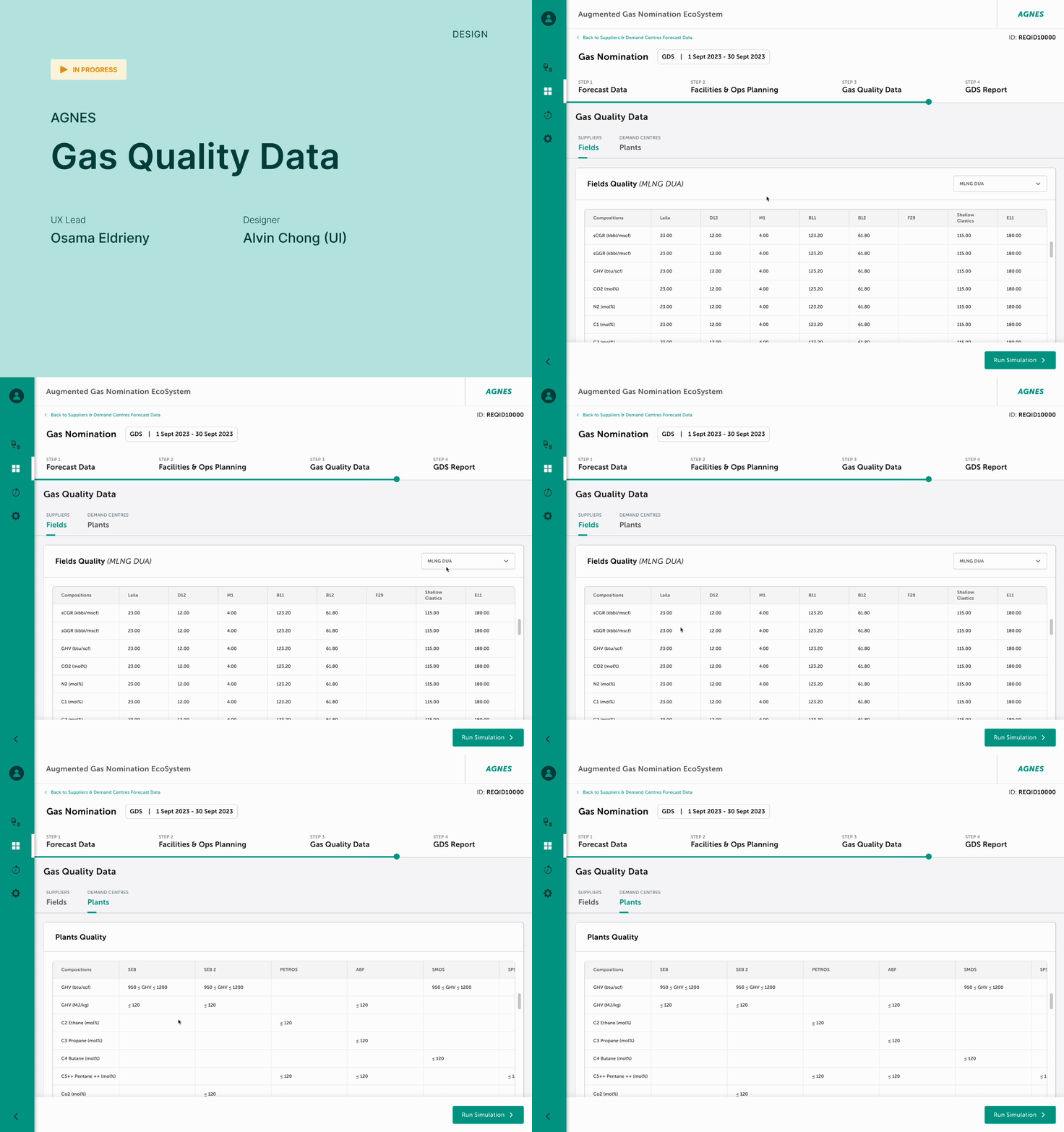
Gas Quality Data
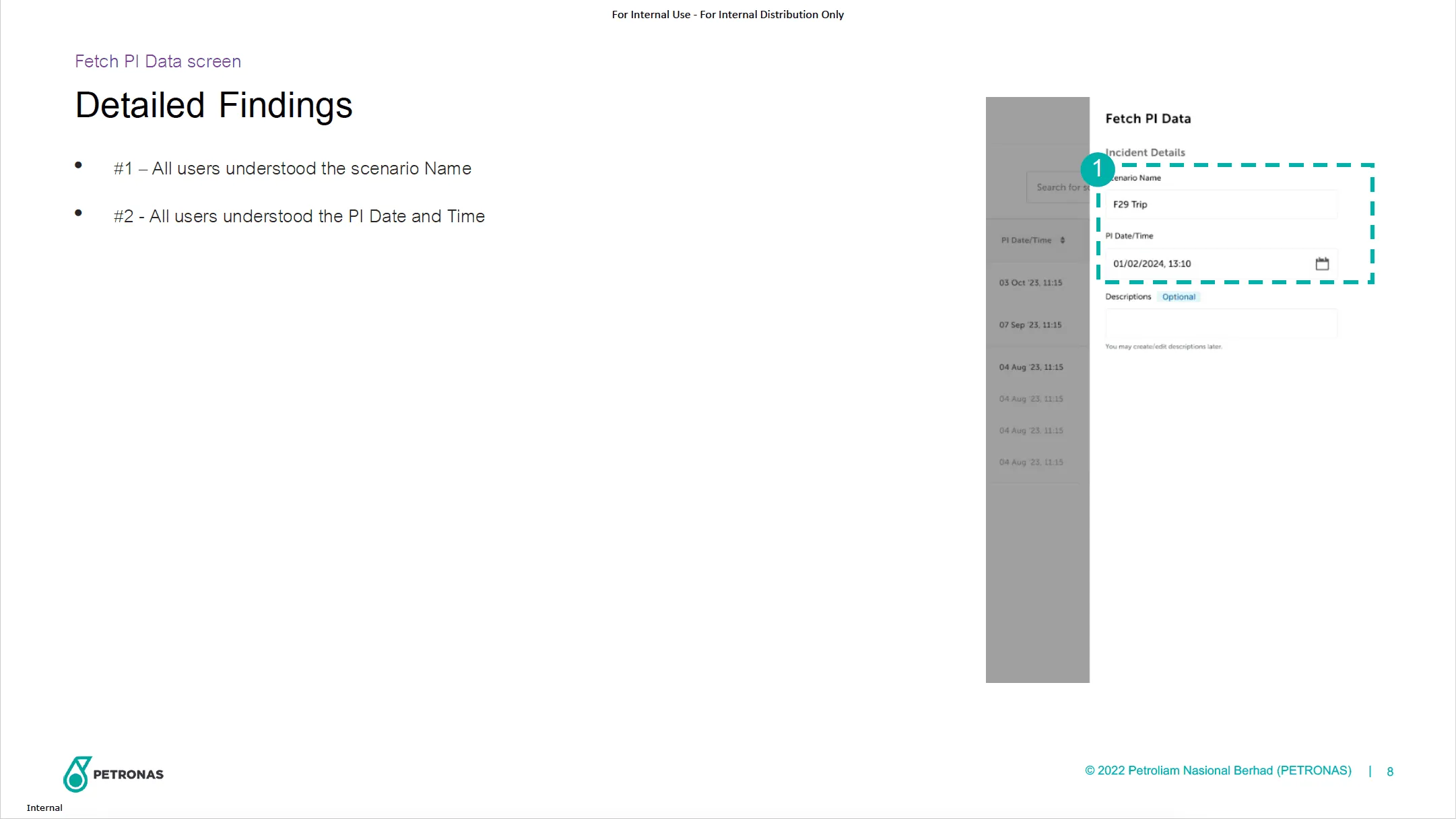
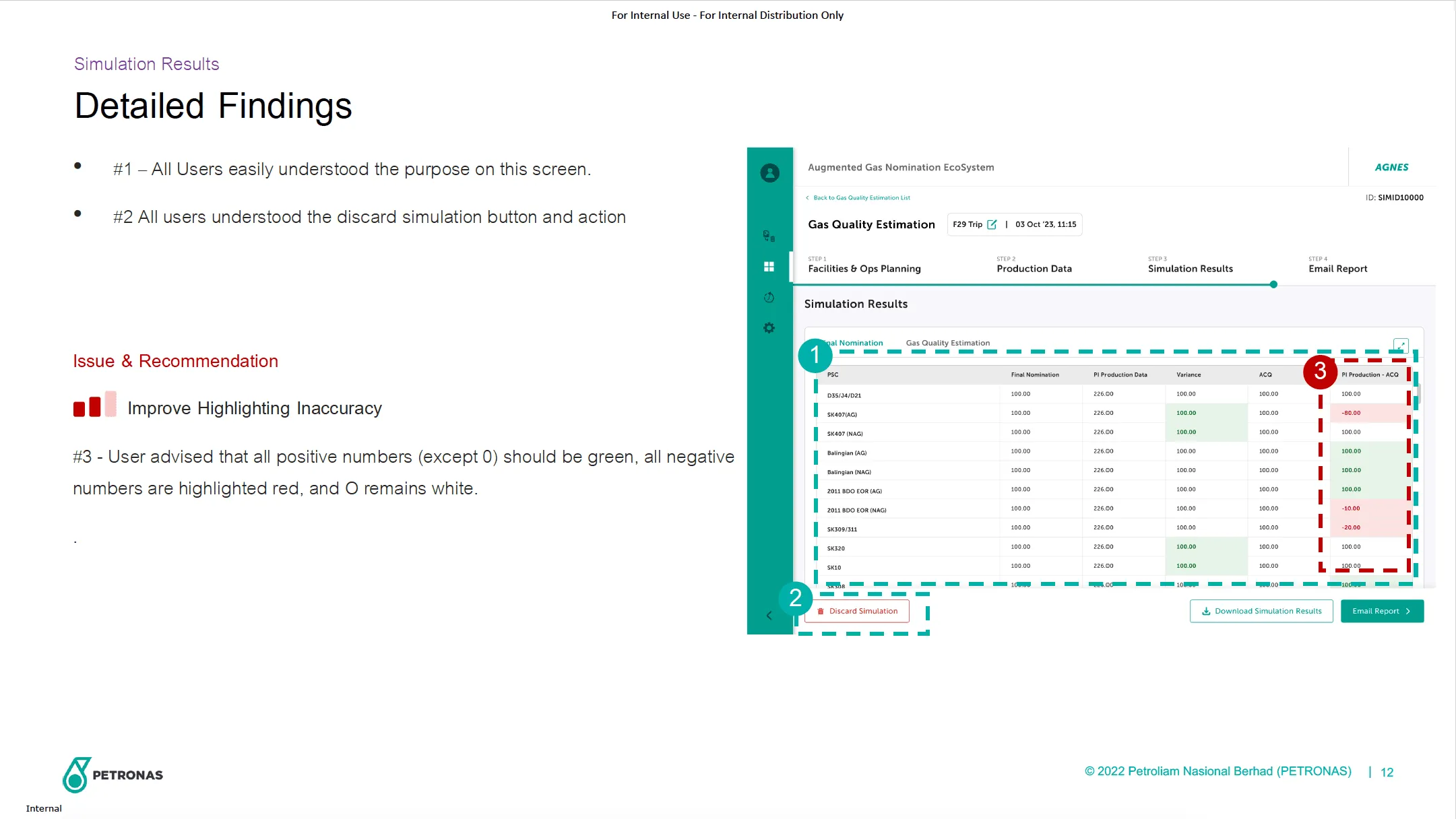
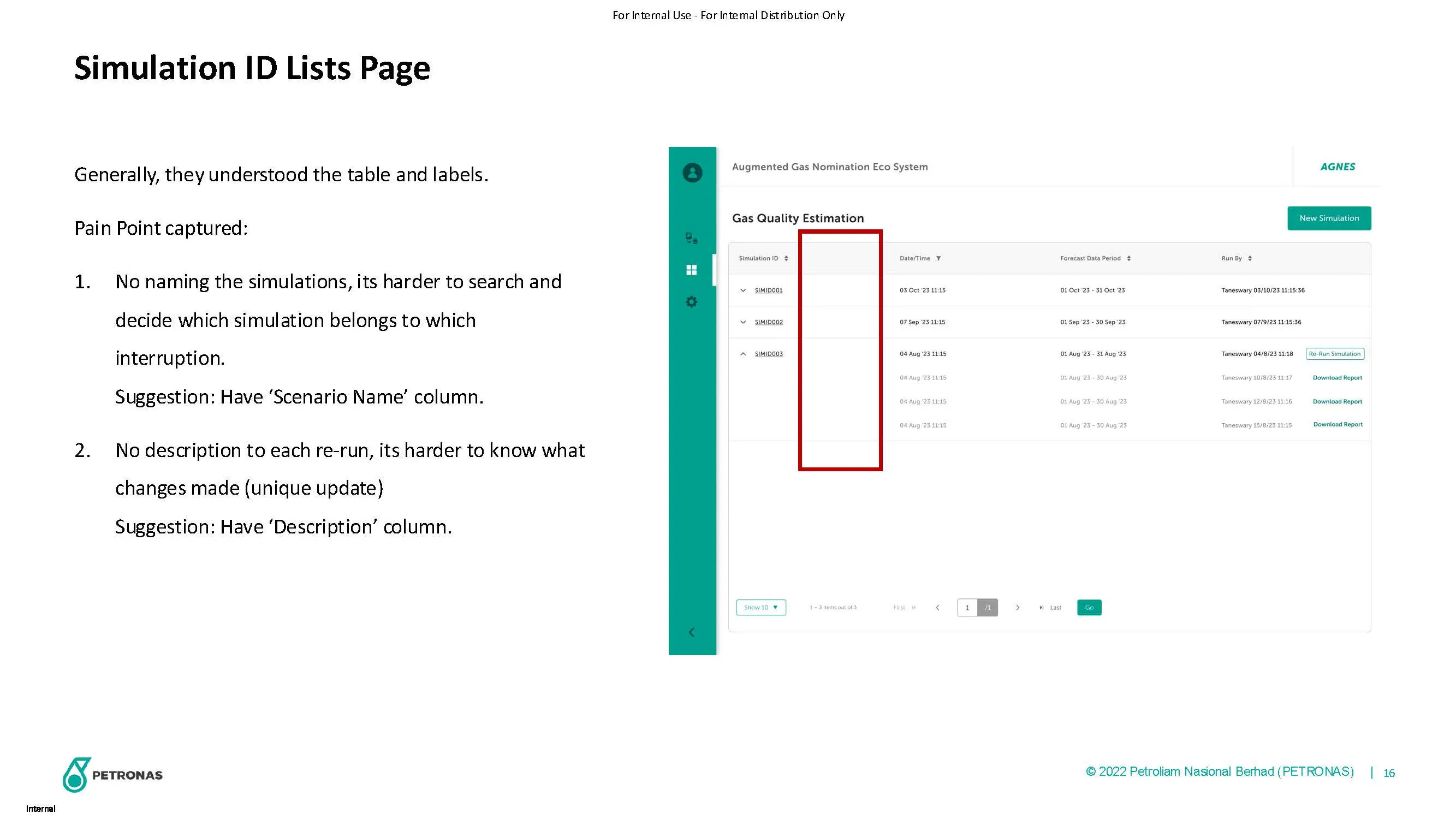
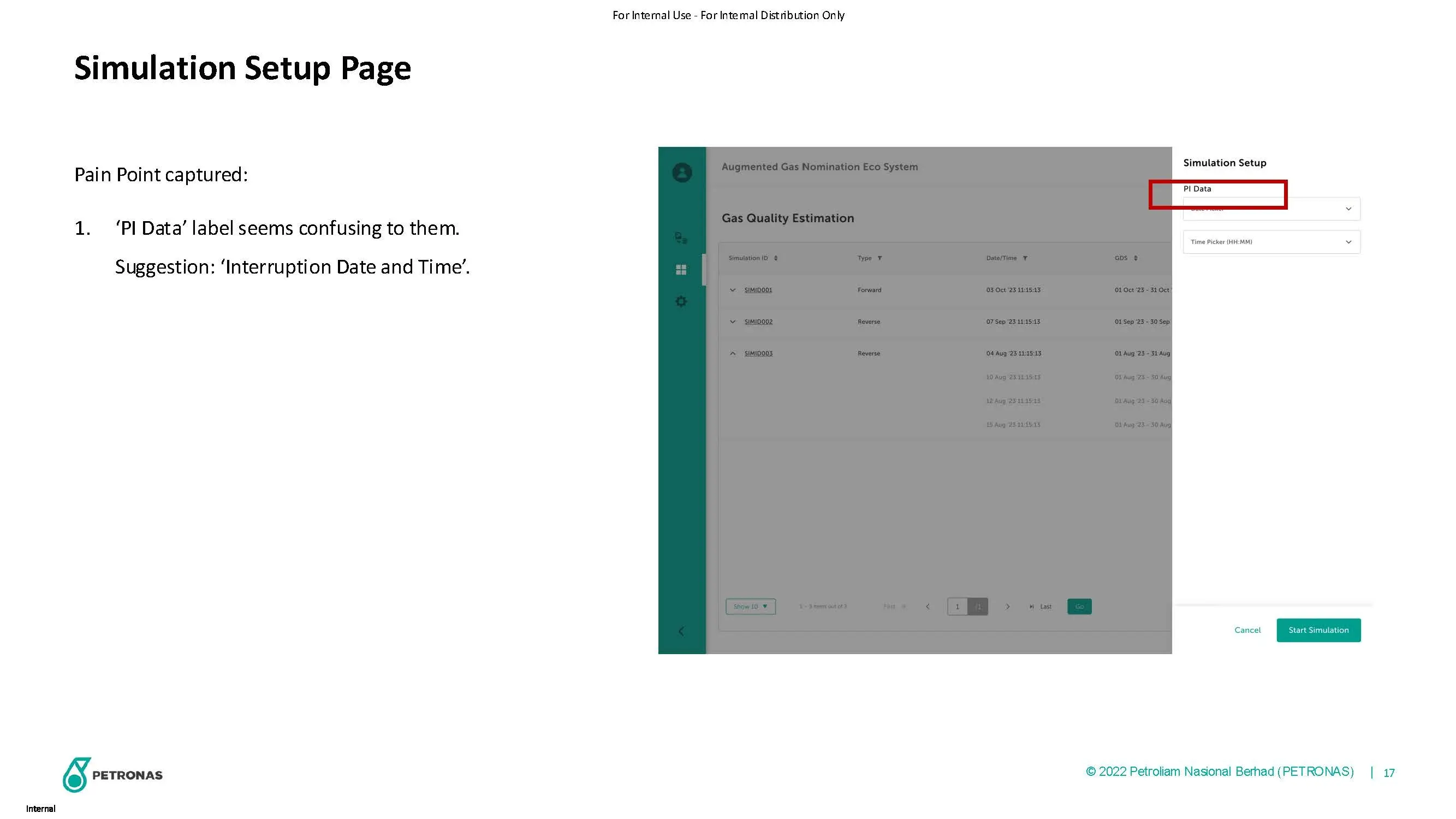
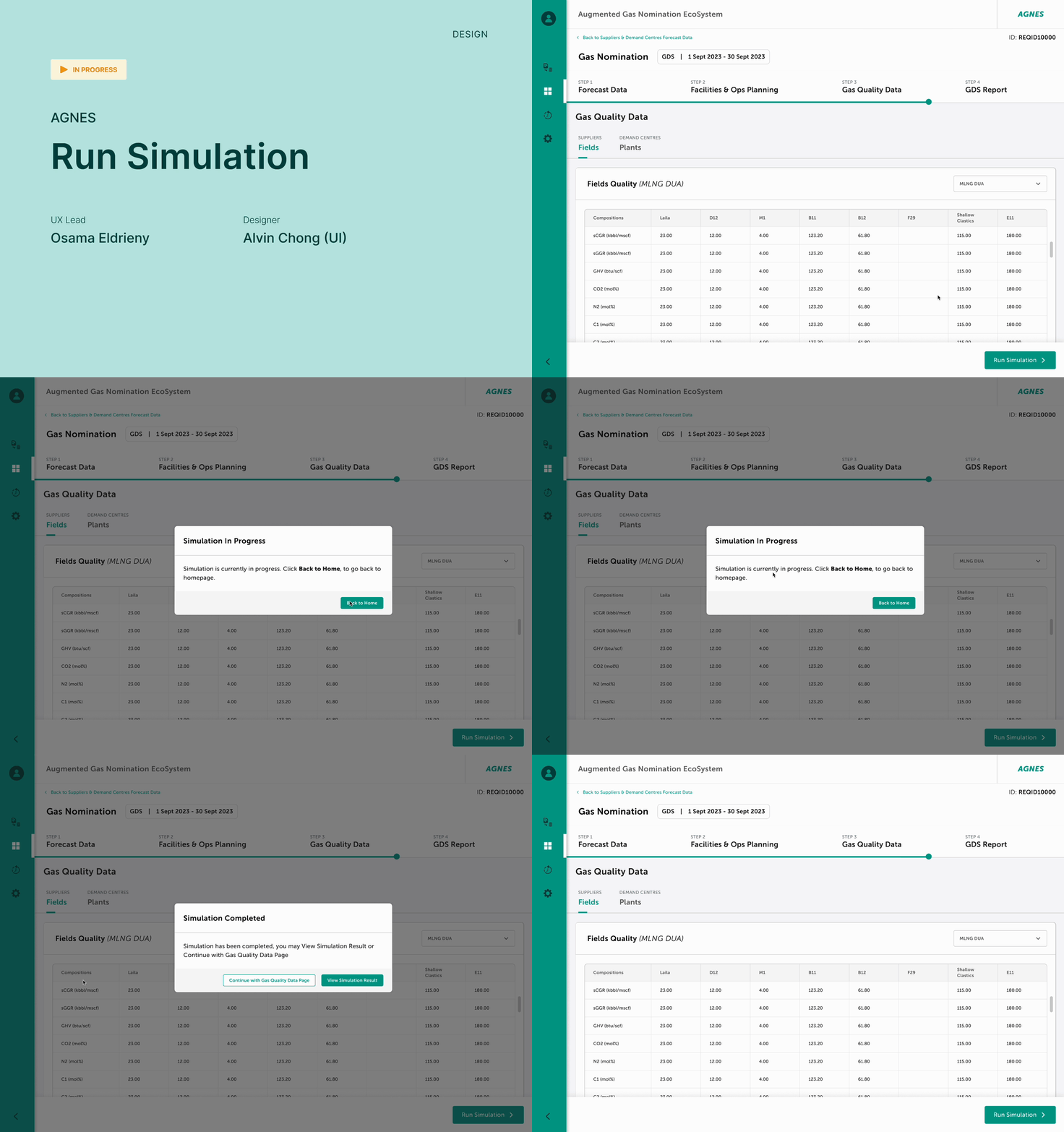
Run Simulation
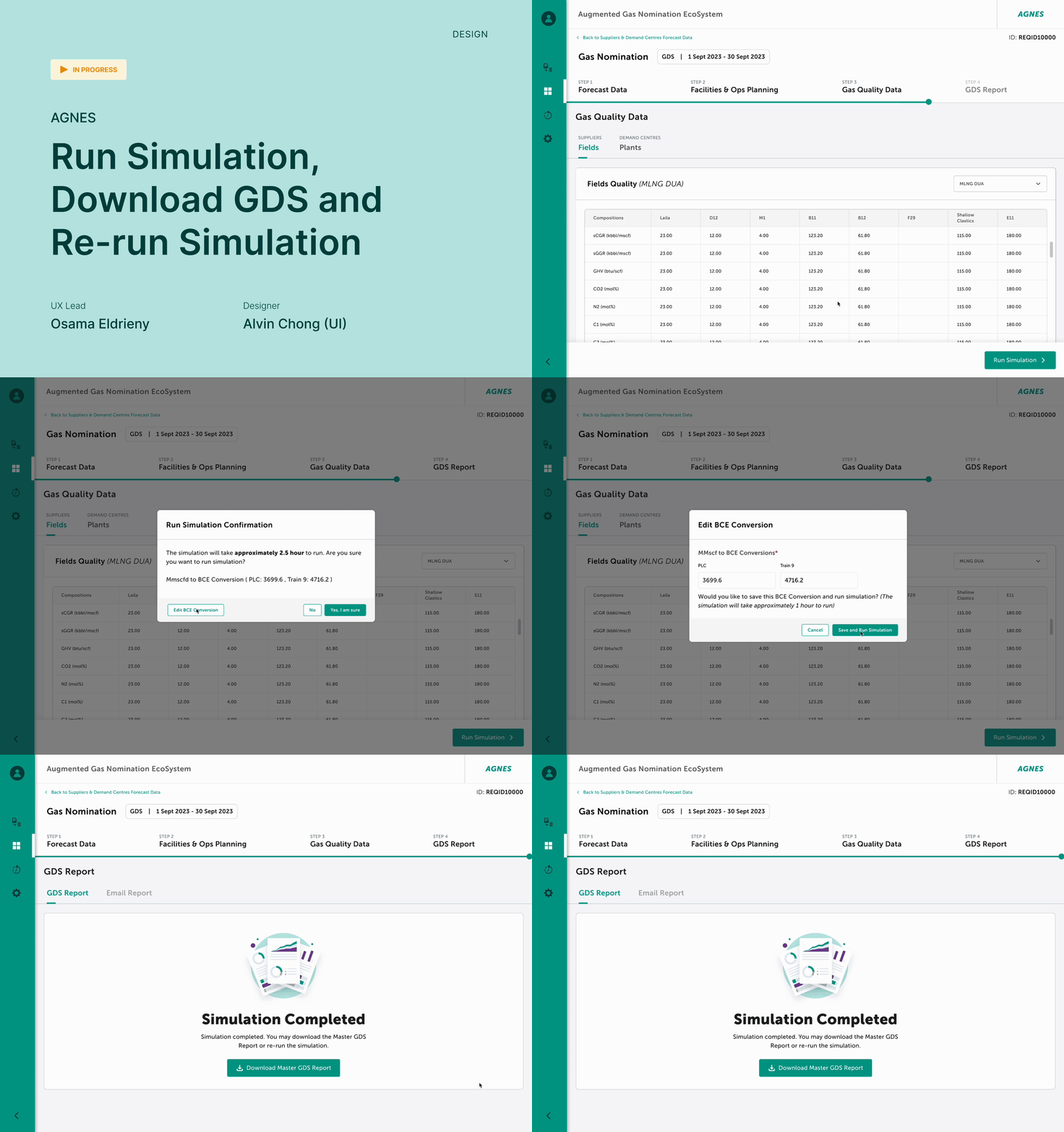
Run Simulation and Download GDS and Re-Run Simulation
dashboard